OmniLCS Web Interface Guide
The OmniLCS Control Panel is a real-time web interface served over HTTPS on port 443. It is built with Phoenix LiveView, providing live-updating views without page reloads. All pages auto-refresh every 2-3 seconds.
Overview of Pages
The navigation bar presents pages in this order:
| Page | Path | Description |
|---|---|---|
| Dashboard | /dashboard | System overview with key metrics |
| Location | /location | Location services testing interface |
| Cells | /cells | Cell database management |
| Diameter | /diameter | Diameter peer monitoring |
| CBC 2G | /cbc | 2G CBSP monitoring |
| CBC 3G | /cbc3g | 3G SABP monitoring |
| CBC 4G | /cbc4g | 4G SBC-AP broadcast composer and monitoring |
| CAP Alerts | /cap | CAP alert ingestion, approval, and broadcast monitoring |
| GMLC / Le | /gmlc | GMLC Le interface monitoring, deferred session management |
| Application | /application | OTP application resource viewer (built-in) |
| Configuration | /configuration | Runtime configuration viewer (built-in) |
| Log | /log | Real-time log viewer (built-in) |
Dashboard
Path: /dashboard
Refresh: Every 2 seconds
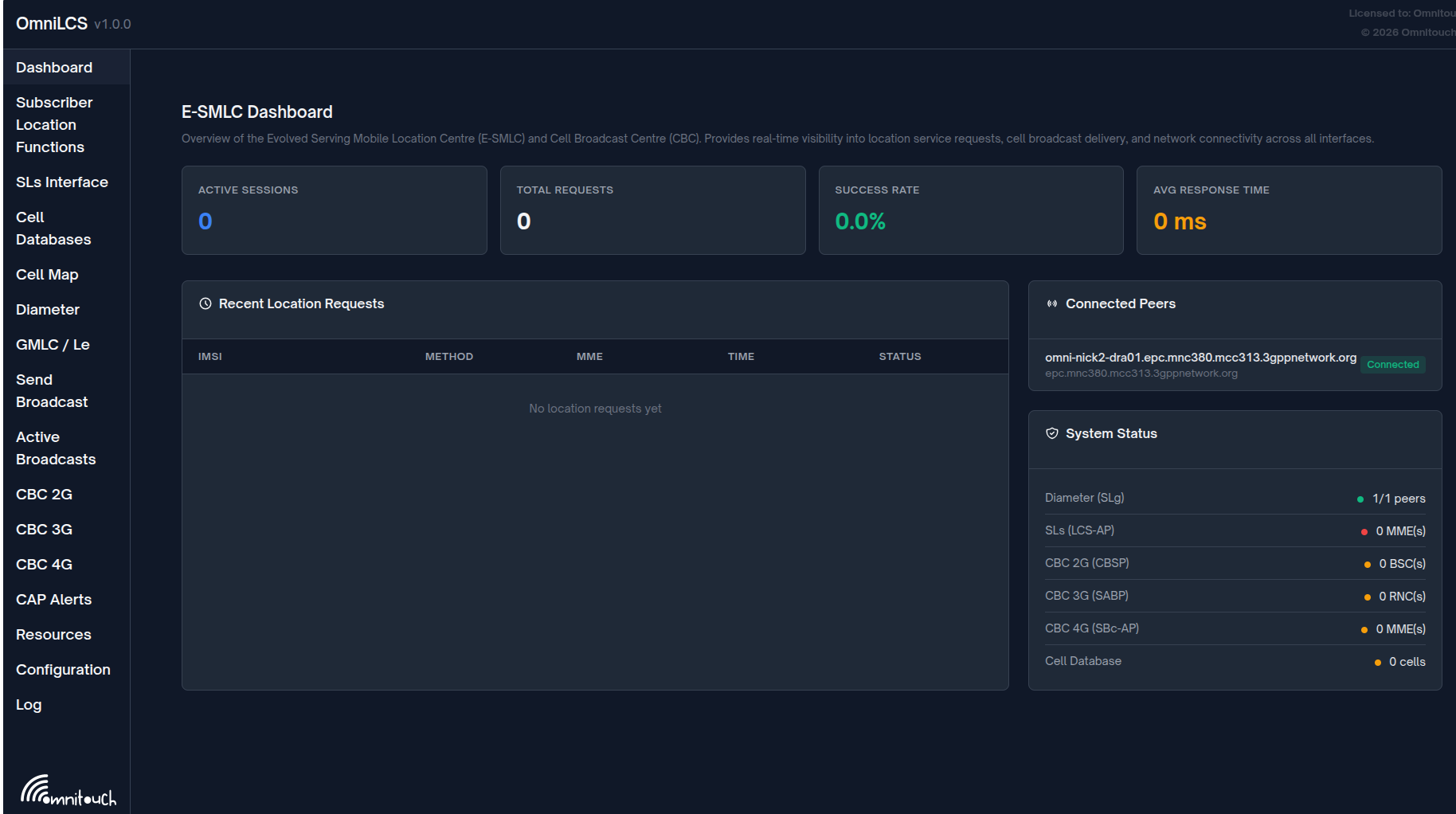
The dashboard provides a high-level operational overview of the entire OmniLCS system.
Statistics Cards
Four summary cards across the top:
| Card | Description |
|---|---|
| Active Sessions | Number of in-progress location sessions |
| Total Requests | Total location requests processed since startup |
| Success Rate | Percentage of completed vs total requests |
| Avg Response Time | Average positioning duration in milliseconds |
Recent Location Requests
A table showing the 20 most recent location sessions with columns:
| Column | Description |
|---|---|
| IMSI | UE identifier |
| Method | Positioning method (Cell, E-CID, GNSS, OTDOA, Hybrid) |
| MME | MME host that originated the request |
| Time | Request timestamp (HH:MM:SS) |
| Status | Color-coded badge (Active, Completed, Error, Timeout) |
Connected Peers
List of SLs (LCS-AP) and Diameter peers in "Connected" state, showing:
- Peer hostname
- Interface type (SLs or Diameter)
System Status
Indicator lights for subsystem health:
| Indicator | Green | Yellow | Red |
|---|---|---|---|
| SLs Interface (LCS-AP) | At least 1 MME SCTP association established | -- | No MME connections |
| Diameter Service | At least 1 peer connected | -- | No peers connected |
| Cell Database | Cells loaded | 0 cells | -- |
Location
Path: /location
Refresh: Every 2 seconds
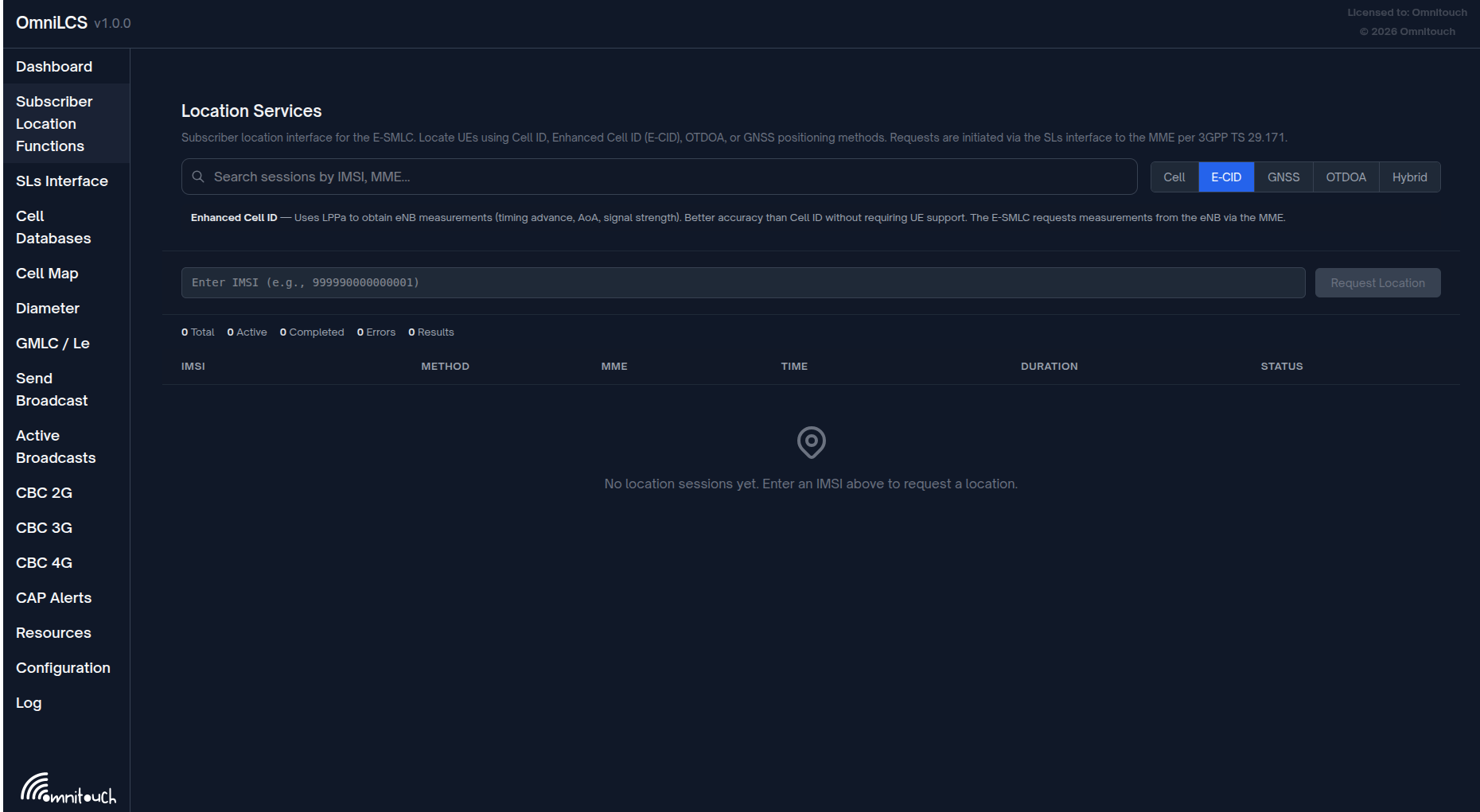
Interactive location services testing interface for manually requesting UE positions.
Method Selector
Toggle buttons to select the positioning method:
| Method | Description |
|---|---|
| Cell | Cell ID based, fastest, coarsest accuracy |
| E-CID | Enhanced Cell ID using eNB measurements via LPPa |
| GNSS | GPS/GNSS via LPP, highest accuracy |
| OTDOA | Multilateration from PRS measurements |
| Hybrid | Combined methods with fallback |
Each method shows a description panel explaining how it works.
Request Form
- IMSI Input: Enter the IMSI of the UE to locate (e.g.,
999990000000001) - Request Location Button: Sends the location request asynchronously
Requests run as background tasks. A spinning indicator shows while the request is in progress.
Session Counts
Summary badges showing:
- Total sessions
- Active sessions
- Completed sessions
- Error count
- Results received
Session History Table
All sessions sorted by creation time (newest first):
| Column | Description |
|---|---|
| IMSI | UE identifier |
| Method | Positioning method |
| MME | Target MME host |
| Time | Session creation time |
| Duration | Time to complete (ms or seconds) |
| Status | Active, Completed, Error, Timeout |
Completed sessions expand to show:
- Coordinates: Latitude and longitude
- Uncertainty: Position uncertainty in meters
- Confidence: Confidence percentage
- Source: Actual positioning source used
- Map: Embedded OpenStreetMap showing the position
Error sessions expand to show the error reason.
Notifications
Toast notifications appear for:
- Request initiated (info)
- Location retrieved (success, with coordinates)
- Location failed (error, with reason)
Notifications auto-dismiss after 5 seconds.
SLs Interface
Path: /sls
Refresh: Every 2 seconds
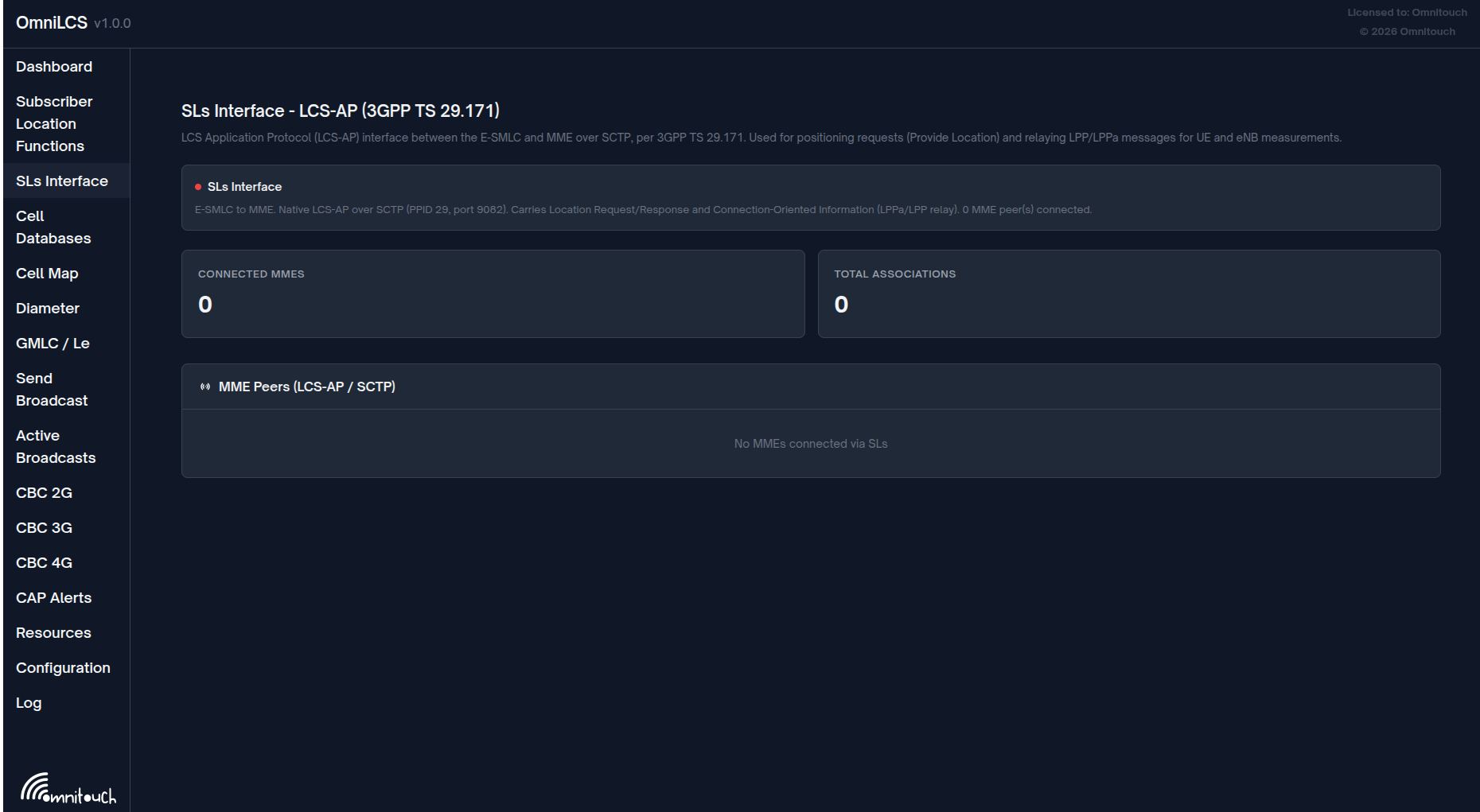
Monitors the SLs (LCS-AP) interface between the E-SMLC and connected MMEs. Shows SCTP association status and connected MME peers.
Interface Status
Displays the LCS Application Protocol (LCS-AP) interface status:
- Protocol reference (3GPP TS 29.171)
- Listening configuration (PPID 29, port 9082)
- Number of connected MME peers
- Green/red indicator
Statistics
| Card | Description |
|---|---|
| Connected MMEs | Number of active SCTP associations to MMEs |
| Total Associations | Total SCTP association count |
MME Peers Panel
List of connected MME SCTP associations showing peer hostname and connection state.
Cell Database
Path: /cells
Refresh: Every 2 seconds
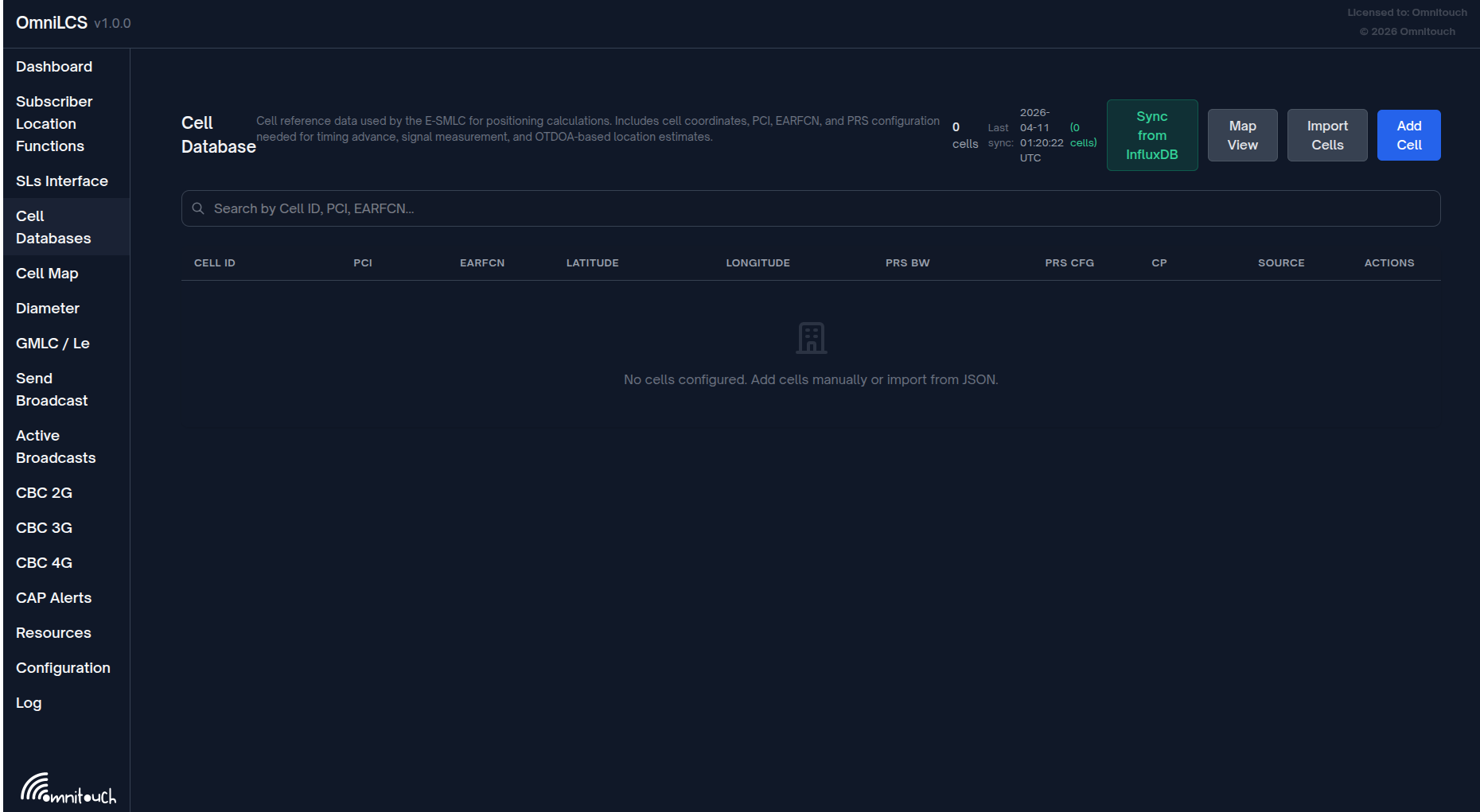
Manages the cell position database used for Cell ID positioning and OTDOA calculations.
Header Controls
| Control | Description |
|---|---|
| Cell count | Total number of cells in the database |
| Last sync | Timestamp and result of the last InfluxDB sync |
| Sync from InfluxDB | Trigger immediate InfluxDB cell sync |
| Map View / Table View | Toggle between table and map display |
| Import JSON | Open JSON import form |
| Add Cell | Open manual cell entry form |
Search
Search cells by Cell ID, PCI, EARFCN, cell name, or source.
Table View
Columns displayed:
| Column | Description |
|---|---|
| Cell ID | Unique cell identifier |
| PCI | Physical Cell Identity |
| EARFCN | Radio frequency channel number |
| Latitude | Cell latitude |
| Longitude | Cell longitude |
| PRS BW | PRS bandwidth in resource blocks |
| PRS Cfg | PRS configuration index |
| CP | Cyclic prefix length |
| Source | Data source (InfluxDB or Manual) |
| Actions | Edit and Delete buttons |
Map View
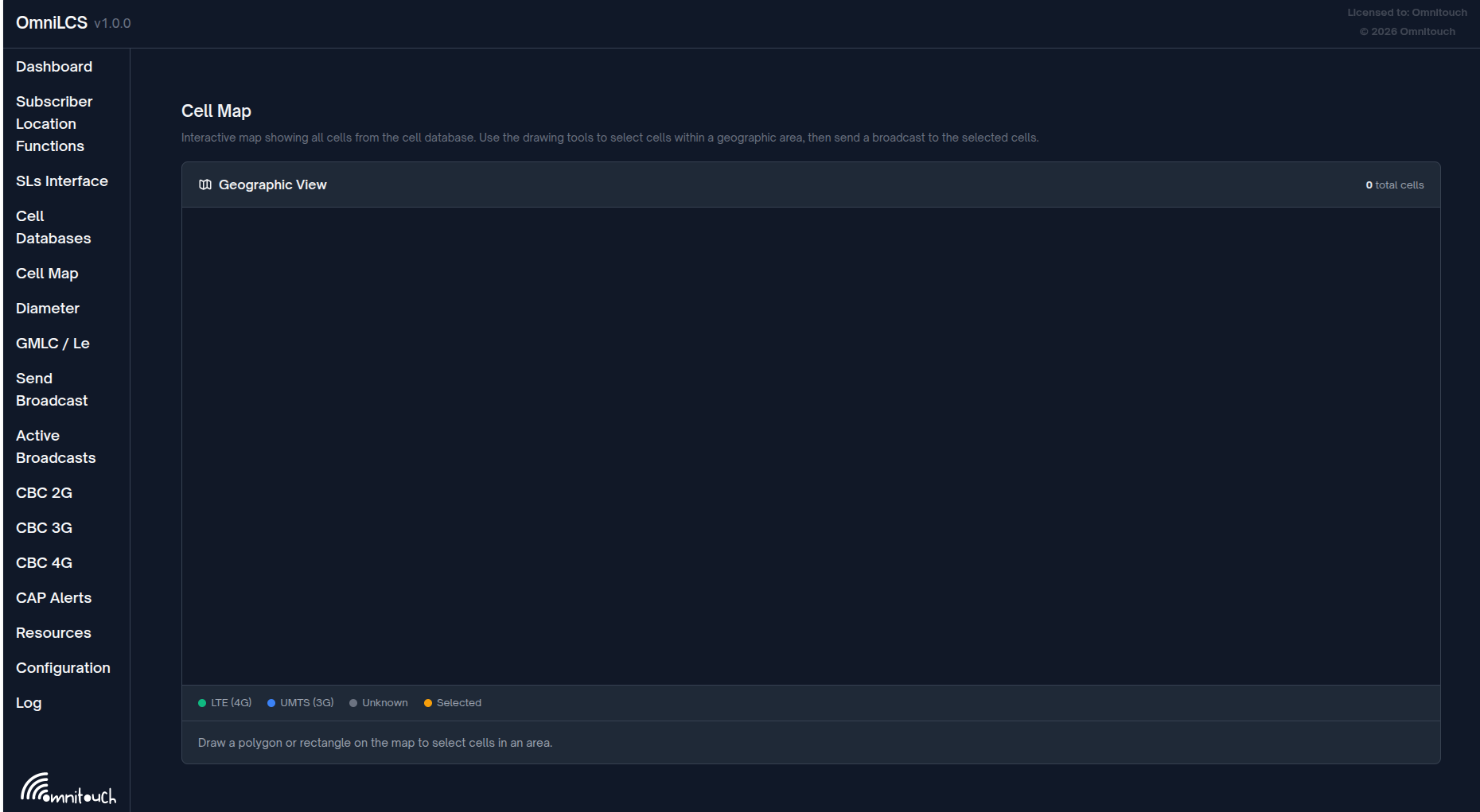
Displays all cells with coordinates on an embedded OpenStreetMap:
- Overview map centered on the average position of all cells
- Individual maps for each cell showing its precise position
Add / Edit Cell Form
Form fields organized in a grid:
| Field | Description |
|---|---|
| Cell ID | Unique identifier (disabled when editing) |
| PCI | Physical Cell Identity (0-503) |
| EARFCN | Radio frequency channel number |
| Latitude | Decimal degrees |
| Longitude | Decimal degrees |
| Antenna Ports | 1, 2, or 4 |
| PRS Bandwidth (RBs) | 6, 15, 25, 50, 75, or 100 |
| PRS Config Index | 0-4095 |
| CP Length | Normal or Extended |
JSON Import
Accepts a JSON array of cell objects pasted into a textarea. Required field: cell_id. Optional fields: pci, earfcn, latitude, longitude, prs_bandwidth, prs_config_index, cp_length, antenna_ports.
Delete Confirmation
Clicking "Del" on a cell row shows a confirmation modal before deletion.
Diameter
Path: /diameter
Refresh: Every 2 seconds
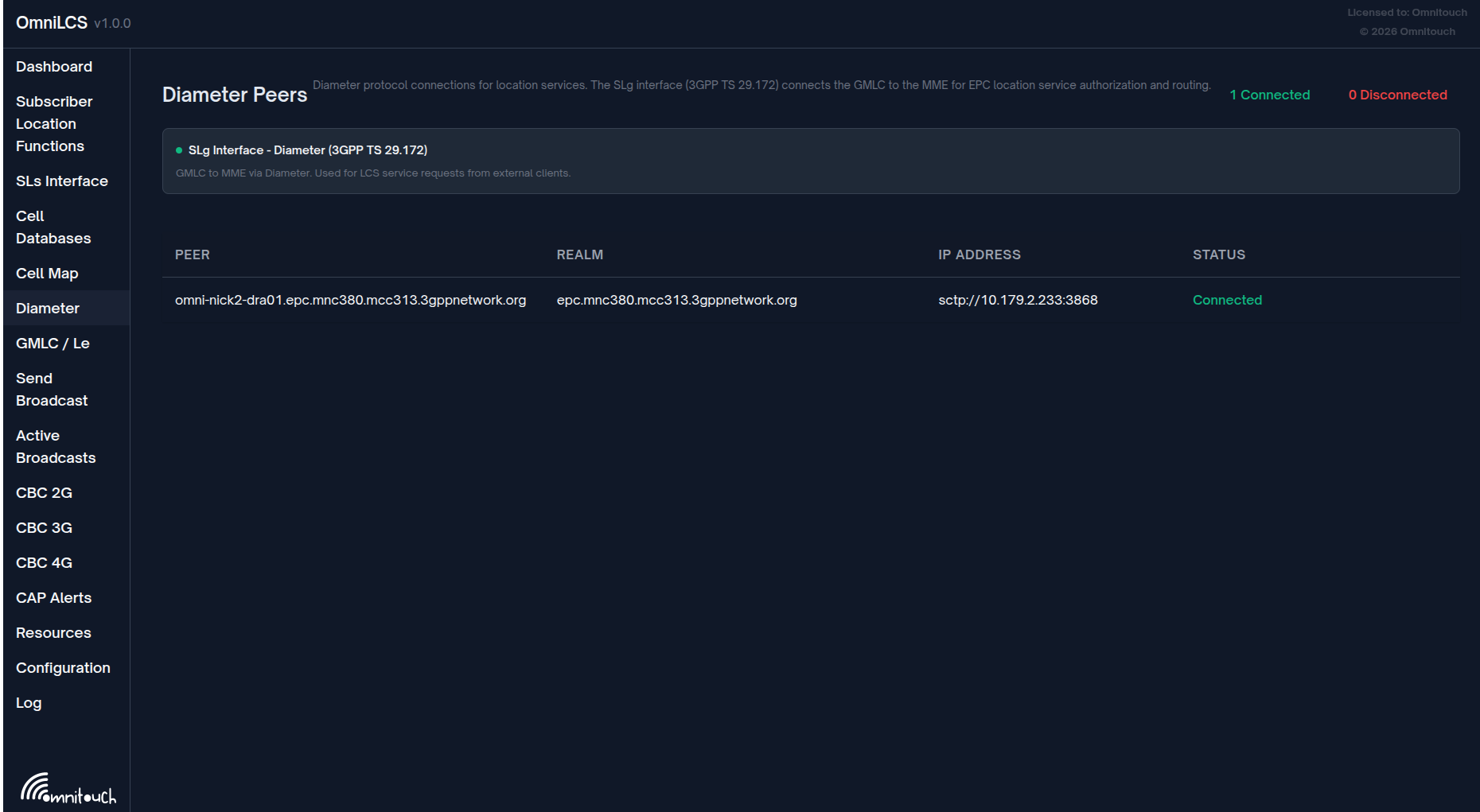
Monitors Diameter peer connections for the remaining Diameter interfaces (SLg and others). The E-SMLC-to-MME SLs interface uses native LCS-AP over SCTP and is monitored separately on the Dashboard page.
Interface Status
Two panels showing interface health:
| Interface | Description |
|---|---|
| SLg Interface (TS 29.172) | GMLC to MME via DRA, Application ID 16777264 |
| Other Diameter Interfaces | Additional Diameter applications as configured |
Each shows a green/red indicator dot and description.
Peer Summary
Connected and disconnected peer counts displayed at the top.
Peer Table
| Column | Description |
|---|---|
| Peer | Diameter host identity |
| Realm | Diameter realm |
| IP Address | Transport address (protocol://ip:port) |
| Status | Connected or Disconnected badge |
Clicking a peer row expands to show detailed information:
| Detail | Description |
|---|---|
| Connection Initiation | Whether OmniLCS initiates the connection |
| Transport | SCTP or TCP |
| Product Name | Remote peer's Diameter Product-Name |
| Advertised Applications | Application IDs supported by the peer |
CBC 2G
Path: /cbc
Refresh: Every 2 seconds
Monitors the CBSP interface for 2G cell broadcast.
Interface Info
Shows the CBSP interface status:
- Protocol reference (3GPP TS 48.049)
- Listening port number
- Number of connected peers
- Green/red indicator
Statistics Cards
| Card | Description |
|---|---|
| Connected BSCs | Number of peers with status :connected |
| Total Connections | Total peer count (including any non-connected) |
| Recent Messages | Count of CBSP messages in the recent message buffer |
Connected BSCs Panel
List of connected CBSP peers showing:
- Peer IP address and port
- Connection ID
- Connected timestamp
- Connection status badge
Recent CBSP Messages Panel
Table of the 20 most recent CBSP messages:
| Column | Description |
|---|---|
| Time | Message timestamp (HH:MM:SS) |
| Peer | Connection ID of the source peer |
| Message | Human-readable message type (e.g., "WRITE REPLACE COMPLETE") |
| Type | Color-coded badge (OK for complete, FAIL for failure, ERR for error, INFO for others) |
Messages are received via PubSub subscriptions to cbsp:connections and cbsp:messages topics.
CBC 3G
Path: /cbc3g
Refresh: Every 2 seconds
Monitors the SABP interface for 3G cell broadcast over the Iu-BC interface (3GPP TS 25.419).
Interface Info
Shows the SABP interface status:
- Protocol reference (3GPP TS 25.419)
- Listening port number
- Number of connected RNCs
- Green/red indicator
Statistics Cards
| Card | Description |
|---|---|
| Connected RNCs | Number of RNC peers with status :connected |
| Total Connections | Total peer count (including any non-connected) |
| Recent Messages | Count of SABP messages in the recent message buffer |
Connected RNCs Panel
List of connected SABP peers showing:
- Peer IP address and port
- Connection ID
- Connected timestamp
- Connection status badge
Recent SABP Messages Panel
Table of the 20 most recent SABP messages:
| Column | Description |
|---|---|
| Time | Message timestamp (HH:MM:SS) |
| Peer | Connection ID of the source RNC |
| Message | Human-readable message type (e.g., "WRITE REPLACE COMPLETE", "RESTART INDICATION") |
| Type | Color-coded badge (OK for complete, FAIL for failure, ERR for error, INFO for others) |
Messages are received via PubSub subscriptions to sabp:connections and sabp:messages topics.
Send Broadcast
Path: /broadcast
Refresh: Live
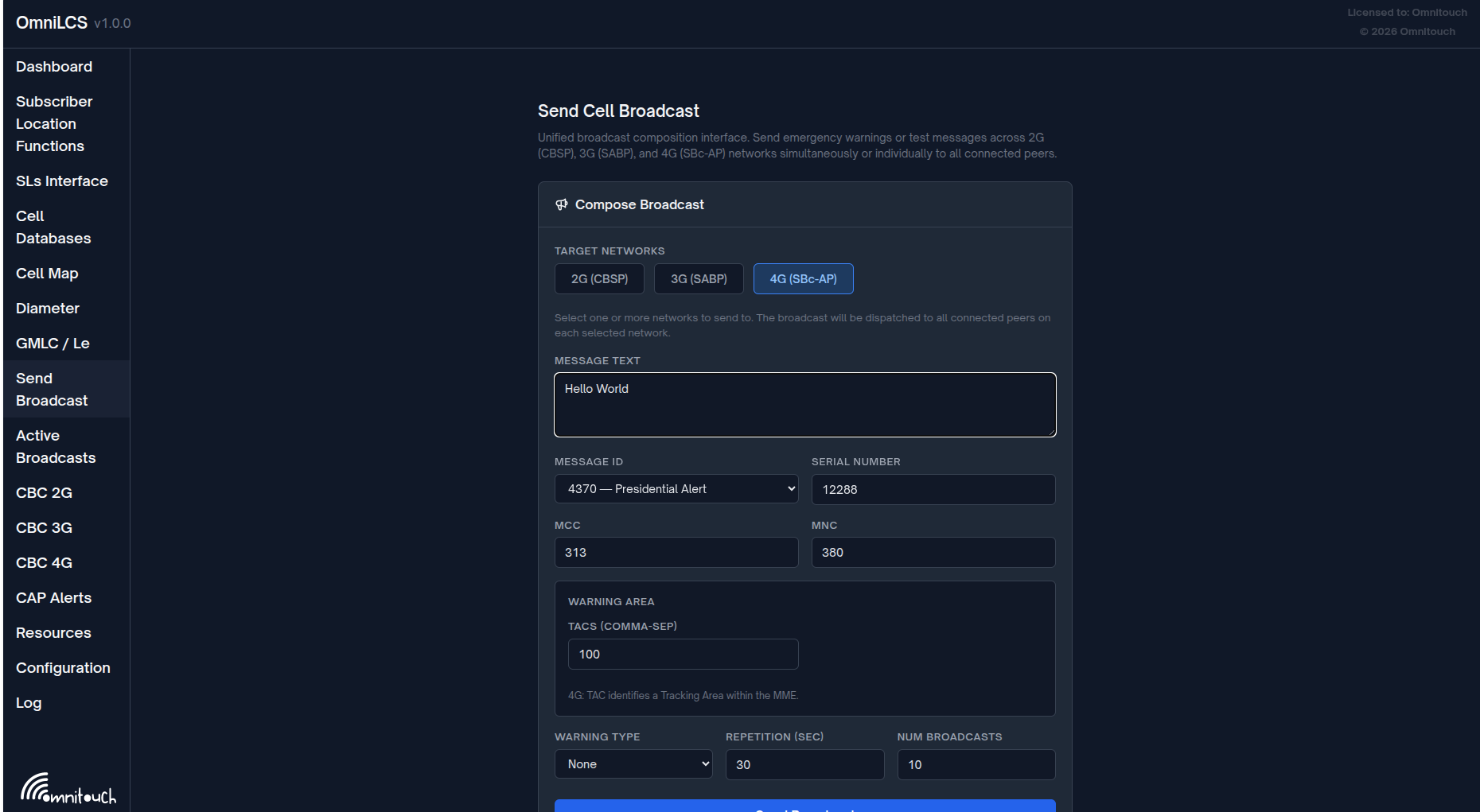
Unified broadcast composition interface for sending emergency warnings or test messages simultaneously across 2G (CBSP), 3G (SABP), and 4G (SBc-AP) networks. Select one or more target networks and the broadcast is dispatched to all connected peers on each selected network.
Active Broadcasts
Path: /broadcasts
Refresh: Every 3 seconds + real-time PubSub
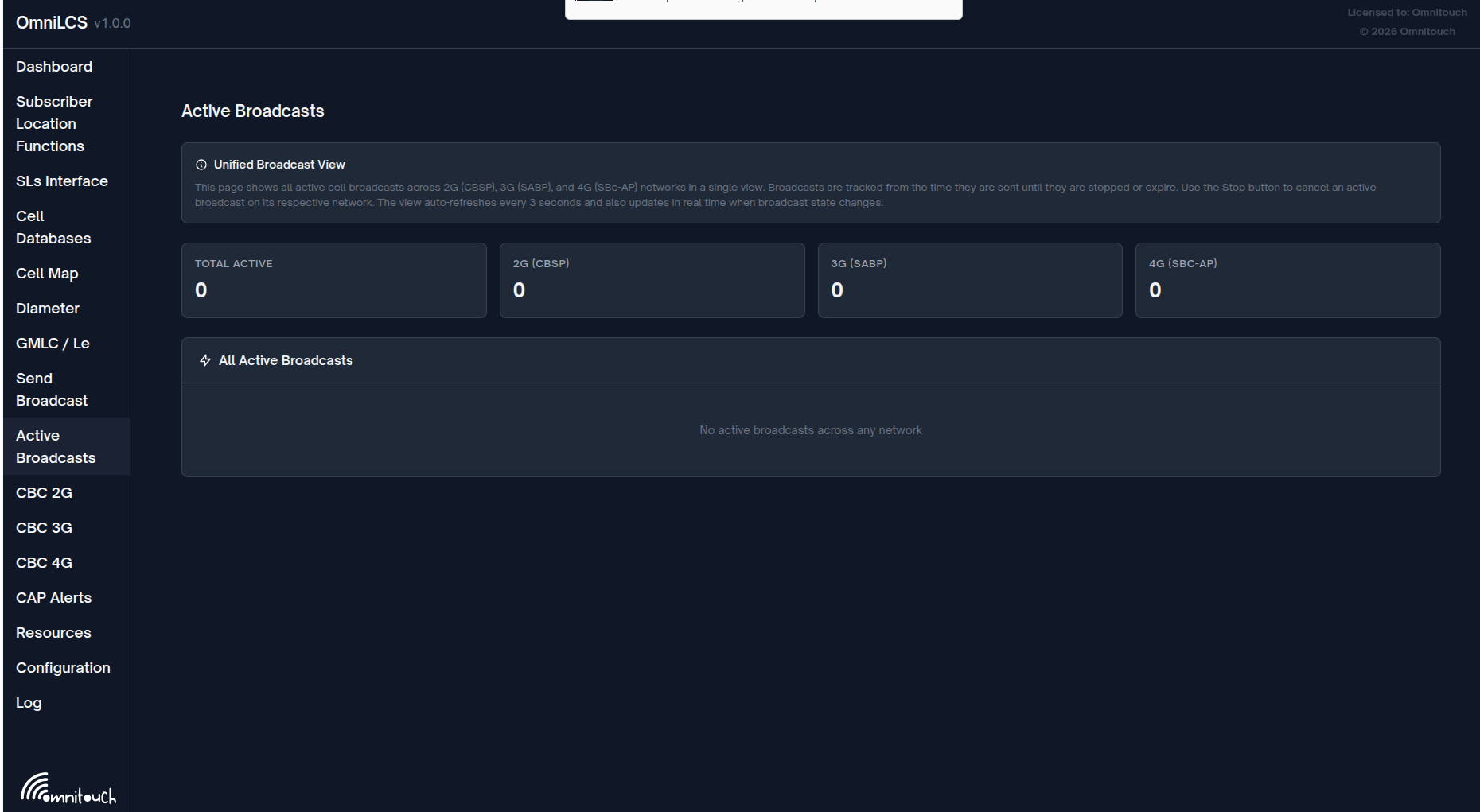
Unified view of all active cell broadcasts across 2G (CBSP), 3G (SABP), and 4G (SBc-AP) networks in a single page. Broadcasts are tracked from the time they are sent until they are stopped or expire. The view auto-refreshes every 3 seconds and updates in real time when broadcast state changes.
Summary Cards
| Card | Description |
|---|---|
| Total Active | Combined active broadcast count across all networks |
| 2G (CBSP) | Active 2G broadcasts |
| 3G (SABP) | Active 3G broadcasts |
| 4G (SBC-AP) | Active 4G broadcasts |
Use the Stop button on any broadcast row to cancel it on its respective network.
CBC 4G
Path: /cbc4g
Refresh: Every 3 seconds
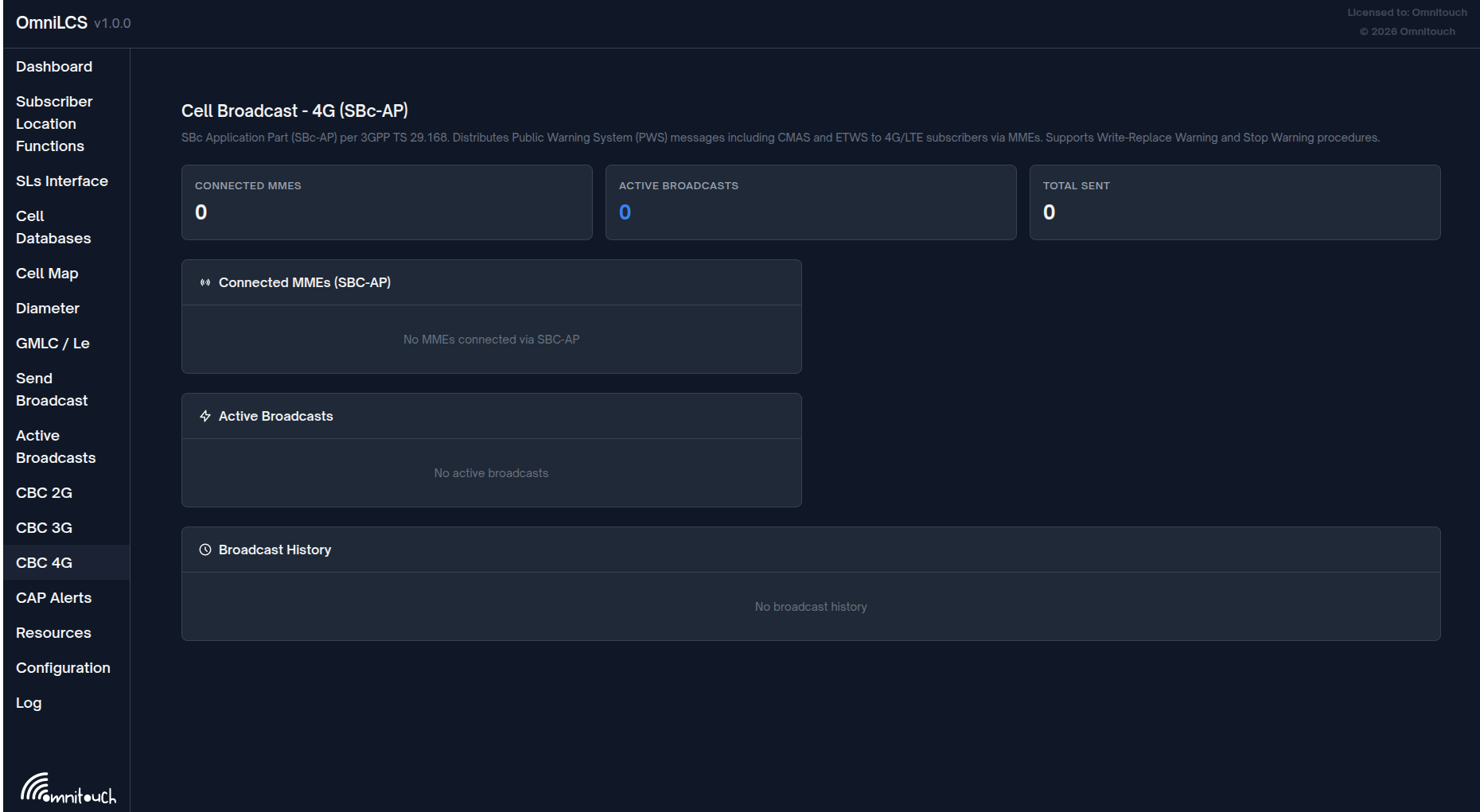
Full-featured 4G cell broadcast management interface for composing, sending, monitoring, and stopping SBC-AP broadcasts.
Statistics Cards
| Card | Description |
|---|---|
| Connected MMEs | Number of established SBC-AP SCTP associations |
| Active Broadcasts | Number of currently active 4G broadcasts |
| Total Sent | Total broadcasts in history |
Compose Broadcast Form
| Field | Description |
|---|---|
| Message Text | Broadcast message content |
| Message ID | 16-bit CB message identifier (e.g., 4370 for CMAS) |
| Serial Number | 16-bit serial number |
| MCC | Mobile Country Code (e.g., "313") |
| MNC | Mobile Network Code (e.g., "380") |
| TACs | Comma-separated Tracking Area Codes |
| Warning Type | None, Earthquake, Tsunami, Earthquake + Tsunami, Test, Other |
| Repetition (sec) | Seconds between broadcast repetitions |
| Num Broadcasts | Total number of times to broadcast the message |
Clicking "Send Broadcast" encodes the message (GSM 7-bit), constructs a Write-Replace-Warning-Request PDU, and sends it to all connected MMEs.
Connected MMEs Panel
List of SBC-AP SCTP associations:
- MME hostname
- IP address, port, and SCTP association ID
- Connection status badge (Connected / state name)
Active Broadcasts Panel
Table of currently active broadcasts:
| Column | Description |
|---|---|
| MSG ID | Message identifier in hex (e.g., 0x1112) |
| SERIAL | Serial number in hex |
| MESSAGE | Broadcast text (truncated) |
| STATUS | Sent, Stopping, Stopped, Acknowledged |
| ACTION | Stop button (for sent/acknowledged broadcasts) |
Clicking "Stop" sends a Stop-Warning-Request for the broadcast.
Broadcast History
Table of all broadcasts (last 100):
| Column | Description |
|---|---|
| MSG ID | Message identifier in hex |
| SERIAL | Serial number in hex |
| MESSAGE | Broadcast text (truncated) |
| TIME | Sent timestamp (HH:MM:SS) |
| STATUS | Final status badge |
State updates are received via PubSub subscriptions to cbc:state and cbc:connections topics.
CAP Alerts
Path: /cap
Refresh: Every 3 seconds + real-time PubSub
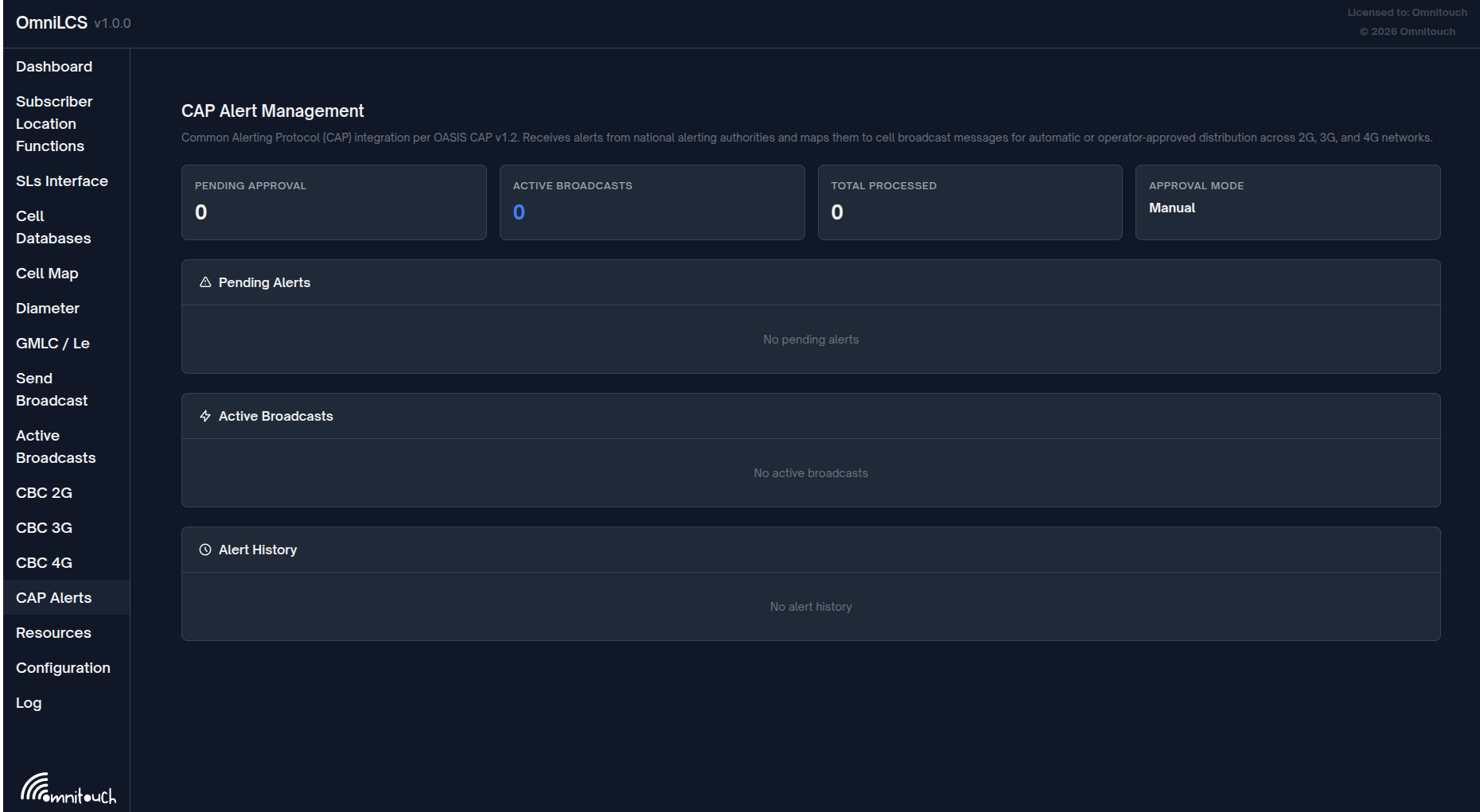
Operator approval workflow for CAP (Common Alerting Protocol) alerts received from external alerting authorities. See the CAP Alert Operations Guide for full details on configuration, feed polling, and polygon resolution.
Statistics Cards
| Card | Description |
|---|---|
| Pending Approval | Number of alerts awaiting operator action (amber highlight when > 0) |
| Active Broadcasts | Number of currently broadcasting alerts |
| Total Processed | Total alerts in history |
| Approval Mode | Current setting: "Manual" (require_approval: true) or "Auto" |
Pending Alerts Panel
Only visible when require_approval is true in the CAP configuration.
| Column | Description |
|---|---|
| TIME | When the alert was received |
| EVENT | Alert event type (e.g., "Tornado Warning") |
| SEVERITY | Alert severity (Extreme, Severe, Moderate, Minor) |
| CELLS | Number of cells matched by polygon resolution |
| STATUS | Pending badge (amber) |
| ACTIONS | Preview, Approve, Reject buttons |
Preview expands to show the full alert description, source, matched TACs/LACs, message ID, and PLMN.
Approve triggers immediate broadcast via SBC-AP (4G), SABP (3G), and CBSP (2G).
Reject moves the alert to history as rejected.
Active Broadcasts Panel
| Column | Description |
|---|---|
| EVENT | Alert event type |
| MSG ID | CB message identifier |
| TACs | Targeted Tracking Area Codes |
| STARTED | Broadcast start time |
| STATUS | Broadcasting (blue) or Sent (green) |
Alert History Panel
| Column | Description |
|---|---|
| TIME | Sent or received timestamp |
| EVENT | Alert event type |
| SEVERITY | Alert severity |
| CELLS | Matched cell count |
| TACs/LACs | Targeted area codes |
| STATUS | Sent (green), Rejected (red), or Failed (red) |
A toast notification appears when a new pending alert is received.
GMLC / Le Interface
Path: /gmlc
Refresh: Every 3 seconds + real-time PubSub
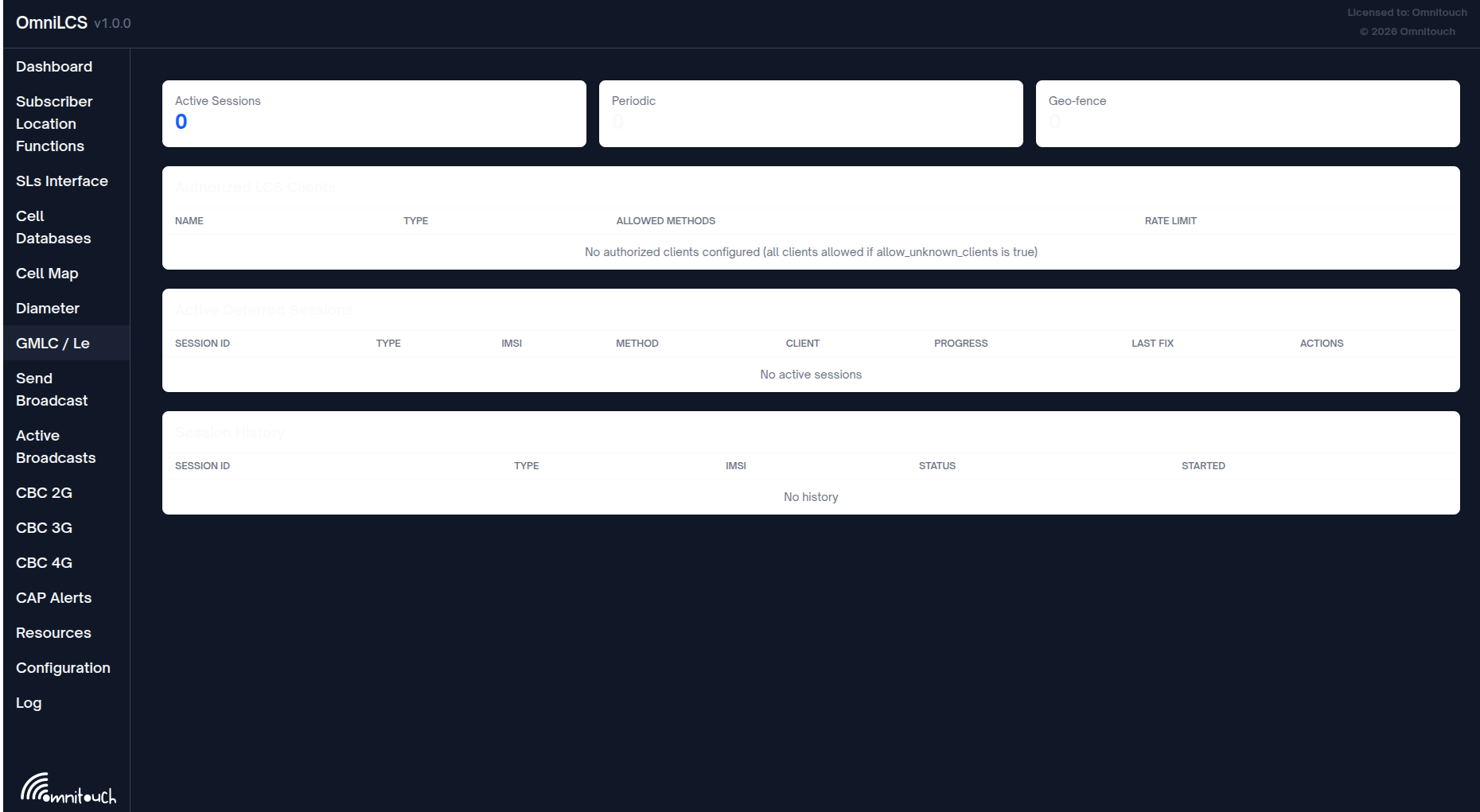
Monitoring and management for the GMLC Le interface and deferred location sessions. See the GMLC & Le Interface Operations Guide for full configuration and Diameter protocol details.
Statistics Cards
| Card | Description |
|---|---|
| Active Sessions | Total active deferred location sessions |
| Periodic | Number of active periodic location sessions |
| Geo-fence | Number of active triggered/geo-fence sessions |
Authorized LCS Clients Panel
| Column | Description |
|---|---|
| NAME | Client identity (matched against Diameter AVPs) |
| TYPE | LCS client type (emergency_services, value_added_services, etc.) |
| ALLOWED METHODS | Positioning methods this client may request |
| RATE LIMIT | Requests per minute (or "Unlimited") |
Active Deferred Sessions Panel
| Column | Description |
|---|---|
| SESSION ID | Truncated session UUID |
| TYPE | Session type badge: periodic (green) or triggered (purple) |
| IMSI | Subscriber IMSI |
| METHOD | Positioning method |
| CLIENT | Name of the requesting LCS client |
| PROGRESS | Periodic: completed/total reports. Triggered: remaining reports or "Active (unlimited)" |
| LAST FIX | Time of the most recent position fix |
| ACTIONS | Cancel button to terminate the session |
Session History Panel
Shows the 50 most recent completed or cancelled sessions with session ID, type, IMSI, status (completed/cancelled), and start time.
Built-in Pages
These pages are provided by the Control Panel framework.
Application (/application)
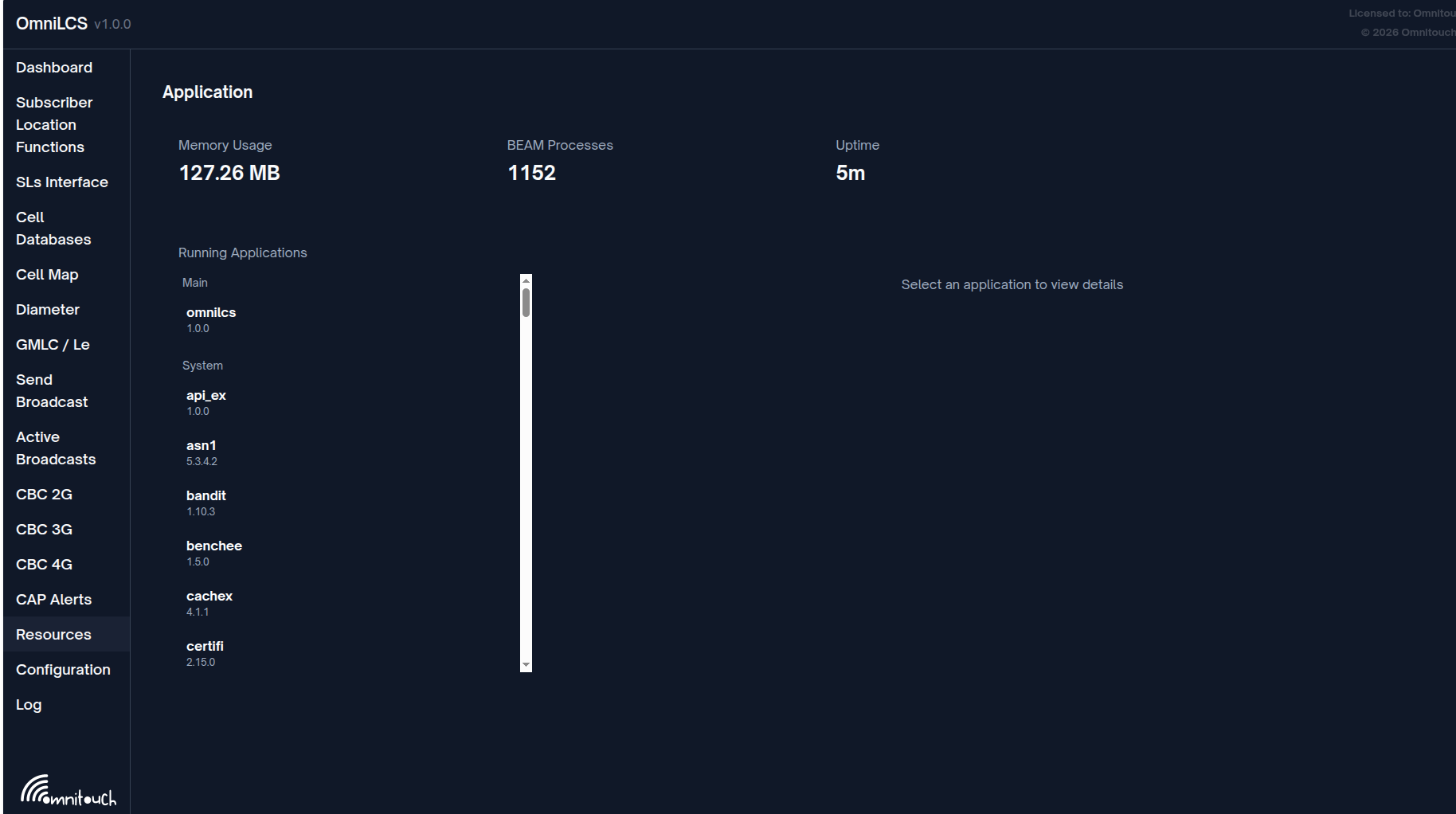
OTP application resource viewer showing:
- Running applications and their process trees
- Memory usage per process
- Message queue lengths
Configuration (/configuration)
Runtime configuration viewer displaying:
- All Application environment variables
- Grouped by application
Log (/log)
Real-time log viewer showing:
- Log messages from the
ControlPanel.Loggerbackend - Filterable by log level
- Auto-scrolling with pause capability