OmniSEP - Service Endpoint Platform
OmniSEP is a unified service endpoint platform providing carrier-grade implementations of mobile device provisioning protocols. It handles TS.43 Entitlement Configuration, XCAP Supplementary Services, and Visual Voicemail from a single platform.
Quick Links
Operations & Monitoring
- Configuration Reference - Complete parameter documentation for all services
- Troubleshooting - Common issues and resolutions
Service Documentation
- TS.43 Entitlements - GSMA TS.43 Service Entitlement Configuration
- XCAP Simservs - ETSI TS 183 023 Supplementary Services (Call Forwarding, Call Barring, Caller ID)
- Visual Voicemail - OMTP VVM v1.3 / GSMA TS.46 Visual Voicemail Server
Architecture Overview
Supported Services
TS.43 Entitlement Configuration
Implements GSMA TS.43 for device service entitlement queries:
| App ID | Service | Description |
|---|---|---|
| ap2003 | Voice-over-Cellular | VoLTE/VoNR entitlement status |
| ap2004 | VoWiFi | Voice over WiFi calling entitlement |
| ap2005 | SMSoIP | SMS over IP entitlement |
| ap2006 | ODSA Companion | On-Device Service Activation (companion) |
| ap2009 | ODSA Primary | On-Device Service Activation (primary) |
| ap2010 | Data Plan Boost | Data plan information |
| ap2012 | Direct Carrier Billing | DCB service status |
| ap2016 | Satellite Mode | Satellite connectivity entitlement |
XCAP Supplementary Services
Implements ETSI TS 183 023 for IMS supplementary service configuration:
| Service | Description | Reference |
|---|---|---|
| Communication Diversion | Call forwarding (CFU, CFB, CFNA, CFNRC) | ETSI TS 183 004 |
| Incoming Call Barring | Block incoming calls by type | ETSI TS 183 023 |
| Outgoing Call Barring | Block outgoing calls by type | ETSI TS 183 023 |
| OIP/OIR | Caller ID presentation and restriction | ETSI TS 183 023 |
Visual Voicemail
Implements OMTP VVM Specification v1.3 and GSMA TS.46:
| Component | Description | Reference |
|---|---|---|
| IMAP Server | Message retrieval and management | RFC 3501 |
| SMS Protocol | SYNC/STATUS provisioning messages | OMTP VVM v1.3 |
| Greeting Management | Personal and extended absence greetings | GSMA TS.46 |
| Transcription | Voicemail-to-text support | OMTP VVM v1.3 |
Endpoints Overview
| Endpoint | Method | Description |
|---|---|---|
/ | GET/POST | TS.43 Entitlement queries |
/simservs.ngn.etsi.org/users/{sip}/simservs.xml | GET/PUT | Full XCAP document operations |
/simservs.ngn.etsi.org/users/{sip}/simservs.xml/~~/{xpath} | GET/PUT/DELETE | XCAP element operations |
/api/activity | GET | Activity log search |
/api/entitlements/{imsi} | GET/POST | Entitlement management |
/api/xcap/{msisdn} | GET/POST | XCAP profile management |
/health | GET | Health check |
Web UI
OmniSEP includes a real-time web interface for monitoring and management, built with Phoenix LiveView. Access the UI at http://<host>:9014/.
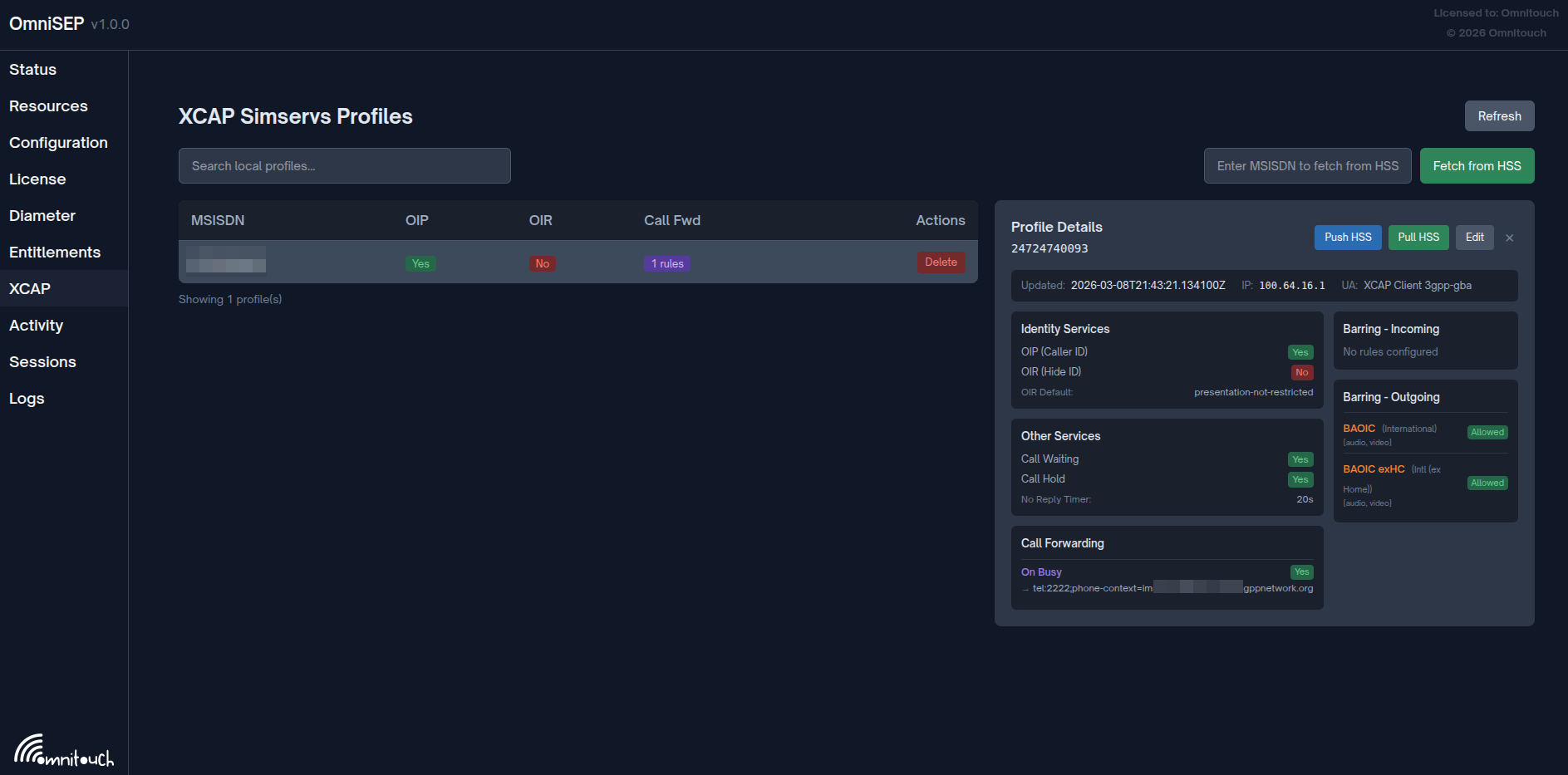
XCAP Simservs Profile management showing subscriber supplementary services configuration
Dashboards
| Dashboard | Path | Description |
|---|---|---|
| Status | / | System health, service status, memory usage, storage statistics |
| Entitlements | /entitlements | View and manage TS.43 custom entitlements by IMSI |
| Sessions | /sessions | Monitor EAP-AKA sessions and active authentication tokens |
| Activity | /activity | Browse TS.43 activity logs with filtering and pagination |
| XCAP Profiles | /xcap | Manage XCAP Simservs profiles, sync with HSS |
| Diameter | /diameter | Monitor Diameter peer connections and status |
| Logs | /logs | Real-time system log viewer with level filtering |
Status Dashboard
The main status dashboard provides at-a-glance system health:
- Service Status: HTTP server, EAP-AKA, VVM service indicators
- Storage Counters: Entitlements, XCAP profiles, sessions, tokens, activity records
- Memory Usage: Total, process, and ETS memory breakdown
- Uptime: System uptime display
All metrics auto-refresh every 5 seconds.
XCAP Profile Management
The XCAP dashboard allows operators to:
- Search and view subscriber profiles by MSISDN
- Edit supplementary service settings (OIP/OIR, call forwarding, call barring)
- Pull profiles from HSS via Diameter Sh interface
- Push local changes back to HSS
- View modification metadata (timestamp, client IP, User-Agent)
Activity Monitoring
The activity dashboard provides real-time visibility into all device requests:
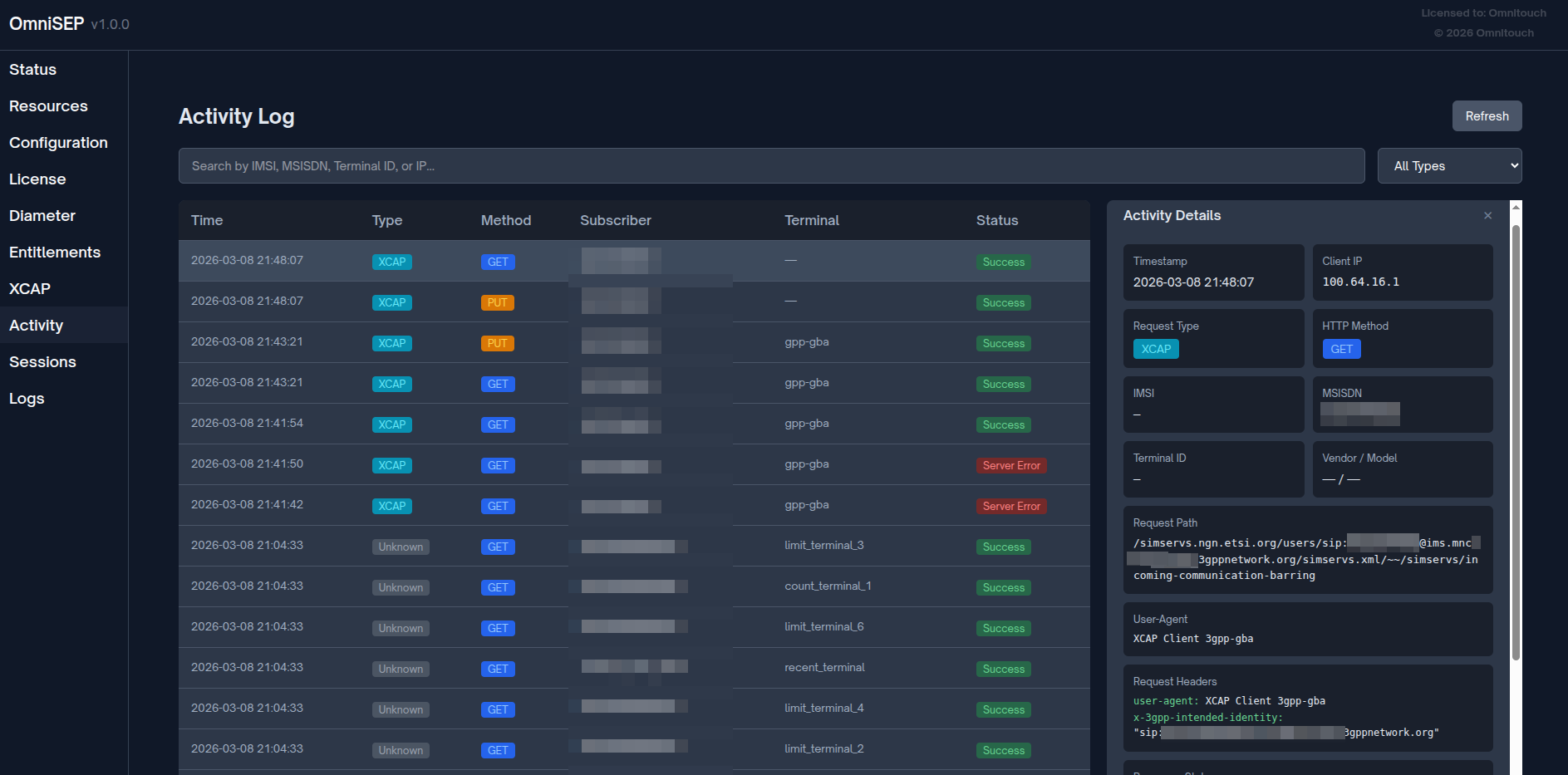
Activity log showing XCAP and entitlement requests with request/response details
Features:
- Filter by request type (XCAP, Entitlement Query, EAP Challenge, etc.)
- Search by IMSI, MSISDN, Terminal ID, or Client IP
- View detailed request/response data including headers, body, and path
- Track HTTP method and response status codes
Session Monitoring
The sessions dashboard displays:
- Sessions Tab: Active EAP-AKA sessions with state (pending, challenge_sent, authenticated, failed)
- Tokens Tab: Active authentication tokens with time remaining until expiry
Both views support manual session/token revocation.
Authentication Flow
Quick Start Configuration
Minimal Configuration
# config/config.exs
import Config

config :omni_sep,
  http_port: 9014,
  http_ip: {0, 0, 0, 0},
  server_fqdn: "sep.mnc001.mcc001.pub.3gppnetwork.org",
  entitlement_version: "2.0"

# Default entitlements for all subscribers
config :omni_sep, :default_entitlements,
  vowifi: %{
    entitlement_status: 1,
    addr_status: 2,
    tc_status: 2,
    prov_status: 1
  },
  volte: %{
    entries: [
      %{access_type: 1, home_roaming_nw_type: 1, entitlement_status: 1}
    ]
  }

# Token settings
config :omni_sep, :token,
  validity_seconds: 86400,
  signing_secret: "your-production-secret-here"

# EAP-AKA settings
config :omni_sep, :eap_aka,
  enabled: true,
  session_timeout_ms: 30_000
See Configuration Reference for complete parameter documentation.
Documentation Structure
By Role
Network Operators:
- Start with this overview
- Review Configuration Reference for deployment settings
- Review Troubleshooting for common issues
Service Configuration:
- TS.43 Entitlements for VoWiFi/VoLTE provisioning
- XCAP Simservs for call forwarding/barring
Troubleshooting:
- Troubleshooting Guide for common issues
- Check Activity Logging for request tracking
By Protocol
GSMA TS.43:
- TS.43 Entitlements - Complete service entitlement documentation
- Specification: GSMA TS.43
ETSI XCAP:
- XCAP Simservs - Supplementary services documentation
- Specifications:
- ETSI TS 183 023 - XCAP framework
- ETSI TS 183 004 - Communication Diversion
- RFC 4825 - XCAP protocol