Configuration Guide
This document provides comprehensive configuration reference for the TAS Application Server.
Related Documentation
Core Configuration
- 📋 Main README - Overview and quick start
- 🔧 Operations Guide - Monitoring and operational tasks
- 📊 Metrics Reference - Prometheus metrics and monitoring
Integration Interfaces
- 👥 Sh Interface - Subscriber data retrieval from HSS/Repository
- 💳 Online Charging (Ro) - OCS integration and credit control
- 📡 SS7 MAP - HLR queries for roaming and call forwarding
Call Processing
- 🔀 Dialplan Configuration - XML dialplan and call routing logic
- 🔢 Number Translation - E.164 normalization rules
- ⚙️ Supplementary Services - Call forwarding, CLI blocking, emergency
Value-Added Services
- 📞 Voicemail - Voicemail service with SMS notifications
- 🔊 TTS Prompts - Text-to-Speech prompt configuration
- 👥 IMS Conference Server - Multi-party conferencing
Testing & Compliance
- 🧪 HLR & Call Simulator - Testing tools
- 📜 ANSSI R226 Compliance - French market compliance
Config
The Application Server needs:
- To connect to SIP Trunks / SBCs for calls to/from off-net
- Connect to the DRA or HSS to get the
Sh - Optionally connect to DRA or OCS for
Roonline charging - Dialplan Config
- Configuration around the dialing rules / number translation
- Voicemail config
- Prompts
- Tests
- Metrics (Prometheus)
Event Socket Configuration
The Event Socket is used for call control, monitoring active calls, and interacting with the telephony engine. This connection allows the TAS to control call routing, retrieve channel variables, and manage active sessions.
Configuration Location: config/runtime.exs
config :tas,
  fs_event_socket: %{
    host: "127.0.0.1",
    port: 8021,
    secret: "YourSecretPassword"
  }
Configuration Parameters:
-
host(string, required): Hostname or IP address of the Event Socket server- Default:
"127.0.0.1"(localhost) - Use localhost if the telephony engine runs on the same server as TAS
- Use remote IP for distributed deployments
- Example:
"10.8.82.60"for remote connection
- Default:
-
port(integer, required): TCP port for Event Socket connections- Default:
8021 - Standard Event Socket port is 8021
- Must match the Event Socket configuration in your telephony engine
- Example:
8021
- Default:
-
secret(string, required): Authentication password for Event Socket- Must match the password configured in your telephony engine
- Used for authenticating ESL connections
- Security Note: Use a strong random password and keep it secure
- Example:
"cd463RZ8qMk9AHMMDGT3V"
Use Cases:
- Real-time call control and routing
- Retrieving active call information for the
/callsview in Control Panel - Executing dialplan applications programmatically
- Monitoring call state changes and events
- Managing conference calls
Connection Behavior:
- TAS establishes persistent connections to the Event Socket
- Automatically reconnects on connection failure
- Used for both inbound (receiving events) and outbound (controlling calls) modes
- Connection timeouts and retry logic are built-in
Security Considerations:
- Always use a strong, unique password for the
secretparameter - If using remote connections, ensure firewall rules allow only trusted TAS servers
- Consider using localhost-only connections when TAS and telephony engine are co-located
- Do not expose Event Socket port to public networks
Troubleshooting:
- Connection Refused: Verify the telephony engine is running and Event Socket is enabled
- Authentication Failed: Check that
secretmatches the telephony engine configuration - Timeout Errors: Verify network connectivity and firewall rules
- Cannot Control Calls: Ensure TAS has connected successfully (check logs)
Control Panel Configuration
The Control Panel provides a web-based interface for monitoring and managing the TAS system. This includes viewing subscribers, CDRs, active calls, Diameter peers, gateways, and system configuration.
Configuration Location: config/runtime.exs
config :control_panel,
  page_order: ["/application", "/configuration"]

config :control_panel, ControlPanelWeb.Endpoint,
  url: [host: "0.0.0.0", path: "/"],
  https: [
    port: 443,
    keyfile: "priv/cert/server.key",
    certfile: "priv/cert/server.crt"
  ]
Configuration Parameters:
Page Order Configuration
page_order(list of strings): Controls the display order of configuration pages in the Control Panel- Specifies which pages appear in navigation and their order
- Example:
["/application", "/configuration"] - Default: If not set, pages appear in default alphabetical order
Web Endpoint Configuration
-
url(map): Public URL configuration for the Control Panelhost: Hostname for generating URLs (e.g.,"tas.example.com"or"0.0.0.0")path: Base path for all Control Panel routes (default:"/")- Used for generating absolute URLs in redirects and links
-
https(map): HTTPS/TLS configuration for secure accessport(integer): HTTPS port number (standard is443)keyfile(string): Path to TLS private key file (PEM format)certfile(string): Path to TLS certificate file (PEM format)- Both files must be readable by the TAS application
Certificate Management:
The Control Panel requires valid TLS certificates for HTTPS access:
-
Self-Signed Certificates (Development/Testing):
openssl req -x509 -newkey rsa:4096 -keyout priv/cert/server.key \
-out priv/cert/server.crt -days 365 -nodes -
Production Certificates:
- Use certificates from a trusted Certificate Authority (CA)
- Common providers: Let's Encrypt (free), commercial CAs
- Ensure certificates include full chain for browser trust
- Keep private keys secure with appropriate file permissions (
chmod 600)
Access Control:
The Control Panel provides access to sensitive operational data:
- Subscriber Information: Registration details, call history, locations
- Call Detail Records: Complete call records with MSISDN data
- System Configuration: Diameter peers, gateways, routing
- Active Calls: Real-time monitoring of ongoing sessions
Recommended Security Measures:
- Deploy behind firewall or VPN for production environments
- Use strong TLS certificates from trusted CAs
- Implement network-level access controls (IP whitelisting)
- Consider additional authentication layers if exposing externally
- Regularly audit access logs
- Use HTTPS only - never serve over plain HTTP
Common Deployment Patterns:
-
Internal-Only Access:
url: [host: "10.8.82.60", path: "/"] # Internal network only -
External Access with Domain:
url: [host: "tas.operator.com", path: "/"]
https: [port: 443, ...] -
Behind Reverse Proxy:
url: [host: "tas.internal", path: "/panel"] # Nginx/Apache forwards to this
Troubleshooting:
- Certificate Errors: Verify paths to
keyfileandcertfileare correct and files are readable - Port Already in Use: Check if another service is using port 443, or change to another port
- Cannot Access UI: Verify firewall rules allow access to the configured HTTPS port
- SSL Handshake Failures: Ensure certificate and key match and are in PEM format
API Configuration
The TAS includes a REST API for programmatic access to system functions, subscriber management, and operational data. The API supports OpenAPI/Swagger documentation and is secured with TLS.
Configuration Location: config/runtime.exs
config :api_ex,
  api: %{
    port: 8444,
    listen_ip: "0.0.0.0",
    product_name: "OmniTAS",
    title: "API - OmniTAS",
    hostname: "localhost",
    enable_tls: true,
    tls_cert_path: "priv/cert/server.crt",
    tls_key_path: "priv/cert/server.key"
  }
Configuration Parameters:
-
port(integer, required): TCP port for the API server- Default:
8444 - Choose a port that doesn't conflict with other services
- Standard HTTPS port is 443, but custom ports are common for APIs
- Example:
8444,8443,9443
- Default:
-
listen_ip(string, required): IP address to bind the API server"0.0.0.0": Listen on all network interfaces (external access)"127.0.0.1": Listen only on localhost (internal access only)- Specific IP: Bind to a particular interface (e.g.,
"10.8.82.60") - Security: Use
"127.0.0.1"if API only needed internally
-
product_name(string): Product identifier for API metadata- Used in API responses and documentation
- Example:
"OmniTAS","MyOperator-IMS"
-
title(string): Human-readable title for API documentation- Displayed in OpenAPI/Swagger UI header
- Example:
"API - OmniTAS","IMS Application Server API"
-
hostname(string): Hostname for API server in documentation- Used in OpenAPI spec for generating example URLs
- Should match how clients access the API
- Examples:
"localhost","api.operator.com","10.8.82.60"
-
enable_tls(boolean): Enable or disable TLS/HTTPS for APItrue: Serve API over HTTPS (recommended for production)false: Serve API over HTTP (only for testing/development)- Security: Always use
truein production environments
-
tls_cert_path(string): Path to TLS certificate file (PEM format)- Required when
enable_tls: true - Must be readable by the TAS application
- Example:
"priv/cert/server.crt"
- Required when
-
tls_key_path(string): Path to TLS private key file (PEM format)- Required when
enable_tls: true - Must be readable by the TAS application
- Security: Protect with file permissions (
chmod 600) - Example:
"priv/cert/server.key"
- Required when
API Features:
The REST API provides programmatic access to:
- Subscriber management and provisioning
- Call Detail Records (CDR) queries
- System status and health checks
- Diameter peer status
- Gateway status and statistics
- Active call monitoring
- Configuration management
OpenAPI/Swagger Documentation:
The API includes built-in OpenAPI (Swagger) documentation:
- Access Swagger UI at:
https://hostname:port/api/swaggerui - OpenAPI JSON spec at:
https://hostname:port/api/openapi - Interactive API testing directly from the browser
- Complete endpoint documentation with request/response schemas
Security Considerations:
- Authentication: Implement API authentication based on your security requirements
- Network Access: Use firewall rules to restrict API access to authorized clients
- TLS Required: Always enable TLS in production (
enable_tls: true) - Certificate Validation: Use trusted certificates for production APIs
- Rate Limiting: Consider implementing rate limiting for public-facing APIs
- Access Logs: Monitor API access logs for suspicious activity
Example Usage:
# Query API with curl (replace with actual endpoint)
curl -k https://localhost:8444/api/health

# Access Swagger documentation
https://localhost:8444/api/swaggerui
Common Deployment Scenarios:
-
Internal API Only:
listen_ip: "127.0.0.1"  # Only accessible from localhost
enable_tls: false # HTTP for internal testing -
Production API with TLS:
listen_ip: "0.0.0.0"    # Accessible from network
enable_tls: true        # HTTPS required
hostname: "api.operator.com" -
Development/Testing:
listen_ip: "0.0.0.0"
enable_tls: false       # HTTP for easier testing
port: 8080              # Non-privileged port
Troubleshooting:
- Port Binding Failed: Verify port is not in use by another service, or run as root for ports < 1024
- TLS Errors: Check that certificate and key paths are correct and files are readable
- Cannot Connect: Verify firewall allows access to the configured port
- Certificate Mismatch: Ensure
hostnamematches the certificate Common Name (CN) or SAN - API Returns 404: Check that the API application started successfully in logs
SIP Trunk Config
Ansible is responsible for creating the XML config for each outgoing gateway, visible in the Gateways tab, which are used for outgoing calls.
CSCF addresses and Gateway addresses have to be included in the that are visible in the runtime config, so we know what IPs to allow calls from, we do this in the allowed_sbc_source_ips for Gateways / SBCs (sources that will send MT traffic towards the network) and allowed_cscf_ips for CSCFs (sources that MO traffic will originate from).
Note - If you will route calls from your TAS to itself (ie a MO call to an on-net subscriber routes back into the MT dialplan) then your TAS IP must also be in the allowed source IPs list.
config :tas,
  allowed_sbc_source_ips: ["10.5.198.200", "103.26.174.36"],
  allowed_cscf_ips: ["10.8.3.34"],
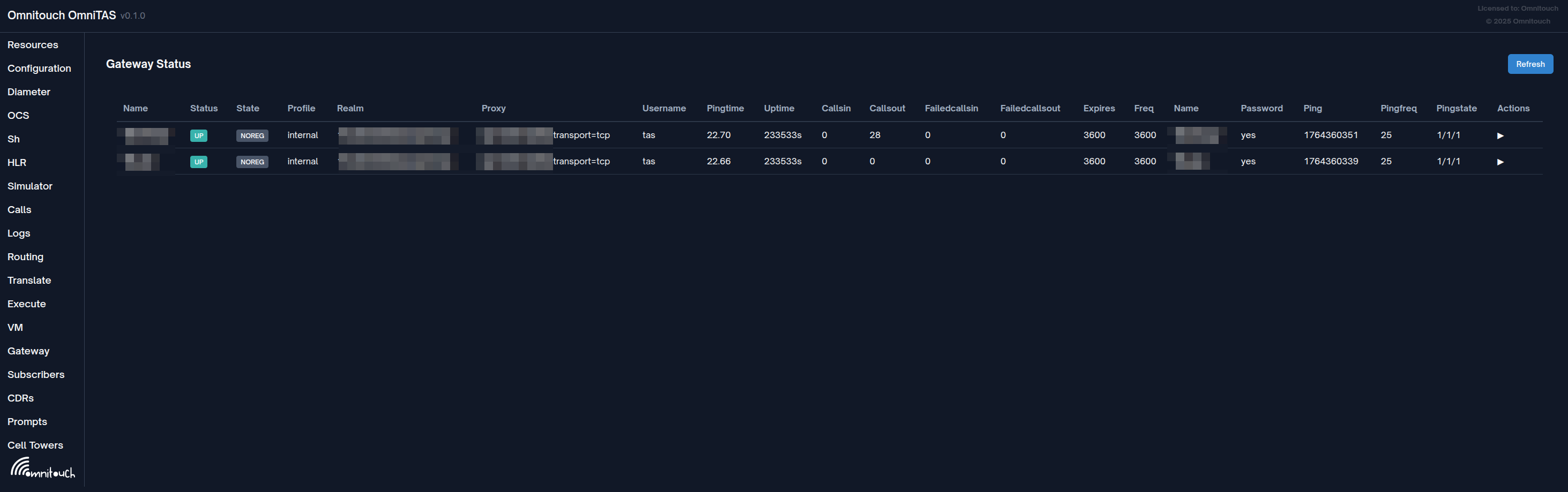
From the Web UI we can see the state of each gateway, and:
- SIP Registration status (if register is enabled)
- SIP Realm
- SIP Proxy Address (if used)
- Username
- Ping Time (Average SIP OPTIONs response time (if SIP OPTIONs enabled))
- Uptime (Seconds since the profile was restarted or came up)
- Calls in / Calls Out / Failed Calls In / Failed Calls Out
- Last SIP OPTIONs ping time (Epoch)
- SIP OPTIONs ping frequency
- More info in the detail button
Gateway Configuration Reference
Gateways are configured in XML format. Each gateway represents a SIP trunk connection to an external SBC, carrier, or PSTN gateway.
Basic Gateway Example:
<include>
  <gateway name="carrier_trunk">
    <param name="proxy" value="203.0.113.50;transport=tcp"/>
    <param name="register" value="true"/>
    <param name="caller-id-in-from" value="true"/>
    <param name="username" value="trunk_user"/>
    <param name="password" value="secure_password"/>
    <param name="register-transport" value="tcp"/>
    <param name="retry-seconds" value="30"/>
    <param name="ping" value="25"/>
  </gateway>
</include>
Gateway without Registration:
<include>
  <gateway name="sbc_static">
    <param name="proxy" value="198.51.100.10"/>
    <param name="register" value="false"/>
    <param name="caller-id-in-from" value="true"/>
  </gateway>
</include>
Gateway Parameters
Required Parameters
name (gateway attribute)
- The unique name identifier for this gateway
- Used in dialplan to reference the gateway:
sofia/gateway/name/destination - Example:
<gateway name="my_trunk">
proxy
- SIP proxy/gateway IP address or hostname
- Can include port and transport protocol
- Examples:
value="203.0.113.50"(default port 5060, UDP)value="203.0.113.50:5061"(custom port)value="203.0.113.50;transport=tcp"(TCP transport)value="203.0.113.50:5061;transport=tls"(TLS on port 5061)
register
- Whether to send SIP REGISTER to the gateway
- Values:
true|false - Set to
trueif the trunk requires registration - Set to
falsefor static IP-based trunks
Authentication Parameters
username
- SIP authentication username
- Used in REGISTER and for digest authentication
- Required if
register="true" - Example:
value="trunk_account_123"
password
- SIP authentication password
- Used for digest authentication challenges
- Required if
register="true" - Example:
value="MySecureP@ssw0rd"
realm
- SIP realm for authentication
- Optional - usually auto-detected from challenge
- Example:
value="sip.carrier.com"
auth-username
- Alternative username for authentication (if different from
username) - Rarely needed - only if carrier requires different user in auth vs From header
- Example:
value="auth_user_456"
Registration Parameters
register-transport
- Transport protocol for REGISTER messages
- Values:
udp|tcp|tls - Must match transport specified in
proxyparameter - Example:
value="tcp"
register-proxy
- Alternative proxy address for REGISTER (if different from call routing)
- Useful when registration server differs from call routing server
- Example:
value="register.carrier.com:5060"
retry-seconds
- Seconds to wait before retrying failed registration
- Default:
30 - Range:
5to3600 - Example:
value="30"
expire-seconds
- Registration expiry time in seconds
- Default:
3600(1 hour) - The gateway will re-register before expiry
- Example:
value="1800"(30 minutes)
caller-id-in-from
- Include caller ID in SIP From header
- Values:
true|false true: From header includes actual caller number (required by most carriers)false: From header uses gateway username- Recommendation: Set to
truefor most deployments - Example:
value="true"
Monitoring Parameters
ping
- Send SIP OPTIONS ping every N seconds
- Monitors gateway availability and measures latency
- Disabled if not specified or set to
0 - Typical values:
15to60seconds - Visible in Gateway Status UI as "Ping Time"
- Example:
value="25"
ping-max
- Maximum time (seconds) to retry pings before marking gateway down
- Default: Calculated from
pinginterval - Example:
value="3"
Call Routing Parameters
extension
- Fixed destination number to always dial on this gateway
- Rarely used - usually destination comes from dialplan
- Example:
value="+12125551234"
extension-in-contact
- Include extension in Contact header
- Values:
true|false - Default:
false - Example:
value="false"
contact-params
- Additional parameters to append to Contact header
- Useful for carrier-specific requirements
- Example:
value="line=1;isup=true"
Advanced Parameters
from-user
- Override username in From header
- Default: Uses calling number or gateway username
- Example:
value="trunk_pilot"
from-domain
- Override domain in From header
- Default: Uses proxy domain
- Example:
value="my-domain.com"
outbound-proxy
- Outbound proxy for all SIP messages
- Different from
proxy- used as Route header target - Example:
value="edge-proxy.carrier.com:5060"
context
- Dialplan context for incoming calls from this gateway
- Default:
public - Allows different incoming call routing per gateway
- Example:
value="from-carrier"
channels
- Maximum concurrent calls on this gateway
- Default: Unlimited
- Used for capacity management
- Example:
value="100"
dtmf-type
- DTMF transmission method
- Values:
rfc2833|info|inband|auto - Default:
rfc2833(recommended) rfc2833: RTP telephone events (most common)info: SIP INFO messagesinband: Audio tones- Example:
value="rfc2833"
codec-prefs
- Preferred codec list for this gateway
- Comma-separated list in preference order
- Example:
value="PCMU,PCMA,G729" - Common codecs:
PCMU,PCMA,G729,AMR,AMR-WB,G722,OPUS
rtp-timeout-sec
- Hangup call if no RTP received for N seconds
- Default:
0(disabled) - Useful for detecting dead calls
- Example:
value="120"
rtp-hold-timeout-sec
- Timeout for calls on hold with no RTP
- Default:
0(disabled) - Example:
value="1800"(30 minutes)
SIP Signaling Options
sip-port
- Local SIP port to use for this gateway
- Default: Profile's port
- Rarely needed
- Example:
value="5060"
rtp-ip
- Local IP address for RTP media
- Default: Profile's RTP IP
- Example:
value="10.0.0.5"
register-proxy-port
- Port for registration proxy
- Only needed if different from proxy port
- Example:
value="5061"
contact-host
- Override host portion of Contact header
- Useful for NAT scenarios
- Example:
value="public-ip.example.com"
distinct-to
- Use distinct To header (different from Request-URI)
- Values:
true|false - Carrier-specific requirement
- Example:
value="false"
cid-type
- Caller ID type in Remote-Party-ID or P-Asserted-Identity headers
- Values:
rpid|pid|none rpid: Remote-Party-ID headerpid: P-Asserted-Identity header- Example:
value="pid"
extension-in-contact
- Add extension parameter to Contact URI
- Values:
true|false - Example:
value="true"
Transport Security
transport (in proxy parameter)
- Transport protocol
- Values:
udp|tcp|tls|ws|wss - Specified as part of proxy value
- Example:
proxy="203.0.113.50;transport=tcp"
For TLS connections, additional certificate configuration may be required in the SIP profile.
Complete Example with Common Options
<include>
  <gateway name="primary_carrier">
    <!-- Required: Basic connection -->
    <param name="proxy" value="sbc.carrier.com:5060;transport=tcp"/>
    <param name="register" value="true"/>

    <!-- Authentication -->
    <param name="username" value="customer_trunk_01"/>
    <param name="password" value="SecurePassword123"/>

    <!-- Registration -->
    <param name="register-transport" value="tcp"/>
    <param name="expire-seconds" value="1800"/>
    <param name="retry-seconds" value="30"/>

    <!-- Caller ID -->
    <param name="caller-id-in-from" value="true"/>

    <!-- Monitoring -->
    <param name="ping" value="30"/>

    <!-- Media -->
    <param name="codec-prefs" value="PCMU,PCMA,G729"/>
    <param name="dtmf-type" value="rfc2833"/>

    <!-- Call limits -->
    <param name="channels" value="100"/>

    <!-- RTP timeouts -->
    <param name="rtp-timeout-sec" value="300"/>
  </gateway>
</include>
Gateway Usage in Dialplan
Reference gateways in your dialplan using the sofia/gateway/name/destination format:
<!-- Route to specific gateway -->
<action application="bridge" data="sofia/gateway/primary_carrier/+12125551234"/>

<!-- Route using variable -->
<action application="bridge" data="sofia/gateway/primary_carrier/${tas_destination_number}"/>

<!-- Route with custom SIP headers -->
<action application="bridge" data="{sip_h_X-Custom=Value}sofia/gateway/primary_carrier/${tas_destination_number}"/>

<!-- Failover between gateways -->
<action application="bridge" data="sofia/gateway/primary_carrier/${tas_destination_number}|sofia/gateway/backup_carrier/${tas_destination_number}"/>
Troubleshooting Gateway Issues
Gateway Won't Register:
- Verify
usernameandpasswordare correct - Check
proxyaddress is reachable - Confirm
register-transportmatches carrier requirements - Review logs for authentication failures
Calls Fail:
- Check gateway status in Web UI (
/gw) - Verify
caller-id-in-fromsetting matches carrier requirement - Confirm codec compatibility with
codec-prefs - Check firewall allows SIP and RTP traffic
Poor Call Quality:
- Review
pingtimes in Gateway Status - Check
rtp-timeout-secisn't too aggressive - Verify codec preferences match network capabilities
- Monitor network latency and packet loss
Diameter Peer Config
Dimeter peers must be defined in the runtime config.
This config is largely boilerplate.
The Ro interface does not need to be included in the Applications if Ro is not used in your deployment.
config :diameter_ex,
  diameter: %{
    service_name: :omnitouch_tas,
    listen_ip: "10.8.82.60",
    listen_port: 3868,
    decode_format: :map,
    host: "example-dc01-as01",
    realm: "epc.mnc001.mcc001.3gppnetwork.org",
    product_name: "OmniTAS",
    request_timeout: 5000,
    peer_selection_algorithm: :random,
    allow_undefined_peers_to_connect: true,
    log_unauthorized_peer_connection_attempts: true,
    control_module: Tas.Control.Diameter,
    processor_module: DiameterEx.Processor,
    auth_application_ids: [],
    acct_application_ids: [],
    vendor_id: 10415,
    supported_vendor_ids: [10415],
    # Optional: Global destination_realm for all applications
    # destination_realm: "global.destination.realm",
    applications: [
      %{
        application_name: :sh,
        application_dictionary: :diameter_gen_3gpp_sh,
        # Optional: Application-specific destination_realm for Sh requests
        # destination_realm: "sh.destination.realm",
        vendor_specific_application_ids: [
          %{
            vendor_id: 10415,
            auth_application_id: 16_777_217,
            acct_application_id: nil
          }
        ]
      },
      %{
        application_name: :ro,
        application_dictionary: :diameter_gen_3gpp_ro,
        # Optional: Application-specific destination_realm for Ro requests
        # destination_realm: "ocs.destination.realm",
        vendor_specific_application_ids: [
          %{
            vendor_id: 0,
            auth_application_id: 4,
            acct_application_id: nil
          }
        ]
      }
    ],
    peers: [
      %{
        port: 3868,
        host: "example-dc01-dra01.epc.mnc001.mcc001.3gppnetwork.org",
        ip: "1.2.3.4",
        realm: "epc.mnc001.mcc001.3gppnetwork.org",
        tls: false,
        transport: :diameter_tcp,
        initiate_connection: true
      },
      %{
        port: 3869,
        host: "example-dc01-dra02.epc.mnc001.mcc001.3gppnetwork.org",
        ip: "1.2.3.44",
        realm: "epc.mnc001.mcc001.3gppnetwork.org",
        tls: false,
        transport: :diameter_tcp,
        initiate_connection: true
      }
    ]
  }
Diameter Configuration Parameters
Service Configuration:
-
service_name(atom): Unique identifier for this Diameter service instance- Example:
:omnitouch_tas - Used internally for service management
- Example:
-
listen_ip(string): IP address to bind for Diameter connections- Example:
"10.8.82.60" - Use
"0.0.0.0"to listen on all interfaces - Peers will connect to this IP
- Example:
-
listen_port(integer): TCP port for Diameter connections- Standard Diameter port:
3868 - Must not conflict with other services
- Standard Diameter port:
-
host(string): Diameter host identity (without realm)- Example:
"example-dc01-as01" - Combined with
realmto form Origin-Host AVP - Must be unique within the Diameter network
- Example:
-
realm(string): Diameter realm identity- Example:
"epc.mnc001.mcc001.3gppnetwork.org" - Used in Origin-Realm AVP
- Must match 3GPP network identifier conventions
- Example:
-
product_name(string): Product identifier in CER/CEA messages- Example:
"OmniTAS" - Used in Capabilities-Exchange messages
- Example:
-
request_timeout(integer): Timeout in milliseconds for Diameter requests- Example:
5000(5 seconds) - Requests without response within this time will timeout
- Example:
-
peer_selection_algorithm(atom): Algorithm for selecting peer when multiple available- Values:
:random|:round_robin|:priority :random: Random peer selection:round_robin: Distribute requests evenly across peers
- Values:
-
vendor_id(integer): 3GPP vendor ID- Standard 3GPP vendor ID:
10415 - Used in Vendor-Specific-Application-Id AVP
- Standard 3GPP vendor ID:
Destination Realm Configuration
The destination_realm parameter controls the Destination-Realm AVP included in Diameter requests. This AVP tells the Diameter Routing Agent (DRA) where to route the request.
Three levels of configuration:
- Application-specific (highest priority): Set
destination_realmwithin each application configuration - Global: Set
destination_realmat the top level of the diameter config - Fallback (lowest priority): Uses the
realmvalue if neither of the above are configured
Configuration Examples:
# Example 1: Application-specific destination realms
config :diameter_ex,
  diameter: %{
    realm: "epc.mnc001.mcc001.3gppnetwork.org",
    applications: [
      %{
        application_name: :sh,
        destination_realm: "hss.epc.mnc001.mcc001.3gppnetwork.org",
        # ... other config
      },
      %{
        application_name: :ro,
        destination_realm: "ocs.epc.mnc001.mcc001.3gppnetwork.org",
        # ... other config
      }
    ]
  }

# Example 2: Global destination realm with app-specific override
config :diameter_ex,
  diameter: %{
    realm: "epc.mnc001.mcc001.3gppnetwork.org",
    destination_realm: "dra.epc.mnc001.mcc001.3gppnetwork.org",  # Default for all apps
    applications: [
      %{
        application_name: :sh,
        # Will use global: "dra.epc.mnc001.mcc001.3gppnetwork.org"
      },
      %{
        application_name: :ro,
        destination_realm: "ocs.epc.mnc001.mcc001.3gppnetwork.org",  # Override
      }
    ]
  }

# Example 3: No destination_realm configured (uses realm)
config :diameter_ex,
  diameter: %{
    realm: "epc.mnc001.mcc001.3gppnetwork.org",
    # No destination_realm specified anywhere
    applications: [
      %{
        application_name: :sh,
        # Will use realm fallback: "epc.mnc001.mcc001.3gppnetwork.org"
      }
    ]
  }
When to Use Destination Realm:
- Different backend systems: When Sh goes to HSS and Ro goes to OCS in different realms
- DRA routing: When DRA uses Destination-Realm to route to different backend clusters
- Multi-tenant deployments: Route different applications to different tenant realms
- Testing scenarios: Override destination realm per application for testing without changing peers
Fallback Hierarchy:
Application-specific destination_realm
  ↓ (if not set)
Global destination_realm
  ↓ (if not set)
realm
This ensures the mandatory Destination-Realm AVP is always present in outgoing requests.
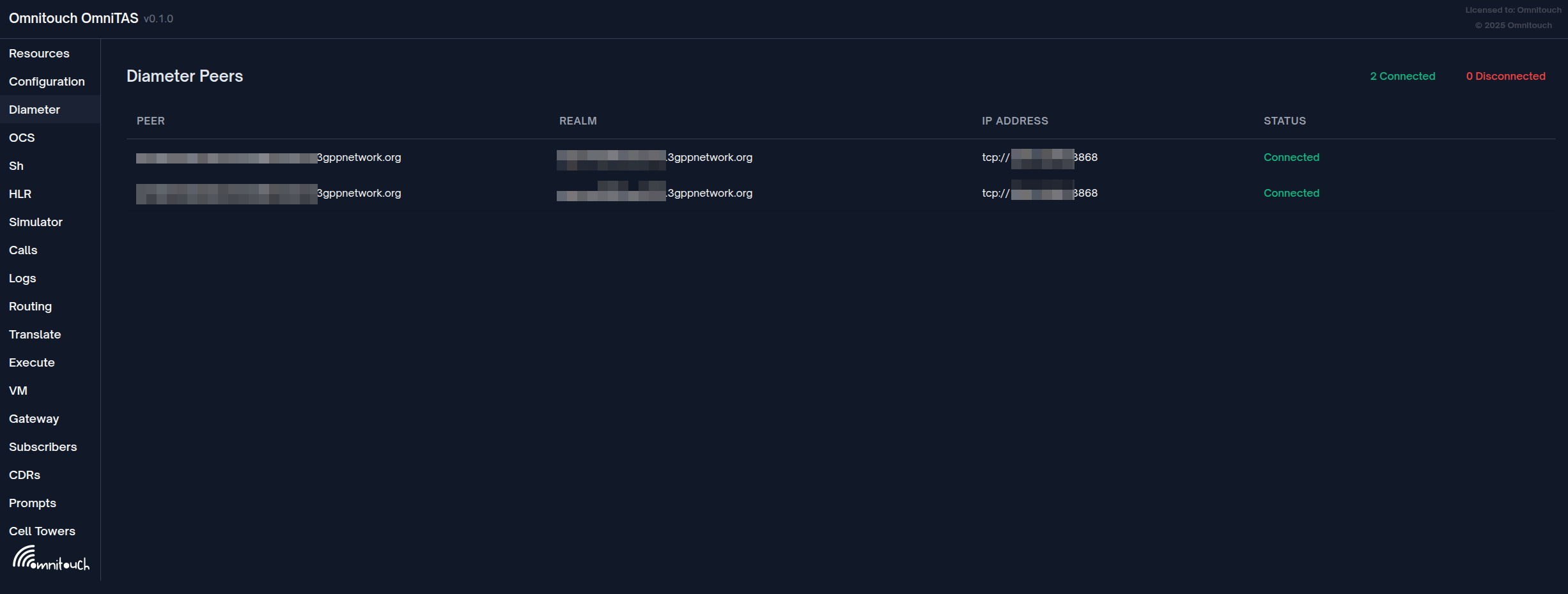
You can check the status of Diameter peers from the Diameter tab on the Web UI.
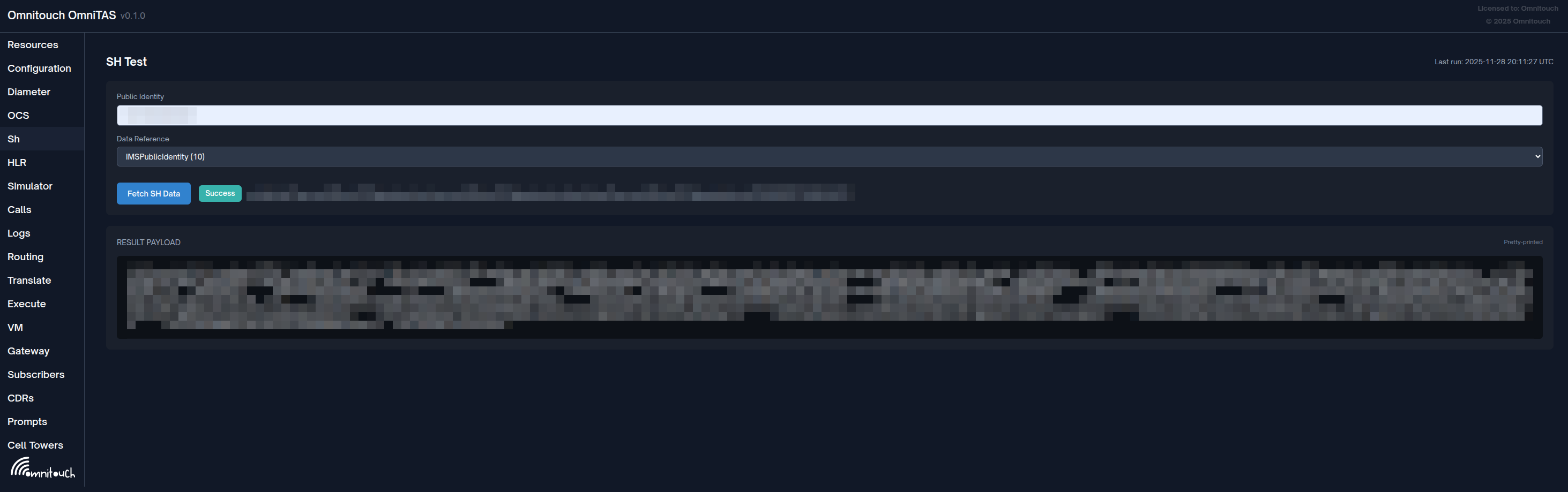
You can also test retriving Sh data from the Sh tab on the Web UI to try to fetch any of the data from Sh.