Dialplan Configuration & Call Routing
Comprehensive guide to XML dialplan configuration, call routing logic, and dialplan variables.
Related Documentation
Core Documentation
- 📋 Main README - Overview and quick start
- 🔧 Configuration Guide - SIP trunk and gateway configuration
- 🔧 Operations Guide - Dialplan testing and templates viewer
Call Processing Flow
- 🔢 Number Translation - E.164 normalization (happens before dialplan)
- 👥 Sh Interface - Subscriber data retrieved for dialplan variables
- 📡 SS7 MAP - MSRN/HLR data in dialplan variables
- 💳 Online Charging - OCS authorization in call flow
Services Implementation
- ⚙️ Supplementary Services - Implementing call forwarding, CLI blocking in dialplan
- 📞 Voicemail - Voicemail routing and deposit/retrieval in dialplan
- 🔊 TTS Prompts - Using prompts in dialplan with playback
Monitoring
- 📊 Dialplan Metrics - Dialplan-specific metrics and monitoring
- 📈 Metrics Reference - General system metrics
Dialplan Config / Call Routing
The TAS uses XML dialplans with a schema compatible with standard telecom XML dialplan formats, with variables populated by the TAS. This means you can define your own dialplan as needed, with the business logic for the operator, but have all the required data such as Repository Data, SS7 routing info, IMPI / IMPU identities, dialplan normalization, etc, etc.
Dialplans are written into priv/templates and take the form:
mo_dialplan.xml- Mobile Originated Call Dialplanmo_emergency_dialplan.xml- Mobile Originated Emergency Call Dialplanmt_dialplan.xml- Mobile Terminated Call Dialplan
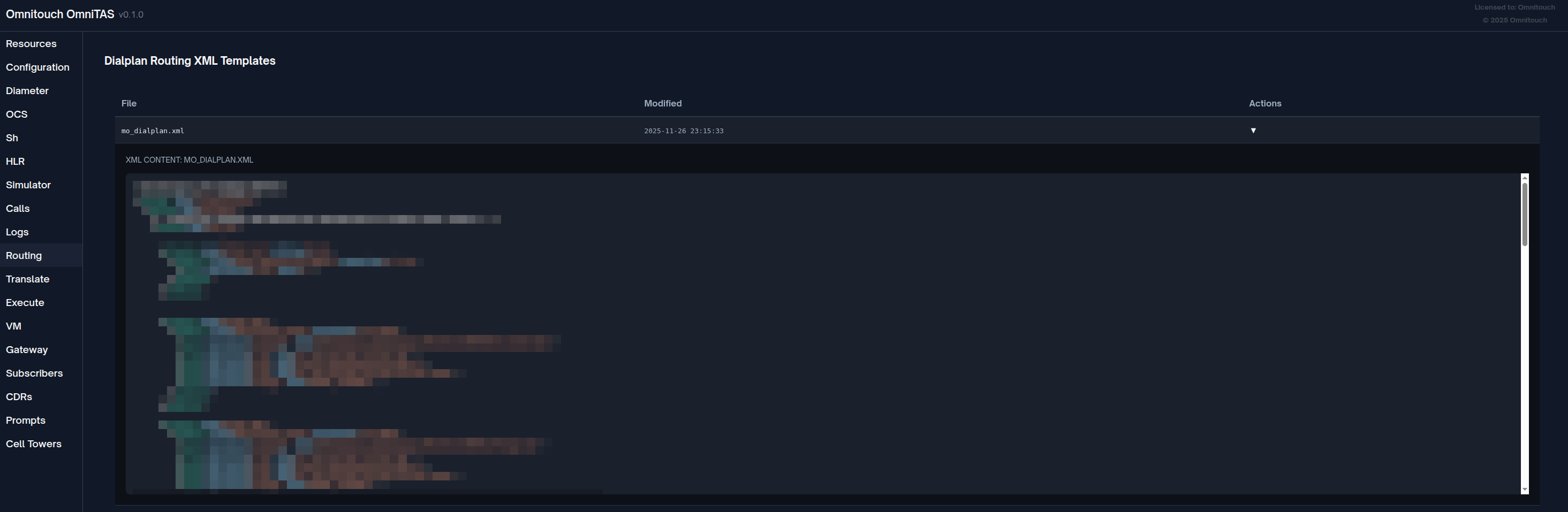
You can view the Dialplans from inside the Web UI.
Various variables are set by the TAS before the XML gets parsed, these variables are printed to the log at the start of the call with their current values and are very helpful when defining your own call logic.
FreeSWITCH XML Dialplan Fundamentals
OmniTAS uses the same XML call routing system as the FreeSWITCH project, which allows for flexible call routing to meet your needs.
This section explains the core concepts and provides practical examples.
Basic Structure
A dialplan consists of extensions containing conditions and actions:
<extension name="description-of-what-this-does">
  <condition field="${variable}" expression="regex-pattern">
    <action application="app_name" data="parameters"/>
    <anti-action application="app_name" data="parameters"/>
  </condition>
</extension>
Extensions are evaluated in order from top to bottom. When a condition matches, its actions execute.
Conditions and Regex Matching
Conditions test variables against regular expressions. If the regex matches, actions execute; if not, anti-actions execute.
Basic exact match:
<condition field="${tas_destination_number}" expression="2222">
  <action application="log" data="INFO Calling voicemail access number"/>
</condition>
Multiple number match:
<condition field="${tas_destination_number}" expression="^(2222|3444|3445)$">
  <action application="log" data="INFO Calling special service"/>
</condition>
Pattern matching with capture groups:
<condition field="${tas_destination_number}" expression="^1(8[0-9]{9})$">
  <!-- Matches 1 followed by 8 and 9 more digits -->
  <action application="log" data="INFO Matched toll-free: $1"/>
  <action application="bridge" data="sofia/gateway/trunk/${tas_destination_number}"/>
</condition>
Prefix matching:
<condition field="${tas_destination_number}" expression="^00">
  <!-- Matches any number starting with 00 (international) -->
  <action application="log" data="INFO International call detected"/>
</condition>
Range matching:
<condition field="${msisdn}" expression="^5551241[0-9]{4}$">
  <!-- Matches 55512410000 through 55512419999 -->
  <action application="log" data="INFO Subscriber in range"/>
</condition>
Actions vs Anti-Actions
Actions execute when a condition matches. Anti-actions execute when a condition does NOT match.
<condition field="${cli_withheld}" expression="true">
  <!-- Executes if CLI is withheld -->
  <action application="set" data="effective_caller_id_number=anonymous"/>
  <action application="set" data="origination_privacy=hide_number"/>

  <!-- Executes if CLI is NOT withheld -->
  <anti-action application="log" data="DEBUG CLI is normal"/>
  <anti-action application="set" data="effective_caller_id_number=${msisdn}"/>
</condition>
The continue="true" Attribute
By default, when an extension's condition matches, the dialplan stops processing further extensions. The continue="true" attribute allows processing to continue to the next extension.
Without continue (default behavior):
<extension name="First-Check">
  <condition field="${tas_destination_number}" expression="^(.*)$">
    <action application="log" data="INFO Processing call"/>
  </condition>
</extension>

<extension name="Never-Reached">
  <!-- This NEVER executes because the previous extension matched -->
  <condition field="${tas_destination_number}" expression="^(.*)$">
    <action application="log" data="INFO This won't print"/>
  </condition>
</extension>
With continue="true":
<extension name="Print-Vars" continue="true">
  <condition field="${tas_destination_number}" expression="^(.*)$">
    <action application="info" data=""/>
  </condition>
</extension>

<extension name="Check-Balance" continue="true">
  <condition field="${hangup_case}" expression="OUTGOING_CALL_BARRED">
    <action application="log" data="ERROR Insufficient balance"/>
    <action application="hangup" data="${hangup_case}"/>
  </condition>
</extension>

<extension name="Route-Call">
  <!-- This extension still gets evaluated -->
  <condition field="${tas_destination_number}" expression="^(.*)$">
    <action application="bridge" data="sofia/gateway/trunk/${tas_destination_number}"/>
  </condition>
</extension>
Use continue="true" for:
- Logging/debugging extensions
- Setting variables that apply to multiple scenarios
- Validation checks that don't route the call
Common Applications
call control
answer - Answer the call (send 200 OK)
<action application="answer" data=""/>
hangup - Terminate the call with a specific cause
<action application="hangup" data="NORMAL_CLEARING"/>
<action application="hangup" data="USER_BUSY"/>
<action application="hangup" data="NO_ANSWER"/>
bridge - Connect the call to another destination
<!-- Bridge to external gateway -->
<action application="bridge" data="sofia/gateway/trunk/+12125551234"/>

<!-- Bridge to internal extension with codec preferences -->
<action application="bridge" data="{absolute_codec_string=AMR-WB,AMR,PCMA}sofia/internal/sip:user@domain.com"/>

<!-- Bridge with timeout -->
<action application="bridge" data="{originate_timeout=30}sofia/gateway/trunk/${tas_destination_number}"/>
Variables and Channel Data
set - Set a channel variable
<action application="set" data="my_variable=my_value"/>
<action application="set" data="sip_h_X-Custom-Header=CustomValue"/>
<action application="set" data="effective_caller_id_number=anonymous"/>
unset - Remove a channel variable
<action application="unset" data="sip_h_P-Asserted-Identity"/>
export - Set variable and export to B-leg (bridged call)
<action application="export" data="sip_h_X-Account-Code=ABC123"/>
Media and Prompts
playback - Play an audio file
<action application="playback" data="/sounds/en/us/callie/misc/8000/out_of_credit.wav"/>
<action application="playback" data="$${base_dir}/sounds/custom_prompt.wav"/>
sleep - Pause for specified milliseconds
<action application="sleep" data="1000"/> <!-- Sleep for 1 second -->
echo - Echo audio back to caller (testing)
<action application="echo" data=""/>
conference - Place call into conference
<action application="conference" data="room-${destination_number}@wideband"/>
voicemail
voicemail - Access voicemail system
<!-- Leave voicemail for mailbox -->
<action application="voicemail" data="default default ${msisdn}"/>

<!-- Check voicemail with auth -->
<action application="voicemail" data="check auth default default ${msisdn}"/>
Logging and Debugging
log - Write to log file
<action application="log" data="INFO Processing call from ${msisdn}"/>
<action application="log" data="DEBUG Destination: ${tas_destination_number}"/>
<action application="log" data="ERROR Call failed with cause: ${hangup_cause}"/>
info - Dump all channel variables to log
<action application="info" data=""/>
Misc Applications
say - Text-to-speech number reading
<action application="say" data="en number iterated ${tas_destination_number}"/>
send_dtmf - Send DTMF tones
<action application="send_dtmf" data="1234#"/>
Practical Examples
Emergency Services Routing:
<extension name="Emergency-911">
  <condition field="${tas_destination_number}" expression="^(911|112)$">
    <action application="log" data="ALERT Emergency call from ${msisdn}"/>
    <action application="answer" data=""/>
    <action application="playback" data="/sounds/emergency_services_transfer.wav"/>
    <action application="bridge" data="sofia/gateway/emergency_gw/${tas_destination_number}"/>
  </condition>
</extension>
Conditional Routing Based on Balance:
<extension name="Check-Credit">
  <condition field="${hangup_case}" expression="OUTGOING_CALL_BARRED">
    <action application="answer" data=""/>
    <action application="playback" data="/sounds/out_of_credit.wav"/>
    <action application="hangup" data="CALL_REJECTED"/>
  </condition>
</extension>
On-Net vs Off-Net Routing:
<extension name="Route-Decision">
  <condition field="${on_net_status}" expression="true">
    <!-- On-net: route back through TAS -->
    <action application="log" data="INFO Routing to on-net subscriber"/>
    <action application="bridge" data="sofia/internal/+${tas_destination_number}@10.179.3.60"/>
    <anti-action application="log" data="INFO Routing off-net"/>
    <anti-action application="bridge" data="sofia/gateway/trunk/+${tas_destination_number}"/>
  </condition>
</extension>
Anonymous Caller ID Handling:
<extension name="CLI-Privacy" continue="true">
  <condition field="${cli_withheld}" expression="true">
    <action application="set" data="effective_caller_id_name=anonymous"/>
    <action application="set" data="effective_caller_id_number=anonymous"/>
    <action application="set" data="origination_privacy=hide_number"/>
  </condition>
</extension>
Voicemail on No Answer:
<extension name="Try-Bridge-Then-VM">
  <condition field="${tas_destination_number}" expression="^(555124115\d{2})$">
    <action application="set" data="call_timeout=30"/>
    <action application="bridge" data="sofia/internal/${tas_destination_number}@domain.com"/>

    <!-- If bridge fails, go to voicemail -->
    <action application="log" data="INFO Bridge failed, routing to voicemail"/>
    <action application="answer" data=""/>
    <action application="voicemail" data="default default ${tas_destination_number}"/>
  </condition>
</extension>
Number Range Routing:
<extension name="Local-Numbers">
  <condition field="${tas_destination_number}" expression="^([2-9]\d{2})$">
    <!-- 3-digit local extensions 200-999 -->
    <action application="log" data="INFO Local extension: $1"/>
    <action application="bridge" data="sofia/internal/$1@pbx.local"/>
  </condition>
</extension>

<extension name="National-Numbers">
  <condition field="${tas_destination_number}" expression="^555\d{7}$">
    <!-- National mobile numbers -->
    <action application="log" data="INFO National mobile call"/>
    <action application="bridge" data="sofia/gateway/national_trunk/${tas_destination_number}"/>
  </condition>
</extension>

<extension name="International">
  <condition field="${tas_destination_number}" expression="^00\d+$">
    <!-- International calls starting with 00 -->
    <action application="log" data="INFO International call"/>
    <action application="bridge" data="sofia/gateway/intl_trunk/${tas_destination_number}"/>
  </condition>
</extension>
Further Documentation
For complete details on each application:
- FreeSWITCH Dialplan Documentation: https://freeswitch.org/confluence/display/FREESWITCH/Dialplan
- FreeSWITCH mod_dptools: https://freeswitch.org/confluence/display/FREESWITCH/mod_dptools (complete application reference)
- Regular Expression Reference: https://freeswitch.org/confluence/display/FREESWITCH/Regular+Expression
- Channel Variables: https://freeswitch.org/confluence/display/FREESWITCH/Channel+Variables
The FreeSWITCH wiki contains detailed documentation for every dialplan application, including all parameters and use cases.
Dialplan Variables
Variables set by the TAS in the XML dialplan logic:
Common Variables (All Call Types)
Initial Setup:
destination_number- translated destination numbertas_destination_number- translated destination numbereffective_caller_id_number- translated source number
Emergency Calls
hangup_case- "none"ims_private_identity- private user identityims_public_identity- public user identitymsisdn- subscriber number (stripped of +)imsi- IMSI from private identityims_domain- domain from private identity
MT Calls (Mobile Terminated)
ims_private_identity- private user identityims_public_identity- public user identitymsisdn- subscriber number (stripped of +)imsi- IMSI from private identityims_domain- domain from private identitycall_forward_all_destination- CFA destination or "none"call_forward_not_reachable_destination- CFNRc destinationscscf_address- S-CSCF address or "none"scscf_domain- S-CSCF domain or "none"no_reply_timer- timeout for no replyhangup_case- "none" or "UNALLOCATED_NUMBER"msrn- MSRN from PRN (if roaming) or forwarded number from SRI (if call forwarding active)tas_destination_number- Routing destination override (set to MSRN or forwarded number)
MO Calls (Mobile Originated)
hangup_case- "none", "OUTGOING_CALL_BARRED", or "UNALLOCATED_NUMBER"ims_private_identity- private user identityims_public_identity- public user identitymsisdn- subscriber number (stripped of +)imsi- IMSI from private identityims_domain- domain from private identityallocated_time- time allocated by OCS (if online charging enabled)cli_withheld- "true" or "false" stringon_net_status- "true" or "false" string (whether destination is on-net)msrn- MSRN for roaming subscribers (if applicable)tas_destination_number- MSRN override (if roaming)
Emergency Calling
Emergency calling is controlled through the emergency_call_codes configuration parameter and is automatically detected during call authorization.
Configuration
Configure the emergency call codes in your TAS configuration file:
Configuration parameters:
emergency_call_codes: List of emergency service numbers to detect- Common codes: "911" (US), "112" (EU), "000" (AU), "999" (UK), "sos"
- These codes are checked in addition to SIP emergency URNs (e.g.,
<urn:service:sos>) - The system performs exact match comparison against the destination number
Example configuration values:
- US deployment:
["911", "933"]- 911 for emergency, 933 for test - European deployment:
["112", "999"] - Australian deployment:
["000", "106"]- 000 for emergency, 106 for text relay - Multi-region:
["911", "112", "000", "sos"]
How Emergency Detection Works
The system checks two conditions:
- SIP URI Emergency Service URN: Detects
<urn:service:sos>or any URI containing "service:sos" - Destination Number Match: Compares
Caller-Destination-Numberagainst configuredemergency_call_codes
If either condition is true, the call is classified as emergency.
Processing Flow
Call Flow Details:
- Call arrives at TAS
- Authorization module checks destination against emergency patterns
- If emergency detected:
- Call type is set to
:emergency mo_emergency_dialplan.xmltemplate is used- OCS authorization is typically bypassed
- Call is routed to PSAP gateway
- Call type is set to
- Metrics are recorded with
call_type: emergencylabel
Dialplan Routing
Define the routing for emergency calls in priv/templates/mo_emergency_dialplan.xml. This template determines how calls are routed to your PSAP (Public Safety Answering Point) gateway or SIP URI based on your market requirements.
Example emergency dialplan:
<extension name="Emergency-SOS">
  <condition field="${destination_number}" expression="^(911|912|913|sos)$">
    <action application="log" data="ALERT Emergency call from ${msisdn}"/>
    <action application="answer" data=""/>
    <action application="bridge" data="sofia/gateway/psap_gw/${destination_number}"/>
  </condition>
</extension>
Best Practices
- Always include "sos" in your emergency codes list for SIP URN compatibility
- Include all local emergency numbers for your jurisdiction (e.g., 911, 112, 000, 999)
- Test emergency routing regularly using the Call Simulator
- Bypass OCS for emergency calls to ensure they always connect (configured via
skipped_regex) - Configure PSAP gateway with high availability and redundancy
- Monitor emergency call metrics to ensure system reliability
IVR Menus
IVR menus allow callers to select options via DTMF digits before routing. Menus are defined as XML files and invoked from the dialplan using the ivr application.
Adding an IVR Menu
- Create an XML file in
hosts/<environment>/group_vars/ivr_menus/:
<include>
  <menu name="my_menu"
        greet-long="$${base_dir}/sounds/en/us/callie/misc/8000/my_greeting.wav"
        greet-short="$${base_dir}/sounds/en/us/callie/misc/8000/my_greeting.wav"
        invalid-sound="silence_stream://250"
        exit-sound=""
        timeout="5000"
        max-failures="1"
        max-timeouts="1"
        digit-len="1">

    <!-- Each digit can execute multiple actions in sequence -->
    <entry action="menu-exec-app" digits="1" param="playback $${base_dir}/sounds/option1.wav"/>
    <entry action="menu-exec-app" digits="1" param="bridge sofia/internal/100@$${domain}"/>

    <entry action="menu-exec-app" digits="2" param="playback $${base_dir}/sounds/option2.wav"/>
    <entry action="menu-exec-app" digits="2" param="bridge sofia/internal/200@$${domain}"/>

    <!-- Handle timeout and invalid input -->
    <entry action="menu-exec-app" digits="timeout" param="bridge sofia/internal/default@$${domain}"/>
    <entry action="menu-exec-app" digits="invalid" param="bridge sofia/internal/default@$${domain}"/>
  </menu>
</include>
- Invoke the menu from your dialplan:
<extension name="my_ivr_extension">
  <condition field="destination_number" expression="^1234$">
    <action application="answer"/>
    <action application="ivr" data="my_menu"/>
  </condition>
</extension>
- Deploy via Ansible
Menu Attributes
| Attribute | Description |
|---|---|
name | Menu identifier used in dialplan ivr application |
greet-long | Audio file played on first entry |
greet-short | Audio file played after invalid input |
timeout | Milliseconds to wait for input |
max-failures | Invalid inputs before triggering invalid action |
max-timeouts | Timeouts before triggering timeout action |
digit-len | Number of digits to collect |
Entry Actions
Entries use action="menu-exec-app" to execute dialplan applications. Multiple entries with the same digit execute in sequence:
| Entry Type | Description |
|---|---|
digits="1" | Execute when caller presses 1 |
digits="timeout" | Execute when caller doesn't press anything |
digits="invalid" | Execute when caller presses unrecognized digit |
Common applications: playback, bridge, transfer, hangup
On-Net Mobile Originated call to an On-Net Mobile-Terminating Subscriber
When a subscriber calls another subscriber on your network (on-net call), the proper approach is to route the MO call back through the TAS for MT processing. This ensures the called party receives full MT call treatment including call forwarding, voicemail, MSRN routing for roaming, and all other subscriber services.
Why Route MO to MT?
Without MT processing (direct routing):
- Called party's call forwarding settings are ignored
- No voicemail on no-answer
- No MSRN routing for roaming subscribers
- Missing subscriber service logic
With MT processing (route back to TAS):
- Full call forwarding support (CFU, CFB, CFNRy, CFNRc)
- Voicemail on busy/no-answer
- MSRN routing for CS roaming subscribers
- Complete subscriber service experience
- Proper call state tracking for both parties
Implementation
The MO dialplan checks if the destination is on-net (served by your TAS), and if so, routes the call back to the TAS itself. The TAS receives this as a new MT call and processes it through the mt_dialplan.xml template.
Example dialplan snippet:
<extension name="On-Net-Route">
  <condition field="${on_net_status}" expression="true">
    <action application="log" data="DEBUG On-Net MO call - Routing back into TAS" />

    <!-- Clean up headers for internal routing -->
    <action application="set" data="sip_copy_multipart=false"/>
    <action application="set" data="sip_h_Request-Disposition=no-fork"/>

    <!-- Route back to TAS (becomes MT call) -->
    <action application="bridge"
      data="{absolute_codec_string='AMR-WB,AMR,PCMA,PCMU',originate_retries=1,originate_timeout=60,sip_invite_call_id=${sip_call_id}}sofia/internal/${tas_destination_number}@${sip_local_network_addr}" />
    <action application="hangup" data="" />
  </condition>
</extension>
Key parameters:
${sip_local_network_addr}- TAS IP address (e.g.,10.179.3.60)${tas_destination_number}- Called party's MSISDNsip_invite_call_id=${sip_call_id}- Preserves call-id for trackingsip_copy_multipart=false- Prevents multipart message copyingsip_h_Request-Disposition=no-fork- Ensures sequential processing
Call Flow:
Important configuration:
- The TAS IP (e.g.,
10.179.3.60) must be in yourallowed_sbc_source_ipsconfiguration list - This allows the TAS to receive calls from itself for MT processing
- Without this, the TAS will reject the call as coming from an unauthorized source
MSRN Usage for 2G/3G Roaming Subscribers
When a subscriber is roaming in a 2G/3G Circuit-Switched (CS) network, the TAS must obtain an MSRN (Mobile Station Roaming Number) to route the incoming call to the subscriber's current location. This section explains how MSRN retrieval and routing works.
What is MSRN?
MSRN (Mobile Station Roaming Number) is a temporary routing number assigned by the visited network's VLR (Visitor Location Register) to route calls to a roaming subscriber. It acts as a temporary destination number that points to the subscriber's current location in the CS network.
MSRN Retrieval Flow
The TAS retrieves MSRN data via SS7 MAP (Mobile Application Part) protocol using a two-step process:
Implementation Details
Step 1: Send Routing Information (SRI)
The TAS queries the HLR via SS7 MAP to get routing information for the called subscriber.
SRI Response Scenarios:
-
MSRN directly in SRI - Roaming subscriber with MSRN already available
- Response includes: MSISDN, GMSC, IMSI, and MSRN
- Example MSRN:
61412345678(Australian mobile number format)
-
IMSI + VLR number - Subscriber registered in CS network (requires PRN)
- Response includes: MSISDN, GMSC, IMSI, and MSC/VLR number
- Indicates subscriber is in CS network but MSRN must be requested
-
IMSI only (no VLR) - Subscriber not in CS network (IMS/PS only)
- Response includes: MSISDN, GMSC, IMSI
- Indicates subscriber is registered in IMS/4G only, not in CS network
-
Call forwarding active - SRI returns forwarding information
- Response includes forwarding reason (unconditional, busy, no-reply, not-reachable)
- Response includes forwarded-to number
Step 2: Provide Roaming Number (PRN) - If Needed
If SRI returns IMSI + VLR but no MSRN, the TAS sends a PRN request to the VLR to obtain the MSRN.
The VLR allocates a temporary MSRN from its pool and returns it to the TAS. This MSRN is valid only for this specific call setup.
Example PRN Response: MSRN 61412345678
Dialplan Variable: msrn
Once the MSRN is retrieved via SS7 MAP, it's set as a dialplan variable that can be used in the MT dialplan.
Variable: ${msrn}
- Type: String (E.164 number without leading +)
- Example:
"61412345678"(Australian mobile format) - Usage: Route calls to CS roaming subscribers
- Set by: HLR data retrieval process during MT call processing
Routing to MSRN in mt_dialplan.xml
The MSRN variable is used in the MT dialplan template to route calls to roaming subscribers.
Dialplan logic:
- Check for MSRN: Extension checks if
msrnvariable is set (contains digits) - Set timeout parameters:
- Progress timeout: 10 seconds to receive early media
- Bridge answer timeout: Uses subscriber's configured no-reply timer
- Bridge to MSRN: Route call to MSRN via CS gateway
- Uses
ignore_early_media=ring_readyfor consistent ringback - Codec preference: AMR (mobile), PCMA/PCMU (wireline)
- Gateway:
sofia/gateway/CS_Gateway/+${msrn}
- Uses
- Fallback on failure: If bridge fails, route to call forwarding destination
Example dialplan snippet:
<extension name="Route-to-CS-MSRN" continue="false">
  <condition field="msrn" expression="^(\d+)$">
    <!-- Configure timeouts -->
    <action application="set" data="progress_timeout=10" />
    <action application="set" data="bridge_answer_timeout=${no_reply_timer}" />

    <!-- Bridge to MSRN via CS gateway -->
    <action application="bridge"
      data="{ignore_early_media=ring_ready,absolute_codec_string='AMR,PCMA,PCMU',continue_on_fail=true,originate_retries=1,originate_timeout=60}sofia/gateway/CS_Gateway/+${msrn}" />

    <!-- Fallback to voicemail/call forwarding -->
    <action application="bridge"
      data="sofia/internal/${call_forward_not_reachable_destination}@${local_ip_v4}" />
  </condition>
</extension>
Key Points
- MSRN is temporary - Valid only for the duration of the call setup
- CS network only - MSRN is used for 2G/3G roaming, not VoLTE/IMS roaming
- Priority in MT flow - MSRN check happens before standard IMS routing
- Fallback to forwarding - If MSRN bridge fails, routes to call forwarding destination
- HLR overrides Sh - MSRN from HLR takes precedence over Sh subscriber data
Configuration
SS7 MAP integration must be enabled in the TAS configuration:
Required settings:
- enabled: Set to
trueto enable SS7 MAP queries - http_map_server_url_base: URL of your SS7 MAP gateway (e.g.,
"http://10.1.1.100:5001") - gmsc: Gateway MSC number for SRI/PRN requests (e.g.,
"61400000000") - timeout_ms: Query timeout in milliseconds (default: 5000ms)
See SS7 MAP Documentation for complete configuration details.
Call Forwarding Data Usage
Call forwarding settings determine how calls are routed when the primary destination is unavailable. The TAS retrieves call forwarding data from two sources: the Sh interface (HSS) and SS7 MAP (HLR), with HLR data taking precedence.
Call Forwarding Types
The system supports four types of call forwarding:
| Forwarding Type | Variable | When Active |
|---|---|---|
| Call Forward Unconditional (CFU) | call_forward_all_destination | Always forwards all calls immediately |
| Call Forward Busy (CFB) | call_forward_not_reachable_destination | Subscriber's line is busy |
| Call Forward No Reply (CFNRy) | call_forward_not_reachable_destination | Subscriber doesn't answer within timeout |
| Call Forward Not Reachable (CFNRc) | call_forward_not_reachable_destination | Subscriber is unreachable/offline |
Data Sources
1. Sh Interface (HSS)
Static configuration stored in the HSS subscriber profile.
The TAS retrieves call forwarding settings from the HSS via Sh interface during call processing. These are the provisioned/default settings for the subscriber.
Example retrieved data:
call_forward_all_destination: CFU destination (e.g.,"61412345678")call_forward_not_reachable_destination: CFB/CFNRy/CFNRc destination (e.g.,"61487654321")no_reply_timer: Seconds before CFNRy triggers (e.g.,"20")
2. SS7 MAP (HLR)
Real-time data from the HLR, which may differ from HSS if subscriber changed settings via USSD/MMI codes (e.g., dialing *21* codes).
The TAS queries the HLR via SS7 MAP during call setup to get the current/active forwarding settings.
HLR forwarding response includes:
- forwarded_to_number: The destination number for forwarding (e.g.,
"61412345678") - reason: Forwarding type (unconditional, busy, no-reply, not-reachable)
- notification flags: Whether to notify calling party, forwarding party, etc.
Mapping to dialplan variables:
- If reason is unconditional → Sets
call_forward_all_destination - If reason is busy, no-reply, or not-reachable → Sets
call_forward_not_reachable_destination
Variable Merging Priority
HLR data overrides Sh data when both are present.
The TAS retrieves subscriber data from both sources during MT call processing:
- First, retrieves static configuration from HSS via Sh interface
- Then, queries HLR via SS7 MAP for real-time settings
- Merges the data, with HLR values taking precedence over Sh values
This ensures that recent subscriber changes (via USSD codes) are respected even if HSS hasn't been updated yet.
Dialplan Variables
Available in MT calls:
| Variable | Type | Example | Description |
|---|---|---|---|
call_forward_all_destination | String | "61412345678" | CFU destination number |
call_forward_not_reachable_destination | String | "61487654321" | CFB/CFNRy/CFNRc destination |
no_reply_timer | String | "20" | Timeout in seconds for CFNRy |
Default values:
- If not configured:
"none"(string) - Check for presence: Use regex
^(?!none$).*to match any value except "none"
Call Forwarding in mt_dialplan.xml
Example 1: Call Forward Unconditional (CFU)
Routes ALL incoming calls immediately to the forwarding destination. The forwarding destination is typically an off-net number, so it uses an external gateway.
Gateway used: sofia/gateway/ExternalSIPGateway (your PSTN/interconnect gateway)
Template example:
<extension name="Check-Call-Forward-All">
  <condition field="${call_forward_all_destination}" expression="^(?!none$).*">
    <action application="log" data="INFO Call Forward All Set to redirect to ${call_forward_all_destination}" />

    <!-- Set History-Info header for call forwarding -->
    <action application="set" data="sip_h_History-Info=<sip:${destination_number}@${ims_domain}>;index=1.1" />

    <!-- Mark call-id to indicate call forwarding type -->
    <action application="set" data="sip_call_id=${sip_call_id};CALL_FORWARD_UNCONDITIONAL" />

    <!-- Bridge to off-net forwarding destination -->
    <action application="bridge"
      data="{absolute_codec_string='AMR-WB,AMR,PCMA,PCMU',originate_retries=1,originate_timeout=60}sofia/gateway/ExternalSIPGateway/+${call_forward_all_destination}" />
  </condition>
</extension>
Key points:
- Uses external gateway because forwarding is typically to off-net number
- Marks call-id with
;CALL_FORWARD_UNCONDITIONALfor tracking - Sets
History-Infoheader to identify original called number - Example: Subscriber
61412345678has CFU to61487654321- all calls immediately forwarded
Example 2: Call Forward No Reply/Not Reachable
Used as fallback when bridge to primary destination fails (subscriber doesn't answer, is busy, or unreachable).
Example dialplan snippet:
<!-- After bridge to MSRN or IMS fails... -->
<action application="log" data="INFO Failed to bridge Call - Routing to Call Forward No-Answer Destination" />

<!-- Set History-Info to indicate forwarding -->
<action application="set" data="sip_h_History-Info=<sip:${destination_number}@${ims_domain}>;index=1.1" />

<!-- Route to forwarding destination -->
<action application="bridge"
  data="{absolute_codec_string='AMR,PCMU,PCMA',originate_timeout=65}sofia/gateway/ExternalSIPGateway/${call_forward_not_reachable_destination}" />
Example scenario:
- Subscriber
61412345678has CFNRy to voicemail number61487654321 - Incoming call attempts to reach subscriber
- No answer after 20 seconds (no_reply_timer)
- Call forwarded to
61487654321with History-Info header preserving original destination
History-Info Header
The History-Info SIP header tracks call forwarding:
<action application="set" data="sip_h_History-Info=<sip:${destination_number}@${ims_domain}>;index=1.1" />
Purpose:
- Indicates the call was originally for
${destination_number} - Allows downstream systems to identify forwarded calls
- Used by voicemail systems to deposit to correct mailbox
Example in voicemail routing:
<extension name="Voicemail Route" continue="false">
  <condition field="${tas_destination_number}" expression="^(555121|555122)$">
    <!-- Extract the phone number from the History Info -->
    <action application="set" data="history_info_value=${sip_i_history_info}"/>
    <action application="log" data="DEBUG Called Voicemail Deposit Number for ${history_info_value}" />

    <!-- Deposit voicemail to ORIGINAL called party, not voicemail number -->
    <action application="voicemail" data="default default ${history_info_value}"/>
  </condition>
</extension>
How it works:
- Voicemail service numbers:
555121,555122(generic short codes) - When call is forwarded to voicemail, History-Info contains original destination
- Voicemail system extracts original number from History-Info header
- Voicemail deposited to original called party's mailbox, not voicemail service number
Best Practices
- Always check for "none" - Use regex
^(?!none$).*to avoid routing to literal string "none" - Set History-Info - Always set when forwarding for proper call tracking
- Use continue_on_fail - Allow fallback to forwarding if primary route fails
- Adjust CLI format - National vs international prefix formatting (see Caller ID section)
- Test forwarding loops - Ensure forwarding destinations don't create routing loops
Caller ID (CLI) Management
The TAS manages Calling Line Identification (CLI) presentation and formatting throughout the call flow, handling privacy requests, prefix normalization, and network-specific formatting requirements.
CLI Variables
Core CLI variables in dialplans:
| Variable | Usage | Example |
|---|---|---|
msisdn | Subscriber's number (no +) | "61412345678" |
effective_caller_id_number | Displayed caller number | "+61412345678" or "anonymous" |
effective_caller_id_name | Displayed caller name | "+61412345678" or "anonymous" |
origination_caller_id_number | CLI for outbound leg | "+61412345678" |
caller_id_number | Standard FreeSWITCH CLI var | "+61412345678" |
sip_from_user | SIP From header user part | "0412345678" or "+61412345678" |
cli_withheld | Privacy flag | "true" or "false" (string) |
origination_privacy | Privacy setting | "hide_number" |
CLI Privacy (Withheld/Anonymous)
Detection Methods
The TAS detects CLI privacy requests through three methods:
1. Blocked Prefix in Dialed Number
Subscriber dials a prefix before the destination number to block their caller ID.
Common prefixes:
*67- North American standard#31#- European/GSM standard1831- Alternative format
The TAS checks if the dialed number starts with any configured blocked CLI prefix. If detected, the cli_withheld variable is set to "true".
Example: Subscriber dials *67555 1234 - the *67 prefix is detected and removed, call proceeds to 5551234 with CLI withheld.
2. Anonymous in From Header
The user equipment (UE) sets the caller name to "anonymous" in the SIP From header.
The TAS checks the Caller-Orig-Caller-ID-Name field (case-insensitive) for the string "anonymous". If found, cli_withheld is set to "true".
3. SIP Privacy Headers
The S-CSCF may set Privacy: id headers in the SIP INVITE, which are honored by the dialplan.
Dialplan Implementation
The dialplan checks the cli_withheld variable and sets all CLI-related variables accordingly.
Example dialplan snippet:
<extension name="Manage-Caller-ID" continue="true">
  <condition field="${cli_withheld}" expression="true">
    <!-- CLI is withheld - set to anonymous -->
    <action application="log" data="DEBUG CLI withheld detected" />
    <action application="set" data="effective_caller_id_name=anonymous" />
    <action application="set" data="effective_caller_id_number=anonymous" />
    <action application="set" data="origination_caller_id_number=anonymous" />
    <action application="set" data="origination_privacy=hide_number" />

    <!-- CLI is NOT withheld - use normal MSISDN -->
    <anti-action application="log" data="DEBUG CLI is normal (not withheld)" />
    <anti-action application="set" data="effective_caller_id_number=${msisdn}" />
  </condition>
</extension>
Note: This extension uses continue="true" so call processing continues to routing extensions even after CLI is set.
CLI Format: National vs International
Different destinations may require different CLI formats depending on your network's requirements.
Example: National Format
For national calls within your country, you may need to present CLI without the country code.
Example dialplan snippet (Australian mobile network):
<extension name="Outgoing-Call-CLI-National" continue="true">
  <condition field="${msisdn}" expression="^61(.*)$">
    <action application="log" data="Setting source CLI to $1 for national" />
    <action application="set" data="effective_caller_id_number=$1"/>  <!-- 0412345678 -->
    <action application="set" data="effective_caller_id_name=$1"/>
    <action application="set" data="sip_from_user=$1"/>
    <action application="set" data="sip_cid_type=pid"/>
  </condition>
</extension>
How it works:
- Regex
^61(.*)$captures everything after country code61 - Input:
msisdn="61412345678"→ Output:$1="412345678"or"0412345678" - Presents CLI in national format for domestic calls
Example: International Format
For international calls, present CLI in full E.164 format with + prefix.
Example dialplan snippet:
<extension name="Outgoing-Call-CLI-International" continue="true">
  <condition field="${tas_destination_number}" expression="^61(.*)$">
    <action application="log" data="Call is to national" />

    <!-- Anti-action runs when destination is NOT national -->
    <anti-action application="log" data="Setting source CLI for international" />
    <anti-action application="set" data="effective_caller_id_number=+${msisdn}"/>  <!-- +61412345678 -->
    <anti-action application="set" data="effective_caller_id_name=+${msisdn}"/>
    <anti-action application="set" data="sip_from_user=+${msisdn}"/>
    <anti-action application="set" data="sip_cid_type=pid"/>
  </condition>
</extension>
How it works:
- Condition checks if destination starts with national prefix (e.g.,
61for Australia) <anti-action>executes when condition does NOT match (international call)- Adds
+prefix for full E.164 format on international calls
CLI Format for Call Forwarding
When routing to call forwarding destinations, you may need to adjust CLI format depending on whether forwarding to on-net or off-net numbers.
Example: Adjusting CLI prefix for call forwarding
<!-- Adjust CLI format if needed for forwarding destination -->
<action application="set" data="effective_caller_id_number=${effective_caller_id_number:3}"/>
<action application="set" data="effective_caller_id_name=${effective_caller_id_name:3}"/>
String Slicing: ${variable:N} removes first N characters
- Input:
effective_caller_id_number="+61412345678"with:3→ Output:"412345678" - Input:
effective_caller_id_number="+61412345678"with:1→ Output:"61412345678"
Use cases:
- Remove
+for national forwarding: Use:1 - Remove country code for local format: Use appropriate offset (
:3for+61,:2for+1, etc.)
SIP P-Asserted-Identity (PAI)
The sip_cid_type=pid setting controls how caller ID is presented:
<action application="set" data="sip_cid_type=pid"/>
Effect:
- Sets SIP
P-Asserted-Identityheader with caller information - Used for trusted network caller ID assertion
- Standard for IMS networks
Removing Proprietary Headers
To prevent leaking internal network information, dialplans should remove proprietary or internal headers before routing calls off-net.
Example: Cleaning headers before external routing
<action application="set" data="sip_copy_multipart=false"/>
<action application="set" data="sip_copy_custom_headers=false"/>
<action application="unset" data="sip_h_P-Internal-Correlation-ID"/>
<action application="unset" data="sip_h_P-Access-Network-Info"/>
<!-- Add more vendor-specific or internal headers as needed -->
Purpose:
- Prevents internal routing data from reaching external networks
- Removes vendor-specific proprietary headers
- Privacy and security best practice
- Reduces SIP message size
Common headers to remove:
- Internal correlation/tracking IDs
- Access network information (may reveal network topology)
- Vendor-specific P-headers
- Custom application headers meant for internal use only
Best Practices
- Use
continue="true"for CLI extensions - Allows multiple CLI formatting rules - Set
sip_cid_type=pid- Required for IMS network compliance - Test CLI withholding - Verify
*67and#31#prefixes work - Format per destination - National vs international CLI formatting
- Remove proprietary headers - Prevent internal data leakage
- Handle anonymous gracefully - Both display and routing should work with anonymous CLI
Bridging to Gateways
The TAS bridges calls to external gateways (IMS core, PSTN, etc.) using FreeSWITCH's bridge application with carefully configured parameters for codec negotiation, timeout handling, and retry logic.
Gateway Configuration
Gateways are configured as SIP trunks to external systems. The TAS uses a single SIP interface for all traffic, with different gateways defined for different destinations.
Example gateway configuration:
<gateway name="CS_Gateway">
  <param name="proxy" value="10.1.1.100:5060"/>
  <param name="register" value="false"/>
  <param name="caller-id-in-from" value="true"/>
  <param name="extension-in-contact" value="true"/>
</gateway>
See Configuration Guide for complete gateway setup.
Bridge Syntax
Calls are bridged to gateways using the following syntax:
Basic syntax:
<action application="bridge" data="sofia/gateway/GATEWAY_NAME/DESTINATION_NUMBER" />
With parameters:
<action application="bridge" data="{param1=value1,param2=value2}sofia/gateway/GATEWAY_NAME/DESTINATION_NUMBER" />
Where GATEWAY_NAME is the name of the gateway defined in your configuration (e.g., IMS_Core, PSTN_Primary, International_Gateway).
Bridge Parameters
Codec Selection
absolute_codec_string - Prioritized codec list for negotiation:
<action application="bridge" data="{absolute_codec_string='AMR,PCMA,PCMU'}sofia/gateway/IMS_Gateway/+${msisdn}" />
Codec priority order:
- AMR (Adaptive Multi-Rate) - Mobile-optimized, preferred for cellular
- PCMA (G.711 a-law) - Fixed-line standard in Europe/international
- PCMU (G.711 μ-law) - Fixed-line standard in North America
Template usage: priv/templates/mt_dialplan.xml:80, mo_dialplan.xml:124, mo_dialplan.xml:202
Timeout Configuration
originate_timeout - Maximum seconds to wait for answer (includes ringing):
<action application="set" data="originate_timeout=60"/>
<action application="bridge" data="{originate_timeout=60}sofia/gateway/CS_Gateway/+${msisdn}" />
progress_timeout - Seconds to wait for 180/183 (early media/ringing):
<action application="set" data="progress_timeout=10" />
bridge_answer_timeout - Seconds to wait for 200 OK after ringing starts:
<action application="set" data="bridge_answer_timeout=${no_reply_timer}" />
leg_progress_timeout - Per-leg progress timeout:
<action application="set" data="leg_progress_timeout=${no_reply_timer}" />
Template example: priv/templates/mt_dialplan.xml:73-76
<action application="set" data="progress_timeout=10" />
<!-- How long do we wait between the INVITE and a 200 OK (Including RINGING) -->
<action application="set" data="bridge_answer_timeout=${no_reply_timer}" />
<action application="set" data="leg_progress_timeout=${no_reply_timer}" />
Variable: ${no_reply_timer} comes from subscriber data (typically 20-30 seconds)
Retry and Failure Handling
originate_retries - Number of retry attempts:
<action application="bridge" data="{originate_retries=1}sofia/gateway/CS_Gateway/+${msisdn}" />
continue_on_fail - Continue dialplan execution after bridge failure:
<action application="set" data="continue_on_fail=true" />
<action application="bridge" data="{continue_on_fail=true}sofia/gateway/CS_Gateway/+${msisdn}" />
<!-- Subsequent actions execute if bridge fails -->
<action application="log" data="INFO Bridge failed - routing to voicemail" />
hangup_after_bridge - Hangup A-leg when B-leg hangs up:
<action application="set" data="hangup_after_bridge=true"/>
Early Media Handling
ignore_early_media - Control early media behavior:
<action application="set" data="ignore_early_media=ring_ready" />
<action application="bridge" data="{ignore_early_media=ring_ready}sofia/gateway/CS_Gateway/+${msisdn}" />
Options:
ring_ready- Generate local ringback, ignore remote early mediatrue- Completely ignore early mediafalse(default) - Pass through early media (announcements, tones)
Why use ring_ready? - Prevents caller from hearing network announcements or tones from remote network
Template example: priv/templates/mt_dialplan.xml:78-79
<action application="set" data="ignore_early_media=ring_ready" />
<action application="bridge" data="{ignore_early_media=ring_ready,...}sofia/gateway/CS_Gateway/+${msrn}" />
On-net vs Off-net caller handling:
<extension name="Route-to-IMS-Sub-Early-Media" continue="true">
  <condition field="${on_net_caller}" expression="true">
    <!-- On-net caller - use ring_ready -->
    <action application="log" data="INFO On-net caller ${effective_caller_id_number} - using ignore_early_media=ring_ready"/>
    <action application="set" data="ignore_early_media=ring_ready"/>

    <!-- Off-net caller - provide instant ringback -->
    <anti-action application="log" data="INFO Off-net caller ${effective_caller_id_number} - setting instant ringback"/>
    <anti-action application="set" data="instant_ringback=true"/>
    <anti-action application="set" data="ringback=${fr-ring}"/>
    <anti-action application="set" data="transfer_ringback=${fr-ring}"/>
  </condition>
</extension>
Note: The ${on_net_caller} variable is set based on your network's subscriber numbering plan. You can also use regex patterns to match your specific number ranges.
Caller ID Parameters
sip_cid_type=pid - Use P-Asserted-Identity for caller ID:
<action application="set" data="sip_cid_type=pid" />
<action application="bridge" data="{sip_cid_type=pid}sofia/gateway/CS_Gateway/+${msisdn}" />
Common Bridge Patterns
Pattern 1: Route to IMS Subscriber via IMS Domain
Route MT call to IMS subscriber by sending to the IMS domain (S-CSCF will resolve and route).
Template example:
<extension name="Route-to-IMS-Sub" continue="false">
  <condition field="destination_number" expression="^(.*)$">
    <action application="set" data="continue_on_fail=true" />
    <action application="set" data="hangup_after_bridge=true"/>
    <action application="set" data="progress_timeout=10" />

    <!-- How long do we wait between the INVITE and a 200 OK (Including RINGING) -->
    <action application="set" data="bridge_answer_timeout=${no_reply_timer}" />
    <action application="set" data="leg_progress_timeout=${no_reply_timer}" />

    <!-- Send call to IMS domain (S-CSCF resolves) -->
    <action application="set" data="ignore_early_media=ring_ready" />
    <action application="set" data="sip_cid_type=pid" />

    <action application="bridge"
      data="{absolute_codec_string='AMR-WB,AMR,PCMA,PCMU',ignore_early_media=ring_ready,continue_on_fail=true,sip_cid_type=pid,originate_retries=1,originate_timeout=${no_reply_timer},sip_invite_call_id=${sip_call_id}}sofia/internal/${msisdn}@${ims_domain}" />

    <!-- Fallback to call forwarding if bridge fails -->
    <action application="log" data="INFO Failed to bridge Call - Routing to Call Forward No-Answer Destination" />
    <action application="set" data="sip_h_History-Info=<sip:${destination_number}@${ims_domain}>;index=1.1" />
    <action application="set" data="sip_h_Diversion=<sip:${destination_number:2}@${ims_domain}>;reason=busy" />

    <!-- Route to off-net gateway for call forwarding -->
    <action application="bridge"
      data="{absolute_codec_string='AMR-WB,AMR,PCMU,PCMA',originate_timeout=65,originate_retries=0}sofia/gateway/ExternalSIPGateway/${call_forward_not_reachable_destination}" />
  </condition>
</extension>
Key points:
- Routes to
${msisdn}@${ims_domain}(e.g.,5551234567@ims.mnc380.mcc313.3gppnetwork.org) - IMS core (S-CSCF/I-CSCF) handles final routing to subscriber
ignore_early_media=ring_readyprovides consistent ringback- On failure, uses external gateway for off-net call forwarding
- Sets
History-InfoandDiversionheaders for call forwarding tracking
Pattern 2: Route to MSRN (CS Roaming)
Route to roaming subscriber via CS network:
Template: priv/templates/mt_dialplan.xml:67-80
<extension name="Route-to-CS-MSRN" continue="false">
  <condition field="msrn" expression="^(\d+)$">
    <action application="set" data="continue_on_fail=true" />
    <action application="set" data="hangup_after_bridge=true"/>
    <action application="set" data="progress_timeout=10" />
    <action application="set" data="bridge_answer_timeout=${no_reply_timer}" />
    <action application="set" data="leg_progress_timeout=${no_reply_timer}" />

    <!-- Send call to MSRN via Gateway -->
    <action application="set" data="ignore_early_media=ring_ready" />
    <action application="set" data="sip_cid_type=pid" />
    <action application="bridge"
      data="{ignore_early_media=ring_ready,absolute_codec_string='AMR,PCMA,PCMU',continue_on_fail=true,sip_cid_type=pid,originate_retries=1,originate_timeout=60}sofia/gateway/CS_Gateway/+${msrn}" />
  </condition>
</extension>
Pattern 3: On-Net Routing (MO to MT via TAS)
When a subscriber calls another on-net subscriber, the call must be routed back to the TAS for full MT processing. This pattern is critical for ensuring that on-net calls receive the same service treatment as external MT calls.
Why this pattern is required:
Without routing back to TAS, on-net calls would bypass MT processing entirely, meaning:
- Call forwarding settings would not be honored
- Voicemail-on-busy/no-answer would not work
- MSRN routing for roaming subscribers would fail
- Subscriber service logic would be skipped
- Call tracking and CDRs would be incomplete
By routing the MO call back to the TAS as a new MT call, the destination subscriber gets full service treatment.
Template example:
<extension name="On-Net-Route">
  <condition field="${on_net_status}" expression="true">
    <action application="log" data="DEBUG On-Net MO call - Routing back into TAS" />

    <!-- Clean up headers for internal routing -->
    <action application="set" data="sip_copy_multipart=false"/>
    <action application="set" data="sip_h_Request-Disposition=no-fork"/>

    <!-- Route back to TAS (becomes MT call) -->
    <action application="bridge"
      data="{absolute_codec_string='AMR-WB,AMR,PCMA,PCMU',originate_retries=1,originate_timeout=60,sip_invite_call_id=${sip_call_id}}sofia/internal/${tas_destination_number}@${sip_local_network_addr}" />
    <action application="hangup" data="" />
  </condition>
</extension>
How it works:
- MO Call Arrives: Subscriber A calls Subscriber B (both on-net)
- Check On-Net Status: TAS determines destination is on-net via
${on_net_status}variable - Route to TAS: Bridge to
sofia/internal/${tas_destination_number}@${sip_local_network_addr}- Uses TAS's own IP address as destination
- Preserves original call-id for tracking
- MT Processing: TAS receives call as new MT call and processes
mt_dialplan.xml- Checks call forwarding settings (CFU, CFB, CFNRy, CFNRc)
- Queries for MSRN if subscriber is roaming
- Routes to IMS domain or forwards appropriately
- Complete Service: Destination subscriber gets full MT treatment
Key points:
- Routes to
${sip_local_network_addr}(TAS IP address, e.g.,10.179.3.60) - Call is re-processed as MT call to destination subscriber
- Preserves call-id with
sip_invite_call_idparameter for end-to-end tracking - Enables all MT features: call forwarding, voicemail, MSRN routing, subscriber services
- Proper call state tracking and CDR generation for both parties
- On-net calls get identical service treatment to external MT calls
- TAS IP must be in
allowed_sbc_source_ipsconfiguration list
Variable: ${on_net_status} is set to "true" when the destination number is served by your TAS. This is determined during MO call authorization by checking if the destination MSISDN exists in your subscriber database.
Pattern 4: Off-Net Routing (MO to PSTN/External)
Route MO call to external PSTN, interconnect, or other external network via gateway.
Gateway used: sofia/gateway/ExternalSIPGateway or sofia/gateway/PSTN_Gateway
Template example:
<extension name="Outgoing-Call-Off-Net">
  <condition field="${tas_destination_number}" expression="^(.*)$">
    <action application="log" data="Sending call off-net" />

    <!-- Clean up headers before external routing -->
    <action application="set" data="sip_copy_multipart=false"/>

    <!-- Set call event hooks for CDR/billing -->
    <action application="set" data='api_body=caller=${msisdn}&called=${tas_destination_number}&call-id=${sip_i_call_id}&action=answer'/>
    <action application="set" data='api_on_answer=curl http://localhost:8080/call_event content-type application/x-www-form-urlencoded post ${api_body}'/>
    <action application="set" data='api_body=caller=${msisdn}&called=${tas_destination_number}&call-id=${sip_i_call_id}&action=hangup'/>
    <action application="set" data='api_hangup_hook=curl http://localhost:8080/call_event content-type application/x-www-form-urlencoded post ${api_body}'/>

    <!-- Set P-Asserted-Identity for trusted network -->
    <action application="set" data="sip_h_Request-Disposition=no-fork"/>
    <action application="set" data="sip_h_P-Asserted-Identity=<sip:${msisdn}@${ims_domain}>"/>

    <action application="set" data="hangup_after_bridge=true"/>
    <action application="set" data="continue_on_fail=true"/>

    <!-- Bridge to external PSTN/interconnect gateway -->
    <action application="set" data="used_gateway=ExternalSIPGateway"/>
    <action application="bridge"
      data="{absolute_codec_string='AMR-WB,AMR,PCMA,PCMU',originate_retries=1,originate_timeout=60,sip_invite_call_id=${sip_call_id}}sofia/gateway/ExternalSIPGateway/${tas_destination_number}" />

    <!-- If bridge fails, provide error treatment -->
    <action application="answer" data="" />
    <action application="log" data="INFO Bridge failed with SIP code ${last_bridge_proto_specific_hangup_cause}"/>
    <action application="sleep" data="500"/>
    <action application="transfer" data="${last_bridge_proto_specific_hangup_cause}"/>
  </condition>
</extension>
Key points:
- Uses
sofia/gateway/ExternalSIPGatewayfor external routing - Sets
P-Asserted-Identityfor caller ID on trusted interconnect - Call event hooks for CDR/billing tracking
continue_on_fail=trueallows error handling- On failure, transfers to error announcement based on SIP code
used_gatewayvariable for reporting/troubleshooting
Common off-net gateways:
ExternalSIPGateway- Primary PSTN trunk/interconnectBackupSIPGateway- Backup PSTN trunk (for failover)International_GW- International calling gatewayEmergency_GW- Emergency services gateway
Gateway Routing Strategy
All calls are routed via gateways. Understanding which gateway to use for different call scenarios is critical for proper call routing:
On-Net vs Off-Net Decision Tree
Gateway Types and Organization
You will need to define your own gateways based on your network's interconnection requirements. Gateways are typically organized by traffic type, destination, or provider to enable flexible routing policies and cost optimization.
Common gateway usage patterns:
| Gateway Type | Usage | Examples |
|---|---|---|
| PSTN/Interconnect | Off-net call termination | • PSTN termination • International carriers • Other domestic providers |
| CS Network | Circuit-switched network | • 2G/3G roaming (MSRN) • CS network integration |
| Emergency Services | Emergency call routing | • 911/112/000 calls • PSAP routing |
| Voicemail Platform | Voicemail services | • Voicemail deposit • Message retrieval |
Common gateway organization patterns:
-
By Destination Type:
sofia/gateway/International_Gateway- International calls (least-cost routing)sofia/gateway/National_Gateway- Domestic/national callssofia/gateway/Mobile_Gateway- Mobile-to-mobile interconnectsofia/gateway/Emergency_Gateway- Emergency services (911/112/000)
-
By Provider:
sofia/gateway/Provider_A_Primary- Primary carrier for Provider A trafficsofia/gateway/Provider_A_Backup- Backup route for Provider Asofia/gateway/Provider_B- Secondary carrier interconnectsofia/gateway/Transit_Provider- Transit/hubbing provider
-
By Geographic Region:
sofia/gateway/APAC_Gateway- Asia-Pacific regionsofia/gateway/EMEA_Gateway- Europe/Middle East/Africasofia/gateway/Americas_Gateway- North/South America
-
By Function:
sofia/gateway/Voice_Gateway- Standard voice trafficsofia/gateway/SMS_Gateway- SMS over SIP (if supported)sofia/gateway/Wholesale_Gateway- Wholesale/carrier trafficsofia/gateway/CS_Network_Gateway- Circuit-switched (2G/3G) integration
Example: Multi-gateway configuration
<profile name="external">
  <gateways>
    <!-- International traffic -->
    <gateway name="International_Primary">
      <param name="proxy" value="10.1.1.100:5060"/>
      <param name="register" value="false"/>
    </gateway>

    <!-- National/domestic providers -->
    <gateway name="Domestic_Provider_A">
      <param name="proxy" value="10.1.2.100:5060"/>
      <param name="register" value="false"/>
    </gateway>

    <gateway name="Domestic_Provider_B">
      <param name="proxy" value="10.1.3.100:5060"/>
      <param name="register" value="false"/>
    </gateway>

    <!-- Emergency services -->
    <gateway name="Emergency_PSAP">
      <param name="proxy" value="10.1.4.100:5060"/>
      <param name="register" value="false"/>
    </gateway>

    <!-- CS network integration (for MSRN routing) -->
    <gateway name="CS_Network">
      <param name="proxy" value="10.1.5.100:5060"/>
      <param name="register" value="false"/>
    </gateway>
  </gateways>
</profile>
Routing logic examples:
You can then route calls to different gateways based on your business logic:
<!-- International calls (country codes other than domestic) -->
<extension name="Route-International">
  <condition field="${tas_destination_number}" expression="^(?!61).*$">
    <action application="bridge" data="sofia/gateway/International_Primary/${tas_destination_number}" />
  </condition>
</extension>

<!-- Route to specific provider based on destination prefix -->
<extension name="Route-Provider-A">
  <condition field="${tas_destination_number}" expression="^614\d{8}$">
    <action application="bridge" data="sofia/gateway/Domestic_Provider_A/${tas_destination_number}" />
  </condition>
</extension>

<!-- Fallback routing with multiple gateways -->
<extension name="Route-With-Failover">
  <condition field="${tas_destination_number}" expression="^(.*)$">
    <action application="set" data="continue_on_fail=true"/>
    <action application="bridge" data="sofia/gateway/Primary_Gateway/$1"/>
    <!-- If primary fails, try backup -->
    <action application="bridge" data="sofia/gateway/Backup_Gateway/$1"/>
  </condition>
</extension>
Best practices for gateway organization:
- Use descriptive names that reflect the gateway's purpose
- Plan for redundancy with primary/backup gateways
- Organize by cost to enable least-cost routing policies
- Separate critical traffic (emergency calls on dedicated gateway)
- Document interconnection details for each gateway (SIP trunk specifications, codec support)
- Monitor gateway health and implement failover logic in dialplans
Common Routing Patterns
Pattern: On-net MO call
Subscriber A (MO) → TAS → sofia/internal/B@TAS_IP → TAS (MT processing) → IMS → Subscriber B
Pattern: Off-net MO call
Subscriber A (MO) → TAS → sofia/gateway/ExternalSIPGateway/+123456789 → PSTN
Pattern: MT call to IMS subscriber
External → TAS (MT) → sofia/internal/msisdn@ims.domain → I-CSCF → S-CSCF → Subscriber
Pattern: MT call with CFU to off-net
External → TAS (MT) → CFU detected → sofia/gateway/ExternalSIPGateway/+forwarding_number → PSTN
Pattern: MT call to CS roaming subscriber
External → TAS (MT) → MSRN retrieved → sofia/gateway/CS_Gateway/+msrn → CS Network → Subscriber
Configuration
See Configuration Guide for complete gateway configuration details.
Gateway configuration example:
<!-- External PSTN Gateway -->
<gateway name="ExternalSIPGateway">
  <param name="proxy" value="10.1.1.100:5060"/>
  <param name="register" value="false"/>
  <param name="caller-id-in-from" value="true"/>
</gateway>

<!-- CS Network Gateway (for MSRN routing) -->
<gateway name="CS_Gateway">
  <param name="proxy" value="10.1.1.200:5060"/>
  <param name="register" value="false"/>
  <param name="caller-id-in-from" value="true"/>
</gateway>

<!-- Emergency Services Gateway -->
<gateway name="Emergency_GW">
  <param name="proxy" value="10.1.1.250:5060"/>
  <param name="register" value="false"/>
  <param name="caller-id-in-from" value="true"/>
</gateway>
Best Practices
- Always set codecs - Use
absolute_codec_stringto ensure proper codec negotiation - Configure timeouts - Set
progress_timeoutandbridge_answer_timeoutappropriately - Handle failures - Use
continue_on_fail=truewith fallback actions - Clean headers - Remove proprietary headers before external routing
- Use early media wisely -
ring_readyprevents unexpected announcements - Prevent forking - Set
Request-Disposition: no-forkfor sequential routing - Log bridge results - Add logging before/after bridge for troubleshooting
- Test retry logic - Verify
originate_retriesworks as expected
Troubleshooting
Enable FreeSWITCH debug logging:
<action application="set" data="sip_trace=on"/>
<action application="info" data=""/>  <!-- Dumps all variables to log -->
Common issues:
| Issue | Cause | Solution |
|---|---|---|
| No audio | Codec mismatch | Check absolute_codec_string |
| Call drops immediately | Gateway unreachable | Verify gateway configuration |
| Timeout too short | originate_timeout too low | Increase timeout values |
| Unwanted announcements | Early media passing through | Use ignore_early_media=ring_ready |
| Wrong caller ID | sip_cid_type not set | Set sip_cid_type=pid |