Omnitouch Porting Manager
Number portability management for carriers — clearinghouse integration, ENUM routing, and OSS/BSS lifecycle events, with a web UI for operations teams.
Omnitouch has deployed number portability in our networks, with live integrations against PortingXS and support for NPAC in North American markets.
Overview
Omnitouch Porting Manager handles the full lifecycle of number porting operations: submitting and tracking requests with the clearinghouse, maintaining an ENUM routing database for ported numbers, and delivering lifecycle events to the operator's OSS/BSS. It integrates with PortingXS across its 43-country network and with NPAC for US deployments.
The platform is designed to be driven by an OSS/BSS at scale, with a web UI for day-to-day operations work — reviewing port status, handling edge cases, querying routing, and validating SMS delivery on ported numbers.
A few things that are worth noting before you read further:
- Routing uses All-Call-Query against an ENUM database with
npdi/rnparameters per RFC 4694 and 3GPP TS 23.228 — not static range tables, which break silently on subsequent ports - Account type mismatches (the most common rejection reason) are retried automatically without manual intervention
- The platform owns the porting workflow and routing; account eligibility and service lifecycle stay in your OSS/BSS, with API hooks to connect them
- For operators running OmniCRM, the OSS/BSS integration is pre-built
Omnitouch Porting Manager acts as the central integration point between customer management systems, external porting clearinghouses, DNS/ENUM routing infrastructure, and billing platforms.
Integration Architecture
Omnitouch Porting Manager is purpose-built around a clean boundary: it owns the porting workflow and routing, and your OSS/BSS owns the customer. This is intentional.
Operators already have a BSS that knows whether a customer account is in good standing, what services they hold, and what happens when a service terminates. Building that logic into a porting platform would mean either duplicating it or fighting it. Instead, Omnitouch Porting Manager exposes the right hooks — eligibility checks call out to your BSS for an answer, and lifecycle events (port complete, port-out authorised) notify your BSS to take action. The porting platform does its job; your BSS does its job.
In practice this means:
- Port request lifecycle and clearinghouse interactions are fully managed here
- Routing is updated automatically on completion
- Account eligibility, service activation, and account closure stay in your OSS/BSS — triggered by events from this platform, not replaced by it
For operators running OmniCRM, this integration is pre-built. For operators with an existing BSS, the API provides the event hooks needed to wire it in.
The web UI is there for porting teams to handle day-to-day operations — reviewing requests, acting on pending ports, querying routing, and diagnosing SMS delivery issues. At scale, the expectation is that port submissions and lifecycle responses are automated through the API.
System Architecture
Core Components
- Porting Manager — Orchestrates porting workflows and manages interactions with the number portability clearinghouse
- DNS/ENUM Server — Manages call routing and number resolution
- API & Web Interface — Provides programmatic and user access to porting functions
Integration Points
- OmniCRM — Customer relationship management and service provisioning
- Charging Platform — Billing and revenue management (CGrateS)
- PortingXS — International number portability clearinghouse
- NPAC — US number portability clearinghouse
- DNS/ENUM Infrastructure — Call routing and number resolution
Porting Manager
Port-In Workflow
- Request Initiation — Port-in request is created via the web UI or API
- Clearinghouse Submission — Porting Manager submits the request to the appropriate clearinghouse (PortingXS for international markets, NPAC for US)
- Status Monitoring — System tracks state changes via the clearinghouse event stream
- ENUM Provisioning — Upon successful port completion, routing database is automatically updated
- Service Activation — OmniCRM service is activated and billing begins
- Charging Integration — Billing platform is notified to begin charging
Automatic Donor Operator Detection
When a port-in request is submitted without a donornetworkoperator, Omnitouch Porting Manager automatically determines the donor carrier from the number range. This is the recommended default for most submissions — the operator code only needs to be specified explicitly when the auto-detection result needs to be overridden.
Automatic Account Type Resubmission
A common rejection reason from donor carriers is Incorrect Account Type (rejection code 35) — the Prepaid/Postpaid flag in the request doesn't match the donor's records. Rather than requiring manual intervention, the Porting Manager automatically retries the request with the account type toggled (Prepaid → Postpaid or vice versa) when this rejection is received.
The resubmission creates a new port record. In the web UI, the original port ID is shown in green on the new record so the history is traceable. Via the API, GET /np_api/PortIn/{msgidentifier} transparently resolves to the active record if a resubmission has occurred.
Port-Out Workflow
- Request Reception — Port-out request is received from the gaining carrier via the clearinghouse
- Service Validation — System validates the service exists and is eligible
- CRM Notification — OmniCRM is updated with port-out status
- ENUM Deprovisioning — Routing database is updated to route calls to the gaining carrier
- Service Termination — At the scheduled port time: service deactivated in OmniCRM, final invoice generated, all associated services closed
Clearinghouse Integrations
PortingXS
PortingXS (PXS) is a widely-adopted international number portability clearinghouse operating in 43 countries across four regions:
| Region | Countries |
|---|---|
| Americas & Caribbean | Antigua & Barbuda, Bahamas, Barbados, Cayman Islands, Curaçao, Dominica, Grenada, Guyana, Jamaica, Panama, Saint Lucia, St. Kitts & Nevis, St. Maarten, St. Vincent & the Grenadines, Trinidad & Tobago, Turks & Caicos |
| Europe | Belgium, Bosnia & Herzegovina, Gibraltar, Guernsey, Ireland, Isle of Man, Jersey, Kosovo, Montenegro, Slovenia, The Netherlands, Ukraine |
| Africa | Algeria, Benin, Ghana, Kenya, Namibia, Nigeria, Rwanda, Senegal, Seychelles, Togo |
| Middle East & Asia | Armenia, Bangladesh, Brunei, Iraq, Sri Lanka |
The Porting Manager integrates via a REST/SOAP API and manages the full port lifecycle through a state machine.
Core capabilities:
- Port-In/Out management with full state machine workflow
- Real-time status updates via event history
- SOA/ENUM XML message tracking
- Centralised routing database for ENUM (IMS) and MAP/INAP/CAP (All Call Query)
- Manual routing override
API Endpoints:
| Method | Endpoint | Description |
|---|---|---|
| POST | /PortIn/create | Submit new port-in request |
| GET | /PortIn/list | List all port-in requests |
| GET | /PortIn/{msgidentifier} | Get event history |
| POST | /PortIn/{msgidentifier} | Send instruction to proceed |
| DELETE | /PortIn/{msgidentifier} | Abort port request |
| GET | /PortOut/list | List port-out requests |
| POST | /PortOut/{msgidentifier} | Authorise port-out |
| DELETE | /PortOut/{msgidentifier} | Reject port-out |
| GET | /route/{phone_number} | Query current routing |
| POST | /route/{msisdn}/{operator}/{type} | Update routing manually |
Operator codes, number format, and account types are configured per deployment.
NPAC
For US operations, Omnitouch Porting Manager integrates with the Number Portability Administration Center (NPAC):
- NPAC Service Order (SO) creation and management
- Local Service Provider (LSP) interactions
- Subscription Version (SV) management
- Real-time status synchronisation
- Compliance with US porting regulations and timelines
DNS / ENUM Server
The DNS server provides comprehensive DNS services for telecommunications networks, supporting standard packet services, roaming scenarios, IMS, and number portability call routing.
3GPP Network Zones
EPC Zone (epc.mncXXX.mccYYY.3gppnetwork.org) — Used for local Diameter signalling and roaming scenarios. Enables visited networks to discover local PGW resources. Contains SRV and NAPTR records for Diameter peer discovery.
IMS Zone (ims.mncXXX.mccYYY.3gppnetwork.org) — Supports IP Multimedia Subsystem operations. Routes SIP signalling and locates CSCF resources for IMS subscribers. Supports VoLTE and RCS.
Public 3GPP Zone (mncXXX.mccYYY.pub.3gppnetwork.org) — Provides external access to subscriber-facing services: XCAP server discovery, BSF location for GBA, and ePDG discovery for VoWiFi.
ENUM for Number Portability
The DNS server implements RFC 3761 ENUM services using the e164enum.net zone.
All-Call-Query (ACQ): Every call queries the ENUM database to determine current routing.
ENUM Query Flow:
- Calling system extracts dialled number (e.g. +1-555-0100)
- Number converted to ENUM format (
0.0.1.0.5.5.5.1.e164.arpa) - DNS NAPTR query issued to the ENUM server
- Server returns routing information: carrier identifier, routing number (RN), service provider, custom routing tags
OmniCall — Omnitouch's IMS and MSC platform — handles the ENUM ACQ flow out of the box. No additional integration work is required; OmniCall queries the ENUM server on every call and routes based on the NAPTR response. For operators running OmniCall alongside Omnitouch Porting Manager, ported number routing is correct from the moment a port completes, with no manual intervention or separate routing table maintenance required.
Routing Approach for Ported Numbers
The approach defined in RFC 4694 and adopted by 3GPP in TS 23.228 §4.18 for IMS is All-Call-Query against an ENUM database. Every call queries ENUM for the current routing of the specific dialled number, and the response carries the serving carrier's routing number directly. This is how number portability is meant to work in an IMS network — routing decisions based on real-time per-number data, not range tables that require manual maintenance and drift out of date as numbers port and port again.
Omnitouch Porting Manager implements this fully. When a port completes, NAPTR records are pushed to the ENUM server automatically for every number in the range. The response carries two parameters:
rn— the routing number of the current serving carrier. The originating switch routes to this, not the dialled number's original carrier.npdi— signals the NP lookup is done. Downstream nodes must not re-query, which prevents loops.
When a port completes, Omnitouch Porting Manager automatically pushes a NAPTR record to the ENUM server for every number in the ported range:
0.0.1.0.5.5.5.1.e164.arpa. NAPTR 10 10 "u" "E2U+pstn:tel"
  "!(^.*$)!sip:\1;npdi;rn=<routing_number>@<carrier_ims_domain>!"
For non-ported numbers, npdi is set without rn — confirming the lookup ran and the number hasn't moved. Either way, the originating IMS core (S-CSCF/BGCF) gets a definitive answer from DNS and routes without any further database dip.
Routing stays correct through multiple ports without any manual intervention. The ENUM server is always the single source of truth.
Charging Platform Integration
Port-In
When a number is successfully ported in:
- Gateway sends activation notification to charging platform
- Charging platform creates subscriber account and rating profiles
- Recurring charges and usage rating begin immediately
- First invoice may be prorated based on port completion date
Port-Out
When a number is ported out:
- Gateway sends deactivation notification to charging platform
- Real-time charging stops at the scheduled port time
- Final bill generated: prorated recurring charges, outstanding usage, early termination fees (if applicable), credits/refunds
- Subscriber account closed with porting reason code
Operational Workflows
Daily Operations
- Morning Status Review — Check overnight porting activities and clearinghouse updates
- Action Item Processing — Handle pending approvals and customer confirmations
- Error Resolution — Investigate and resolve failed or rejected ports
- Customer Communication — Coordinate with customers on upcoming port dates
Monitoring
Omnitouch Porting Manager provides automated monitoring for:
- Clearinghouse API connectivity
- ENUM provisioning failures
- CRM synchronisation errors
- Charging platform integration failures
- Abnormal porting rejection rates
Compliance and Auditing
- All porting activities logged with full audit trails
- Compliance with regulatory porting timelines
- Inter-carrier communication records retained
- Financial reconciliation with clearinghouse fees
Common Issues
Port stuck in pending state — Check clearinghouse API connectivity, verify customer information, review event log for rejection reason.
Routing not updated after port — Confirm port state is Number_Ported. Use Routing Query to check current state. Use Push Routing to correct manually if needed.
SMS validation failures — Expand the result row to collect the message ID and transaction ID. Provide these to the CPaaS provider when escalating.
User Guide
Getting Started
Access is controlled by an API key. On first load you will be prompted with an Enter API Key modal. Enter your assigned API key and click Save Changes. Credentials are stored in browser localStorage and persist between sessions. To update your key at any time, click Change API Key in the top-right of the navigation bar.
Your account tier determines which features are available:
| Tier | Access |
|---|---|
| Admin | Full access to all features |
| PXS User | Port IN/OUT management and routing |
| Read Only | Routing queries and SMS validation only |
Navigation
Porting Request — Submit a new port-in request
Port IN — View and manage all port-in requests
Port OUT — Review and respond to port-out requests from other carriers
Routing Query — Look up the current routing for any number
Push Routing — Manually provision a routing record
Validate SMS Routing — Send test SMS messages through multiple CPaaS providers
Change API Key — Update your credentials (button, top right)
New Porting Request
Click Porting Request in the navigation to open the submission form.
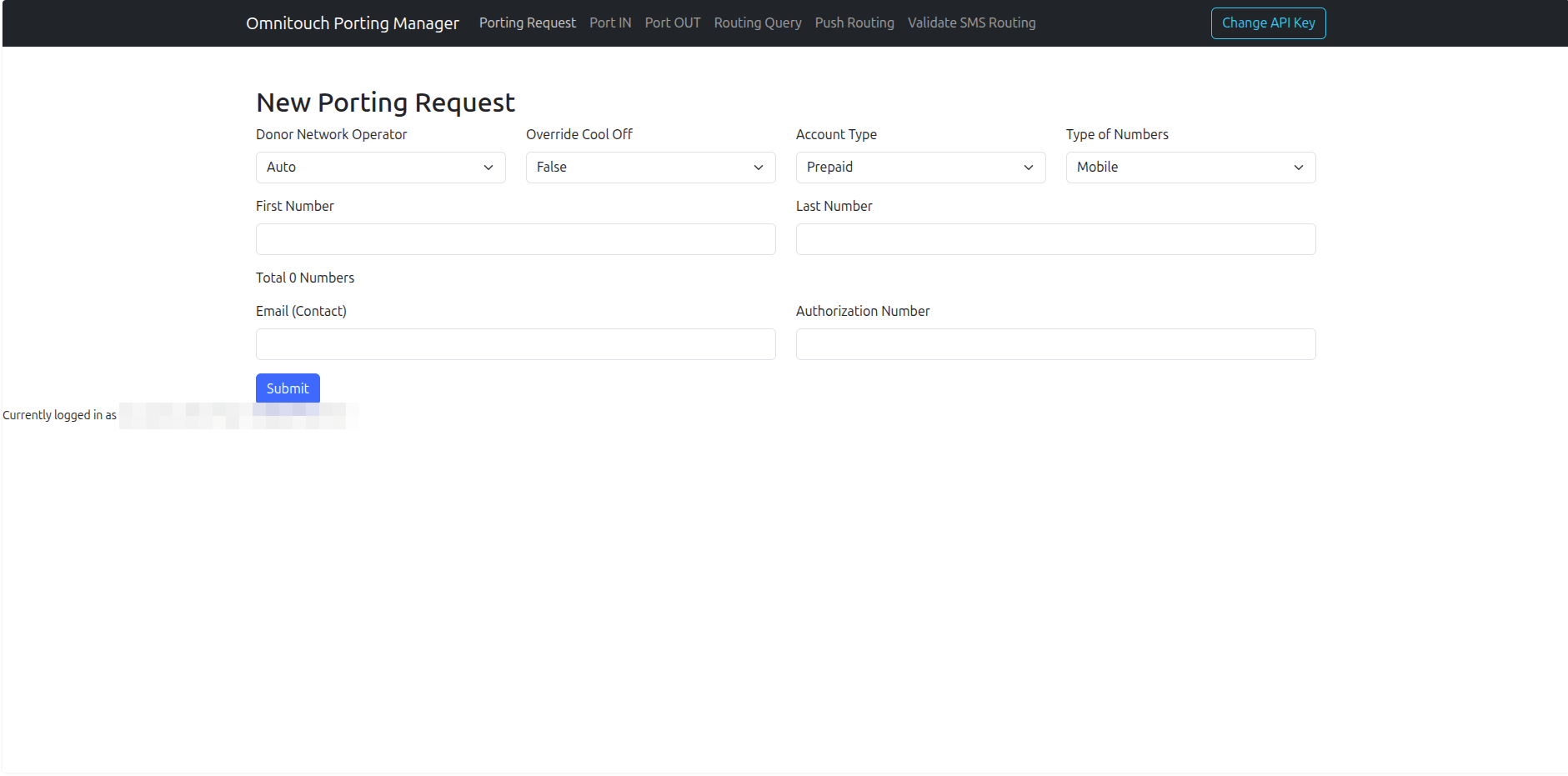
| Field | Description |
|---|---|
| Donor Network Operator | Operator code of the donor carrier. Select Auto for automatic detection from the number range. |
| Override Cool Off | Set to True only when the customer has explicitly waived the cool-off period. Default: False. |
| Account Type | Prepaid or Postpaid |
| Type of Numbers | Mobile or Fixed |
| First Number | Start of the number range (local format, without country code) |
| Last Number | End of the range — same as First Number for a single number port |
| Total Numbers | Calculated automatically |
| Email (Contact) | Contact email for this request |
| Authorization Number | Customer authorisation number — auto-fills from First Number if left blank |
Click Submit to create the request. A success message will display the assigned message identifier.
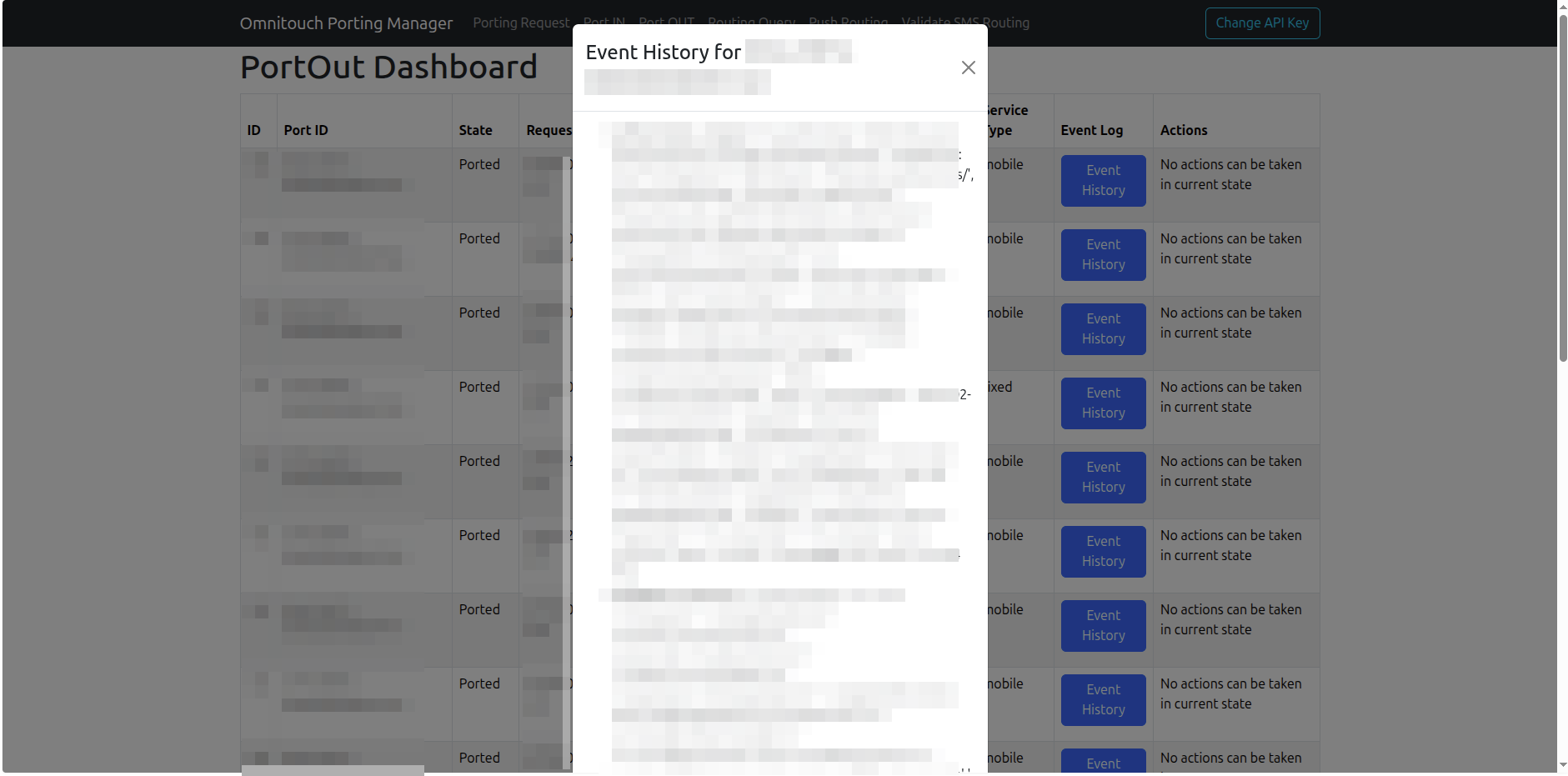
Port IN Dashboard
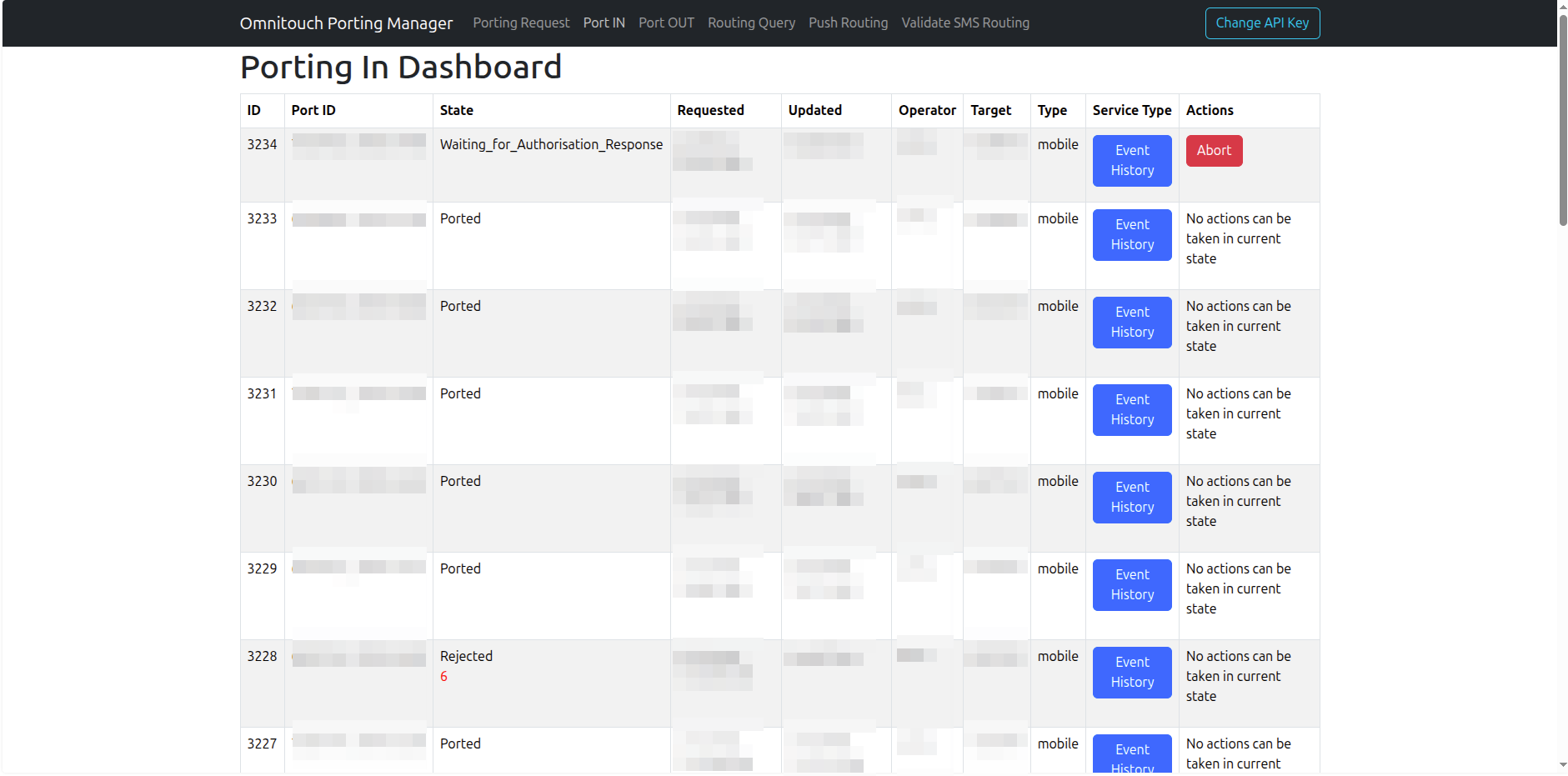
| Column | Description |
|---|---|
| ID | Internal database ID |
| Port ID | Clearinghouse message identifier |
| State | Current porting state |
| Requested | Submission timestamp |
| Updated | Last update timestamp |
| Operator | Donor network operator code |
| Target | Contact/authorisation number |
| Type | Mobile or Fixed |
| Service Type | Event History button |
| Actions | State-dependent action buttons |
Where a port has been resubmitted (e.g. after an account type mismatch), the original port ID is shown in green. Where a port has been rejected, the rejection reason is shown in red.
Port-In States:
| State | Meaning |
|---|---|
Waiting_for_Authorisation_Response | Request submitted, awaiting donor response |
Waiting_for_Instruction | Donor authorised — confirm to proceed |
Waiting_for_Instruction_Response | Instruction sent, awaiting acknowledgement |
Waiting_for_Ported_Response | Port execution in progress |
Number_Ported / Number_Ported_Complete | Port complete, routing updated |
Aborted | Cancelled |
Rejected | Donor rejected the request |
TimeOut | Request timed out |
Actions:
Waiting_for_Authorisation_Response— Abort button (red) cancels the requestWaiting_for_Instruction— Instruction button (green) confirms the port should proceed
Event History:
Click Event History on any row to open the event log modal.
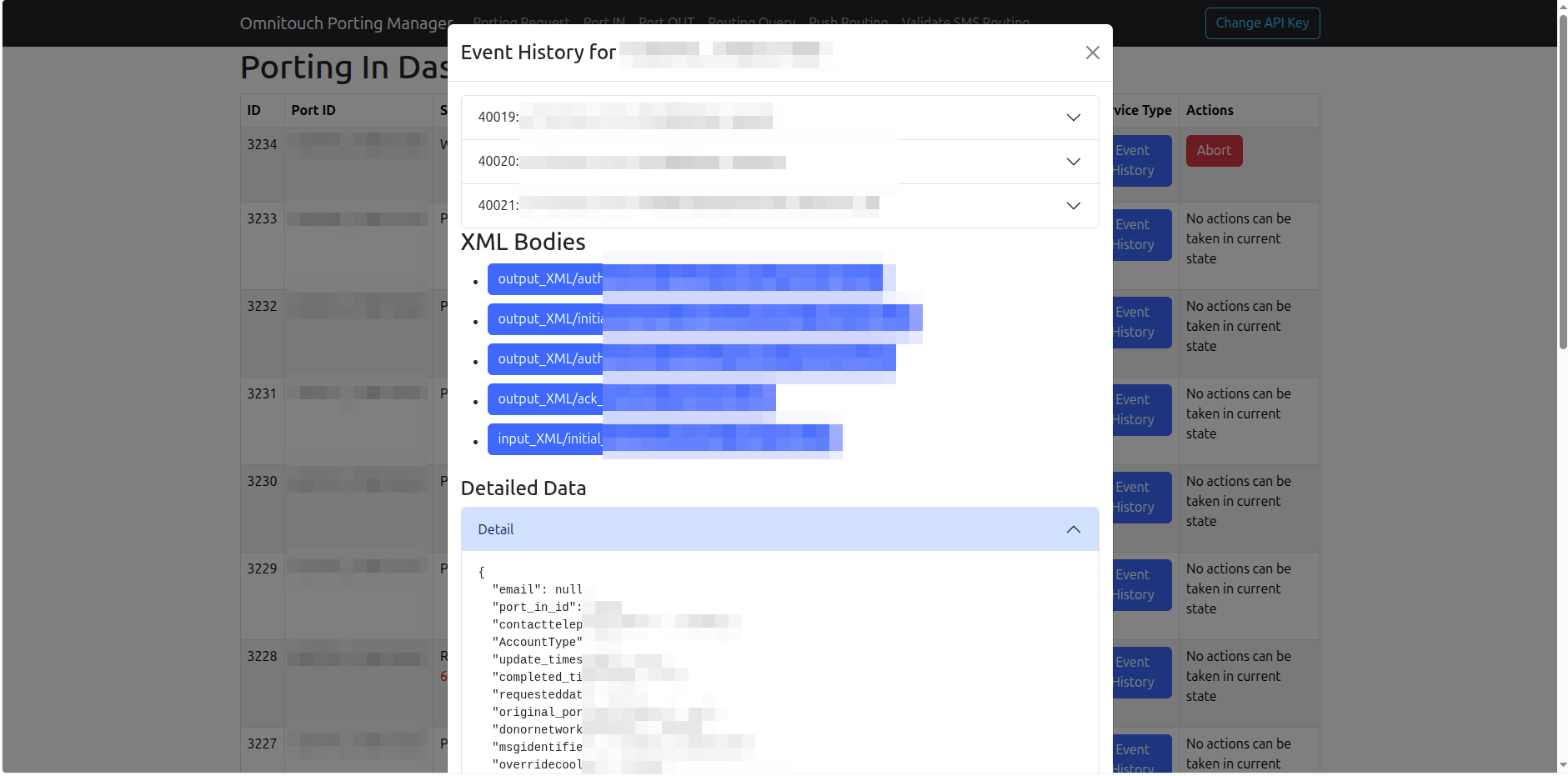
- Events — accordion list of each state transition with event type and log detail
- XML Bodies — download links for all SOA/ENUM XML messages, split into outbound (
Output_XML) and inbound (Input_XML) - Detailed Data — full JSON dump of the port record
Port OUT Dashboard
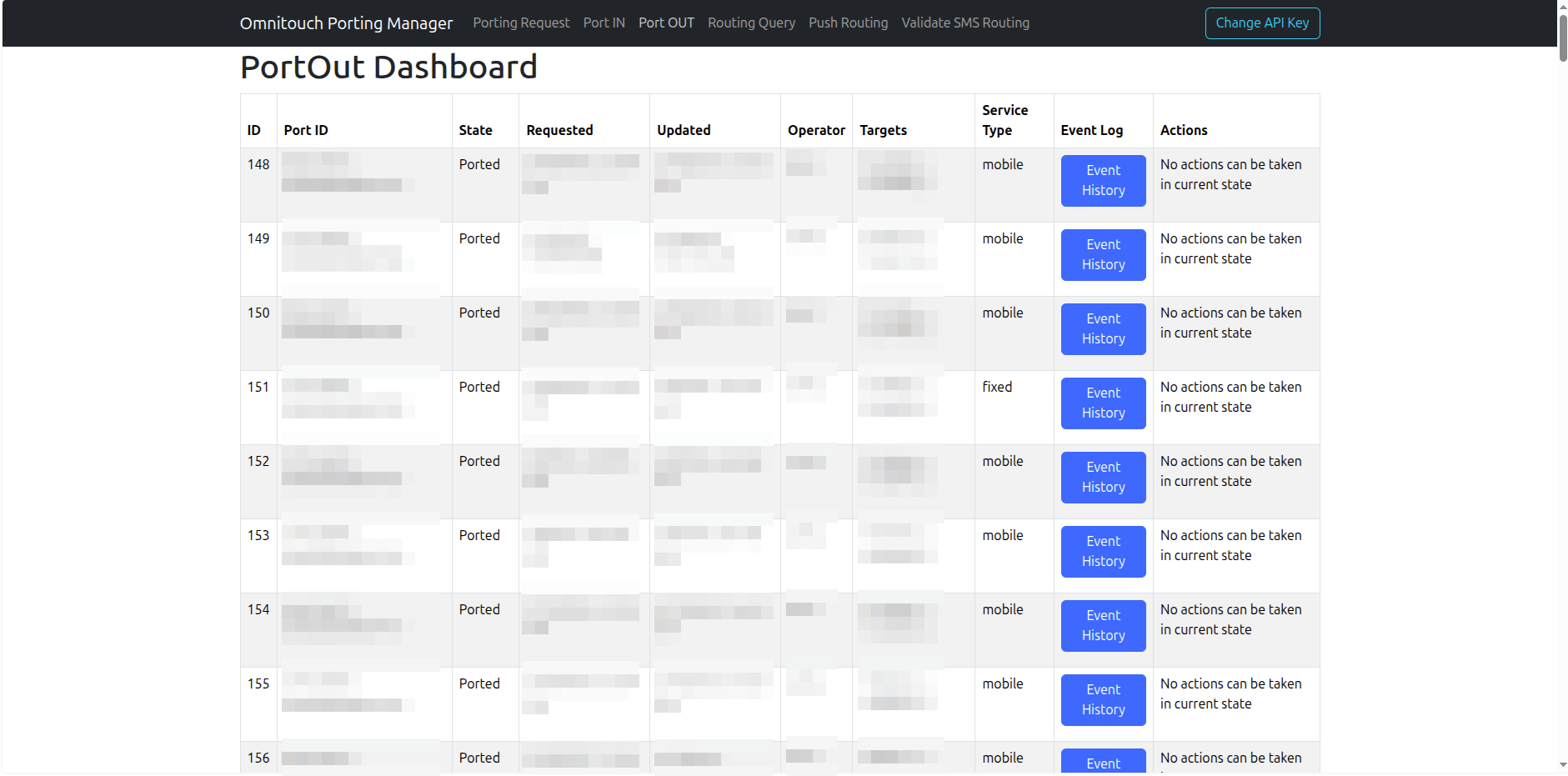
| Column | Description |
|---|---|
| ID | Internal database ID |
| Port ID | Clearinghouse message identifier |
| State | Current porting state |
| Requested | Submission timestamp |
| Updated | Last update timestamp |
| Operator | Recipient (gaining) operator code |
| Targets | Number ranges being ported out |
| Service Type | Event Log button |
| Actions | Authorise or Reject buttons |
Actions (Waiting_for_Authorisation_Response):
- Authorise (green) — Approves the port-out and notifies the gaining carrier
- Reject (red) — Denies the request. Only use for legitimate reasons: account mismatch, outstanding balance, fraudulent request, or number not active.
Click Event Log on any row to view the full message exchange.
Routing Query
Enter the local number (country code added automatically) and click Check Routing.
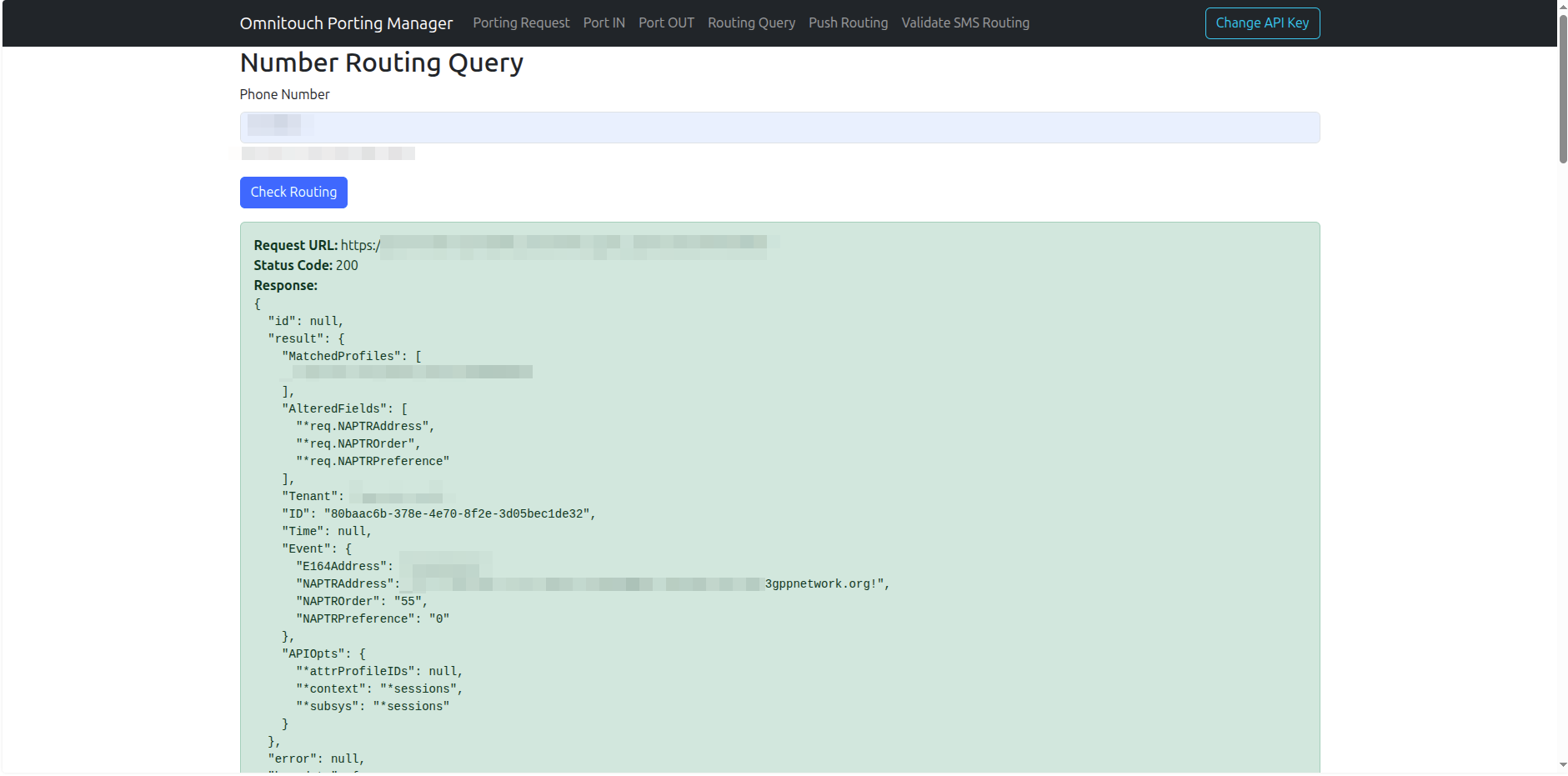
The response is the raw CGrateS ProcessEvent result:
| Field | Description |
|---|---|
Event.E164Address | The queried number |
Event.NAPTRAddress | NAPTR routing string — IMS domain or routing number |
Event.NAPTROrder | NAPTR order value |
Event.NAPTRPreference | NAPTR preference value |
MatchedProfiles | CGrateS attribute profile matched for this number |
Push Routing
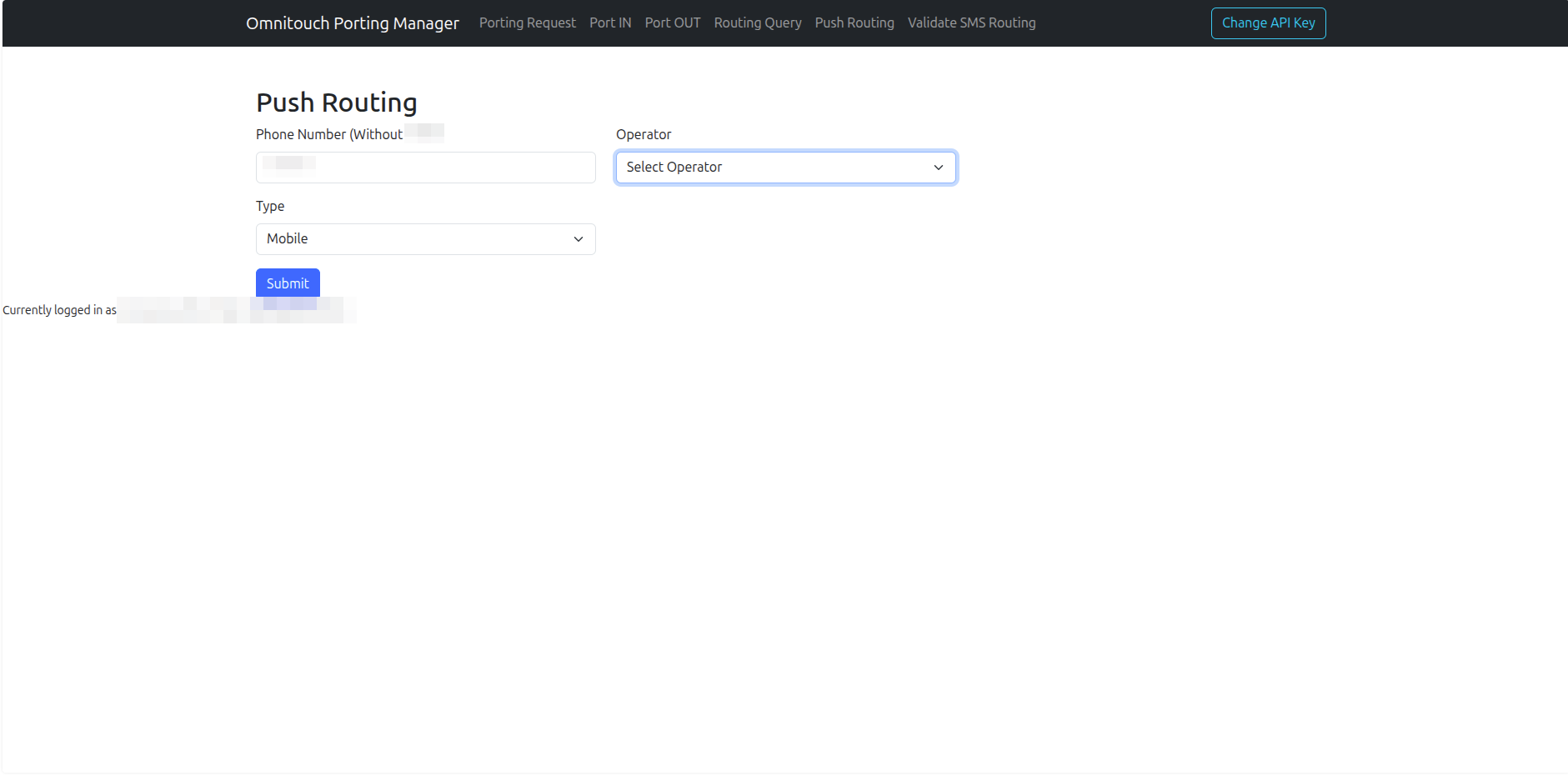
| Field | Description |
|---|---|
| Phone Number (Without country code) | Local number — country code added automatically |
| Operator | Operator code to route this number to |
| Type | Mobile or Fixed |
Use for emergency corrections, initial provisioning, or when automatic post-port routing fails.
Validate SMS Routing
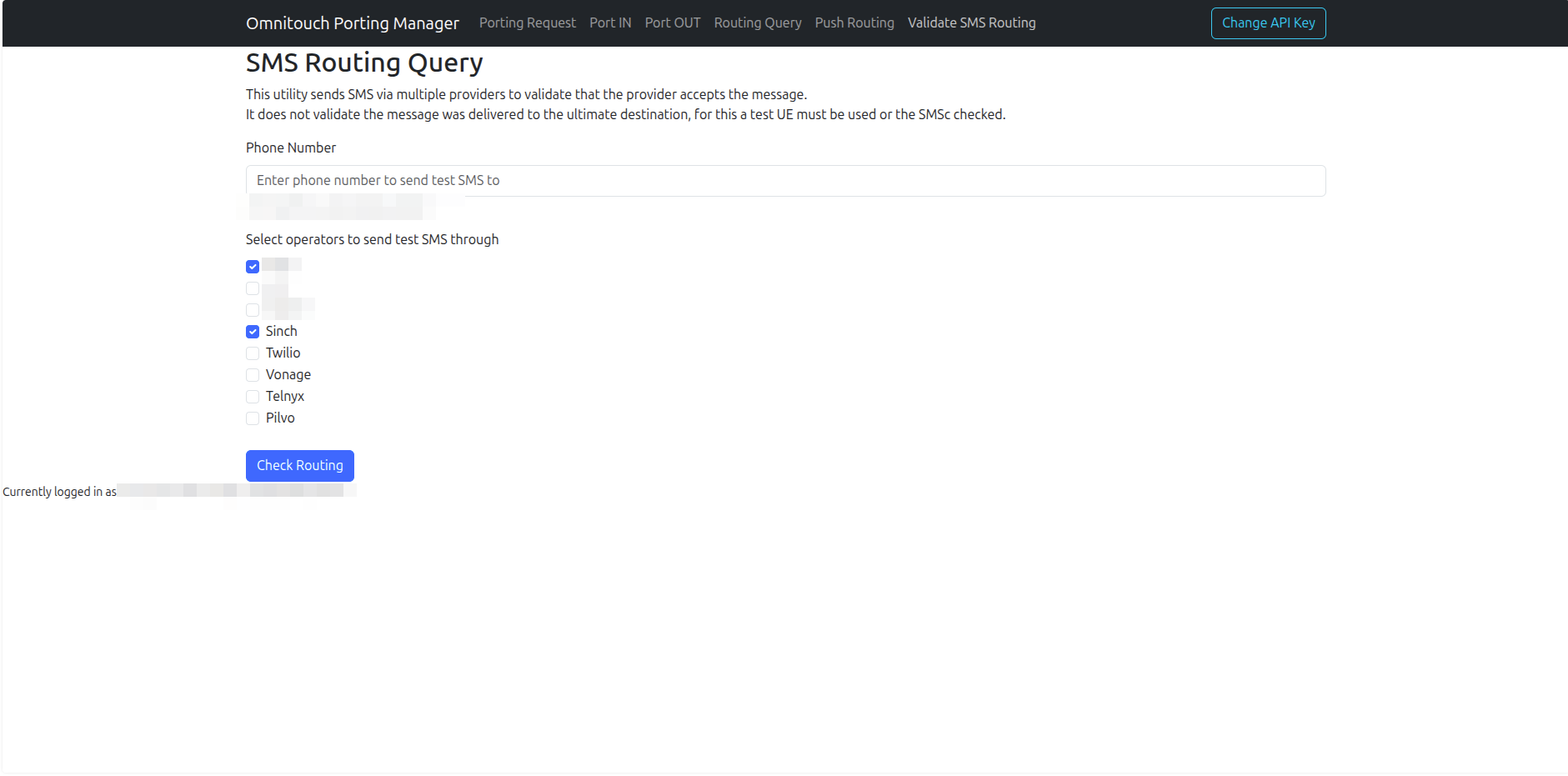
The primary use case for this tool is validating that A2P (application-to-person) SMS messages from external CPaaS providers route correctly to ported numbers. When a number is ported, the new carrier must be correctly provisioned in each provider's routing tables — this doesn't always happen automatically, and without a tool like this there's no easy way to detect the gap.
By sending a test message from each provider to a ported number, you can confirm which providers have updated their routing and which haven't. Providers that return an error or fail to deliver can be escalated directly using the debug information in the result.
Validates that the provider accepted the message submission — does not confirm delivery to the handset. Use a test device or SMSc log check to confirm delivery.
- Enter the target phone number (typically a recently ported number under test)
- Select one or more A2P providers to test through
- Click Check Routing
The target number will receive an SMS from each selected provider with the body Test from {ProviderName}. Results show green (accepted) or red (error). Click any result row to expand debug information — required when escalating routing issues to CPaaS providers.
Available Providers:
| Provider | Notes |
|---|---|
| Native | Native platform SMPP delivery |
| CarrierA | Carrier direct |
| CarrierB | Carrier direct |
| Sinch | CPaaS provider |
| Twilio | Omnitouch has direct escalation contact |
| Vonage | Omnitouch has direct escalation contact |
| Telnyx | Omnitouch client — direct team contact |
| Pilvo | Omnitouch has direct escalation contact |
Swagger / API Explorer
Omnitouch Porting Manager exposes a live Swagger UI at /np_api/doc.
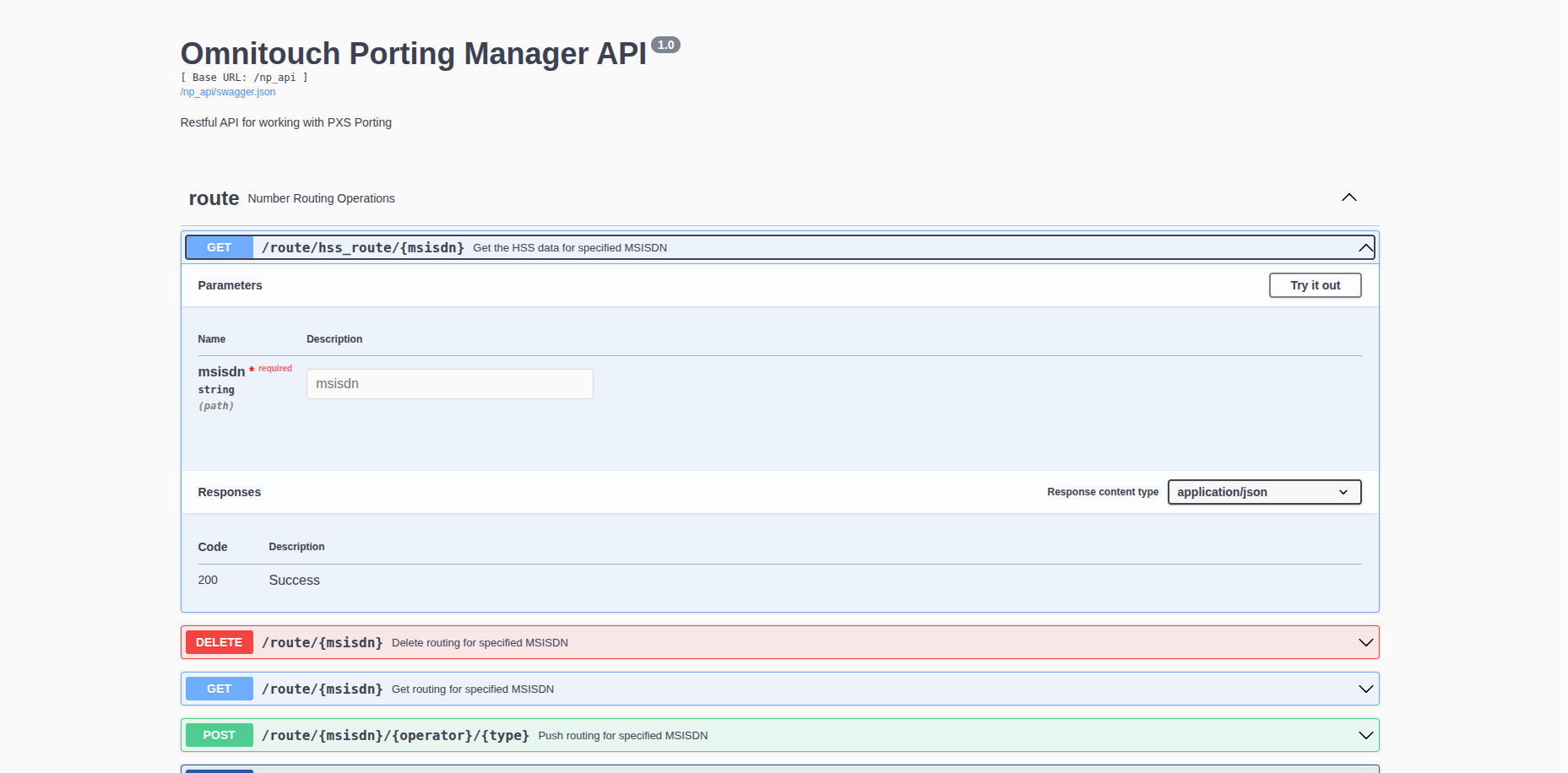
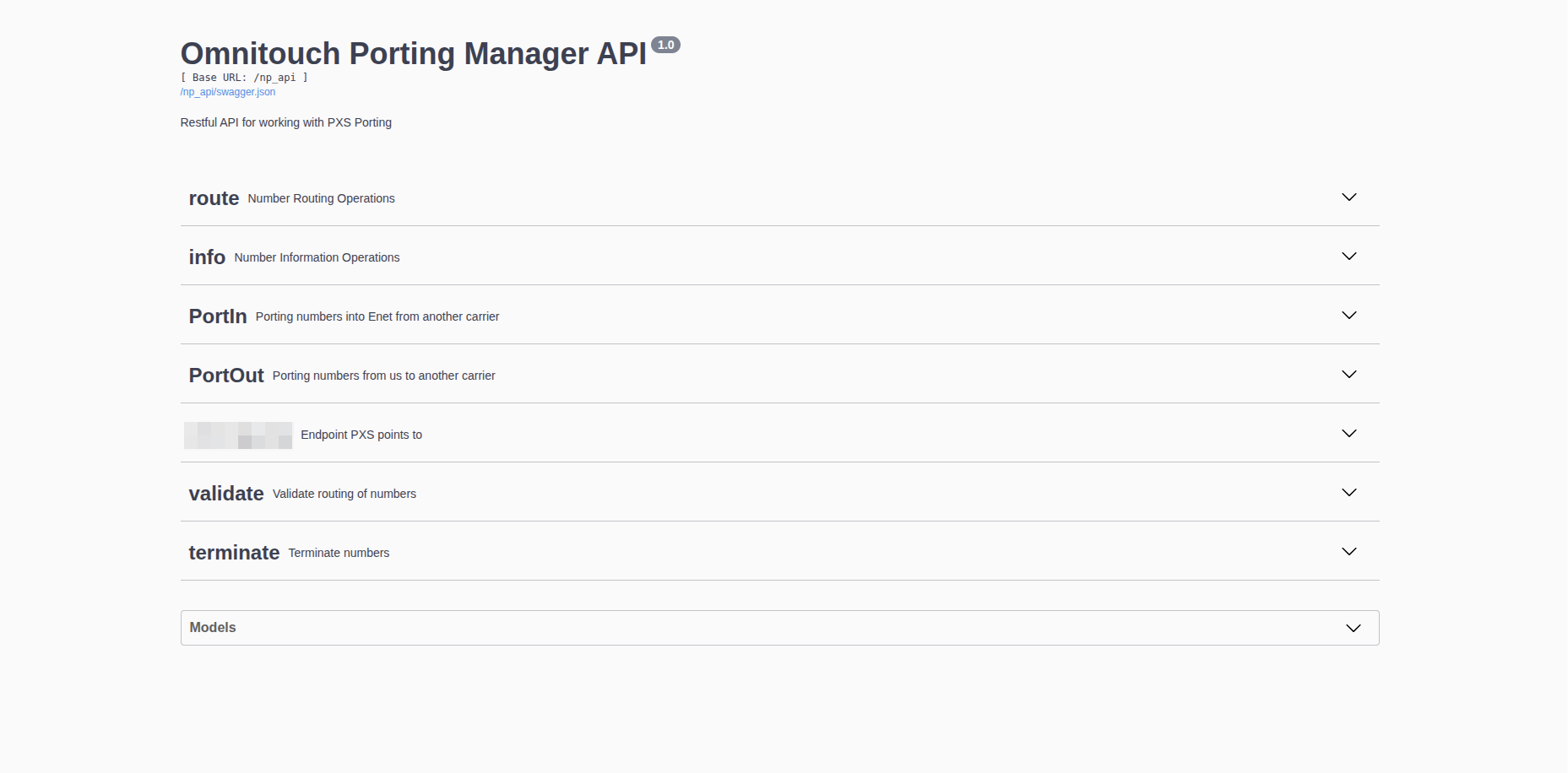
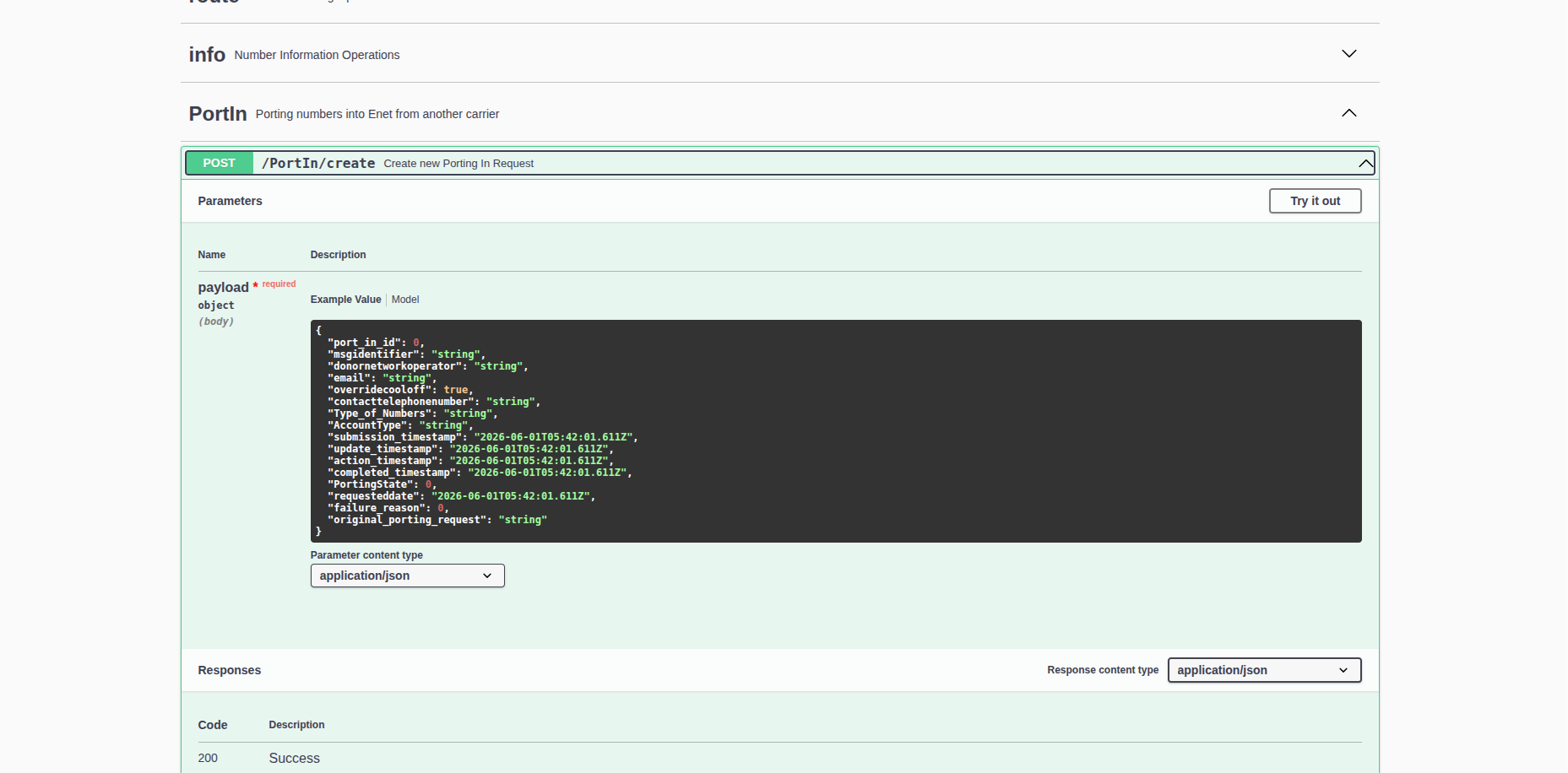
The OpenAPI schema is available at /np_api/swagger.json for import into Postman or other API tools.
API Reference
Base URL
/np_api/
Interactive documentation available at /np_api/doc.
Authentication
See the Administrator Guide for authentication setup and credential management.
| Tier | Capabilities |
|---|---|
admin | Full access to all endpoints |
pxs | Port IN/OUT management and routing |
read_only | Validation and number info endpoints only |
Port-In Endpoints
Create Port-In Request
POST /np_api/PortIn/create — Auth: admin, pxs
| Field | Type | Required | Description |
|---|---|---|---|
donornetworkoperator | string | No | Donor operator code — leave blank for auto-detection |
email | string | Yes | Contact email |
overridecooloff | boolean | No | Skip the regulatory cool-off period (default: false) |
contacttelephonenumber | string | Yes | Customer authorisation number |
Type_of_Numbers | string | Yes | "mobile" or "fixed" |
telephonenumberseriestart | string | Yes | First number in the range |
telephonenumberserieend | string | Yes | Last number in the range |
AccountType | string | Yes | "Prepaid" or "Postpaid" |
PortingState | integer | No | Initial state override (default: 0) |
curl -X POST https://your-host/np_api/PortIn/create \
  -u "your_username:your_api_key" \
  -H "Content-Type: application/json" \
  -d '{
    "donornetworkoperator": "DONOR",
    "email": "ops@example.com",
    "overridecooloff": false,
    "contacttelephonenumber": "5550100",
    "Type_of_Numbers": "mobile",
    "telephonenumberseriestart": "5550100",
    "telephonenumberserieend": "5550199",
    "AccountType": "Prepaid"
  }'
Response:
{
  "result": "success",
  "msgidentifier": "XX202501-CARR-00001",
  "message": "Port-in request created successfully"
}
List Port-In Requests
GET /np_api/PortIn/list — Auth: admin, pxs
Returns up to 30 records ordered by most recent.
Get Port-In Request
GET /np_api/PortIn/{msgidentifier} — Auth: admin, pxs
Returns the full record including event history and number ranges. If superseded by a resubmission, transparently returns the newer record.
Response shape:
{
  "port_in_id": 42,
  "msgidentifier": "XX202501-CARR-00001",
  "PortingState": 2,
  "PortingStateString": "Waiting_for_Instruction",
  "donornetworkoperator": "DONOR",
  "email": "ops@example.com",
  "contacttelephonenumber": "5550100",
  "Type_of_Numbers": "mobile",
  "AccountType": "Prepaid",
  "overridecooloff": false,
  "submission_timestamp": "2025-01-15T10:30:00",
  "update_timestamp": "2025-01-15T14:22:00",
  "failure_reason": null,
  "original_porting_request": null,
  "phone_number_ranges": [
    { "telephonenumberseriestart": "5550100", "telephonenumberserieend": "5550199" }
  ],
  "events": [
    {
      "porting_in_event_id": 1,
      "msgtype": "PortingRequest",
      "direction": 0,
      "eventlog": "Submitted to clearinghouse",
      "submission_timestamp": "2025-01-15T10:30:00Z"
    }
  ]
}
Porting state values:
| Value | State |
|---|---|
| 0 | NoPort |
| 1 | Waiting_for_Authorisation_Response |
| 2 | Waiting_for_Instruction |
| 3 | Waiting_for_Instruction_Response |
| 10 | Waiting_for_Ported_Response |
| 11 | Waiting_for_Change_Response |
| 20 | Number_Ported |
| 30 | Number_Ported_Complete |
| 97 | TimeOut |
| 98 | Aborted |
| 99 | Rejected |
Rejection reason codes (failure_reason):
| Code | Reason |
|---|---|
| 0 | Unknown |
| 31 | Account Suspended |
| 32 | Account Problem |
| 33 | Bill Problem |
| 34 | Deposit Exceeded |
| 35 | Incorrect Account Type |
| 36 | Reported Stolen or Lost |
| 37 | Special |
| 38 | No Cooling Off (Repatriation) |
| 39 | Prepaid Bill Problem |
| 99 | General Rejection |
Send Instruction (Confirm Port)
POST /np_api/PortIn/{msgidentifier} — Auth: admin, pxs
Confirms the port should proceed. Only valid when PortingState is Waiting_for_Instruction (2).
Abort Port-In
DELETE /np_api/PortIn/{msgidentifier} — Auth: admin, pxs
Cancels a port-in. Valid in states: Waiting_for_Authorisation_Response, Waiting_for_Instruction, Waiting_for_Authorisation.
List XML Files
GET /np_api/PortIn/get_xml_list/{msgidentifier} — Auth: admin, pxs
Returns array of XML filenames for a port.
Download XML File
GET /np_api/PortIn/get_xml/{folder}/{filename} — Auth: admin, pxs
folder is output_XML (sent) or input_XML (received).
Port-Out Endpoints
List Port-Out Requests
GET /np_api/PortOut/list — Auth: admin, pxs
Get Port-Out Request
GET /np_api/PortOut/{msgidentifier} — Auth: admin, pxs
Response shape:
{
  "port_out_id": 99,
  "msgidentifier": "XX202501-DONOR-00001",
  "PortingState": 1,
  "PortingStateString": "Waiting_for_Authorisation_Response",
  "recipientnetworkoperator": "DONOR",
  "Type_of_Numbers": "mobile",
  "submission_timestamp": "2025-01-16T09:15:00",
  "update_timestamp": "2025-01-16T09:15:00",
  "phone_number_ranges": [
    { "telephonenumberseriestart": "5550200", "telephonenumberserieend": "5550249" }
  ],
  "events": []
}
Authorise Port-Out
POST /np_api/PortOut/{msgidentifier} — Auth: admin, pxs
Approves the port-out and notifies the gaining carrier.
Reject Port-Out
DELETE /np_api/PortOut/{msgidentifier} — Auth: admin, pxs
Rejects the port-out. Use only for legitimate reasons: account mismatch, outstanding balance, fraudulent request, or number not active.
Routing Endpoints
Query Number Routing
GET /np_api/route/{msisdn} — Auth: admin, pxs
Returns CGrateS routing record including NAPTR address, order, preference, and HSS subscription data. msisdn is the full E.164 number without the leading +.
Push Routing Update
POST /np_api/route/{msisdn}/{operator}/{type} — Auth: admin, pxs
Manually provisions a routing record. operator is deployment-specific. type is mobile or fixed.
Delete Routing Record
DELETE /np_api/route/{msisdn} — Auth: admin, pxs
Removes a routing record.
Query HSS Only
GET /np_api/route/hss_route/{msisdn} — Auth: admin, pxs
Returns HSS subscription data only, without the routing database lookup.
Validation Endpoints
SMS Routing Validation
POST /np_api/validate/sms_validate — Auth: admin, pxs, read_only
Sends a test SMS via a specified CPaaS provider. Country code prefix added automatically.
| Field | Type | Description |
|---|---|---|
phone_number | string | Target number |
Operator | string | Native, CarrierA, CarrierB, Sinch, Twilio, Vonage, Telnyx, Pilvo, ClickSend |
apiKey | string | Provider API key (if required) |
Response:
{
  "result": "Sent",
  "x-message-id": "SM1234567890abcdef",
  "x-transaction-id": "8a2c925809bb403f01",
  "x-message-timestamp": "2025-01-15T10:30:00.000Z",
  "x-provider": "Twilio",
  "x-provider-response": "..."
}
Number Info
GET /np_api/info/{msisdn} — Auth: admin, pxs, read_only
Queries the clearinghouse for number information. Returns raw clearinghouse response as JSON.
Terminate Number
DELETE /np_api/terminate/{msisdn}/{type_of_numbers} — Auth: admin, pxs
Submits a termination request to the clearinghouse and removes the routing record. type_of_numbers is mobile or fixed.
Clearinghouse XML Receiver
POST /np_api/{deployment_prefix}/recv/ — Auth: pxs (clearinghouse credentials)
Internal endpoint used by the clearinghouse to deliver inbound XML messages. Not for direct use. Deployment prefix is configured per installation.
| Message Type | Action |
|---|---|
authorisation_request | Creates a new port-out record |
authorisation_response | Updates port-in state; retries with toggled account type on code 35 |
instruction_response | Advances port-in to Waiting_for_Ported_Response |
ported | Marks port complete, updates routing database, sends welcome notification |
timedout | Sets state to TimeOut |
terminated | Removes routing record |
Error Responses
{
  "result": "Exception raised in ...",
  "Reason": "error details"
}
| Status | Meaning |
|---|---|
| 200 | Success |
| 401 | Authentication failed |
| 403 | File not found (XML download) |
| 500 | Internal error — check Reason field |